Figma Alternatives for Non-Designers (2026): AI Does the Design
Use Mowgli for a whole app, Google Stitch for free screen drafts, Balsamiq for wireframes, Penpot for an open-source editor, or Canva for graphics.
Best Figma alternatives for non-designers: quick answer
There is no single best Figma alternative. Choose by the output you need. Use Mowgli to design a whole app from a description, Google Stitch for free drafts of a few screens, Visily for AI drafts you can edit by hand, and Uizard for prototypes on Miro boards. Pick Balsamiq or Whimsical for rough wireframes, Penpot for open-source design editing, v0, Lovable or Bolt for working software, and Canva for marketing graphics.
We make Mowgli.
Competitor details below come from vendor pages. The hands-on images come from the Mowgli habit-tracker demo project.
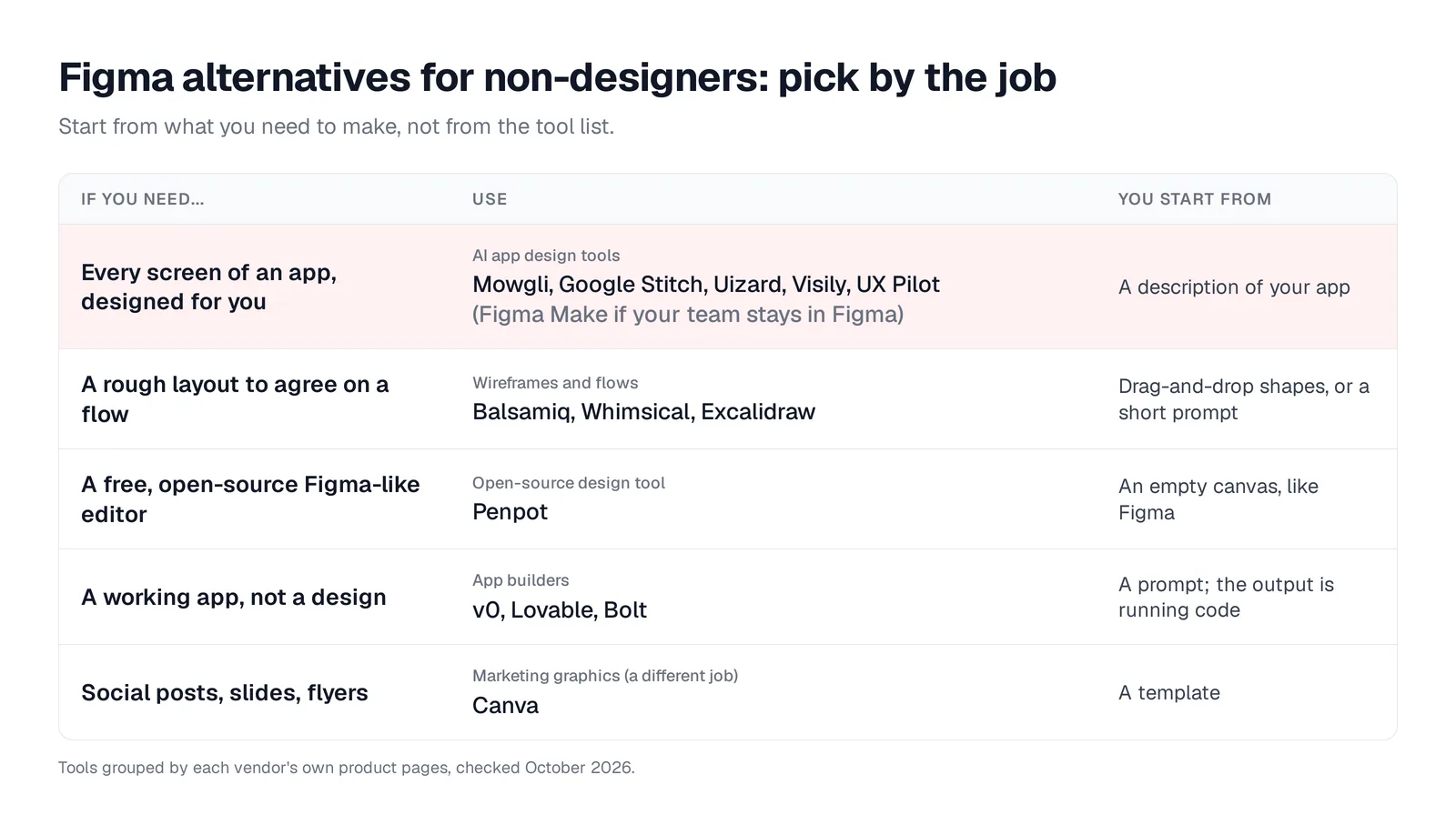
Caption: Five different jobs people mean by "Figma alternative", and what you start from in each. Original graphic based on vendor pages.
| If you need... | Pick | Why |
|---|---|---|
| A whole app designed from a description | Mowgli | Questionnaire, then a spec, then every screen and its states |
| Free drafts of a few screens | Google Stitch | Free, with a daily credit limit |
| AI drafts you then edit by hand | Visily | Built for non-designers; 300 free AI credits a month |
| Prototypes on your team's Miro boards | Uizard | Now powers Miro Prototypes |
| One user journey from a PRD | UX Pilot | Autoflow turns one prompt into a multi-screen journey |
| AI inside your team's existing Figma | Figma Make | Builds with your team's Figma libraries and guidelines |
| A rough wireframe to agree on structure | Balsamiq or Whimsical | Low fidelity on purpose, with AI from a prompt |
| A free, open-source Figma-like editor | Penpot | Free cloud plan for up to 8 members; self-hostable |
| A working app | v0, Lovable or Bolt | Running code and hosting, not a design file |
| Social posts, slides, flyers | Canva | Templates for graphics, not app flows |
What an AI app design tool does
An AI app design tool starts from a written description, PRD, sketch or screenshot. It produces editable mobile, web or desktop screens, then lets you refine them through prompts instead of drawing every element manually. Depending on the tool, you can export the result to Figma or code.
The distinction is simple:
- In Figma, you construct the design.
- In an AI app design tool, you review and direct a generated design.
- In an app builder, you produce running code instead of a separate design artifact.
That difference determines which category you need.
When you may not need a Figma alternative
Stay with Figma if your team already has shared libraries, needs real-time collaboration, or hands designs to developers through Dev Mode.
You may not need a full design seat just to review work. On paid plans, people can "view and comment on your files without purchasing extra seats." A Professional Collab seat costs $3 a month.
Creating the screens yourself is a different job. Figma's beginner course has 33 chapters and takes 180 minutes. Its portfolio project introduces frames, auto layout, components and prototyping. New design files still start with an empty canvas, and templates or UI kits do not decide your screen list or content.
A Professional Full seat costs $16 a month. An Organization Full seat costs $55, billed annually. Starter includes 150 AI credits a day, up to 500 a month.
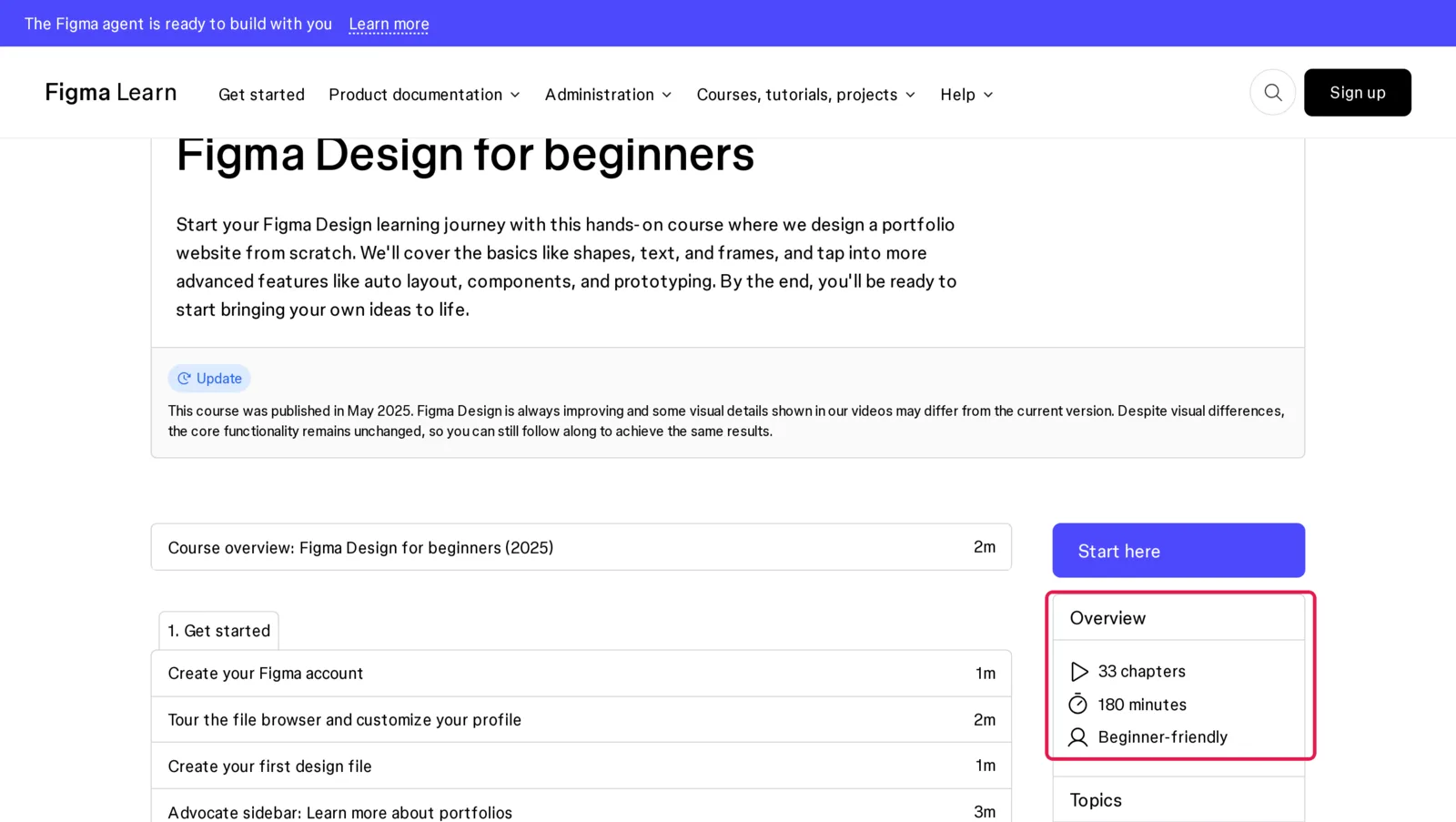
Caption: Figma's own beginner course, overview boxed. Source: Figma Learn, captured October 2026.
AI tools that design app screens for you
These tools differ mainly in product coverage. Some draft one screen at a time. Others generate a journey or a complete set of screens and states. See the broader guides to AI app design tools and AI mockup generators for mobile apps.
Mowgli - best for a whole multi-screen app
Mowgli turns a product idea into a full multi-screen app design. A guided questionnaire scopes users, flows and edge cases. It produces a synchronized PRD with user journeys, product constraints and a data model.
Before generation, you choose from 16+ moodboard styles and steer the visual direction. It then generates every screen and state, including 30+ screens and states, on an infinite canvas. Chat edits can target one screen, all of that screen's states, or the whole product. You can also create an interactive click-through prototype.
In the habit-tracker example, a one-paragraph description led to 12 product questions, 12 screens and 46 states. The Today screen has five states, including an empty state. One chat request revised all three onboarding states.
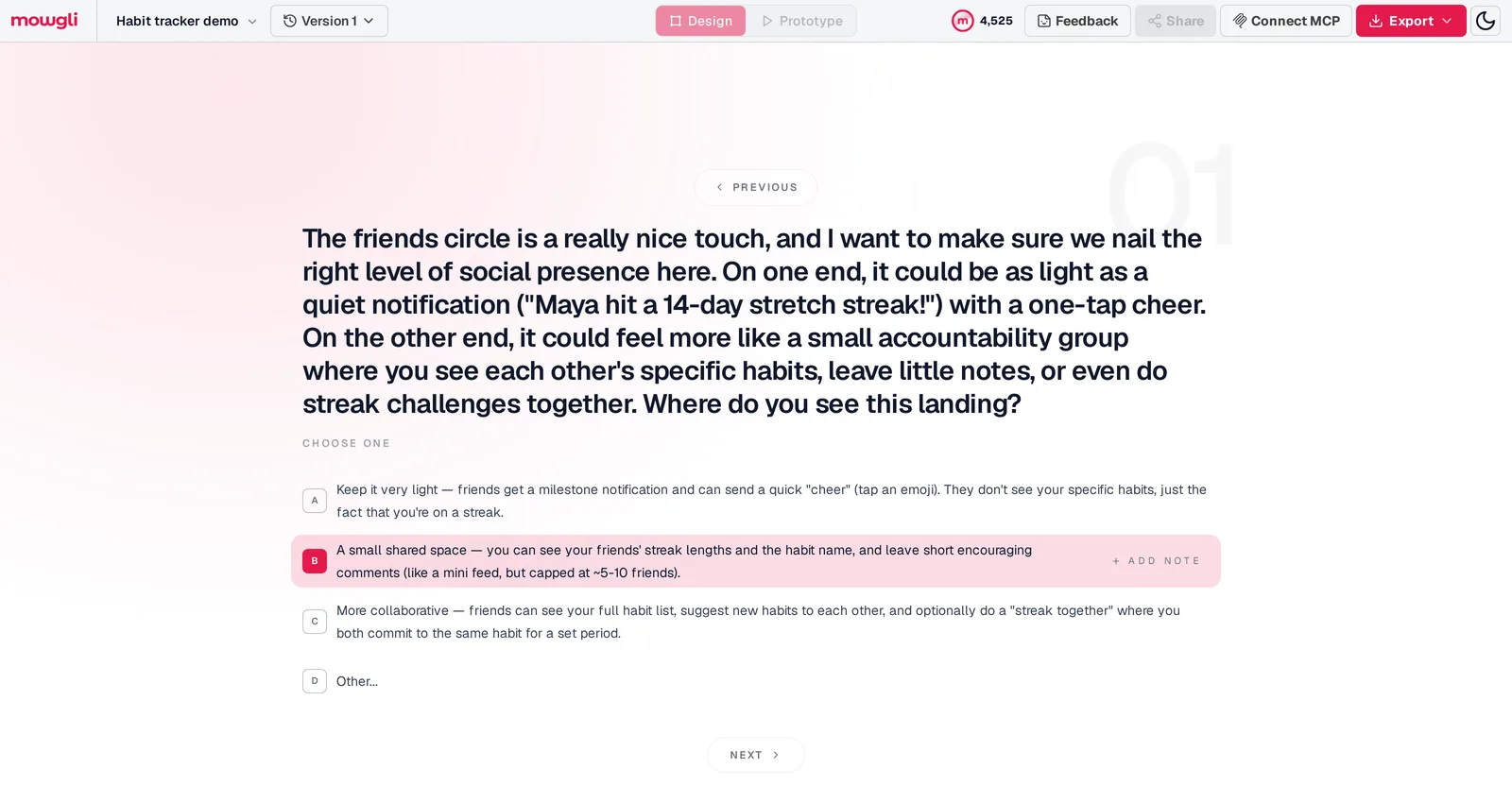
Caption: One of 12 product questions asked about a habit tracker idea; each answer goes into the spec.
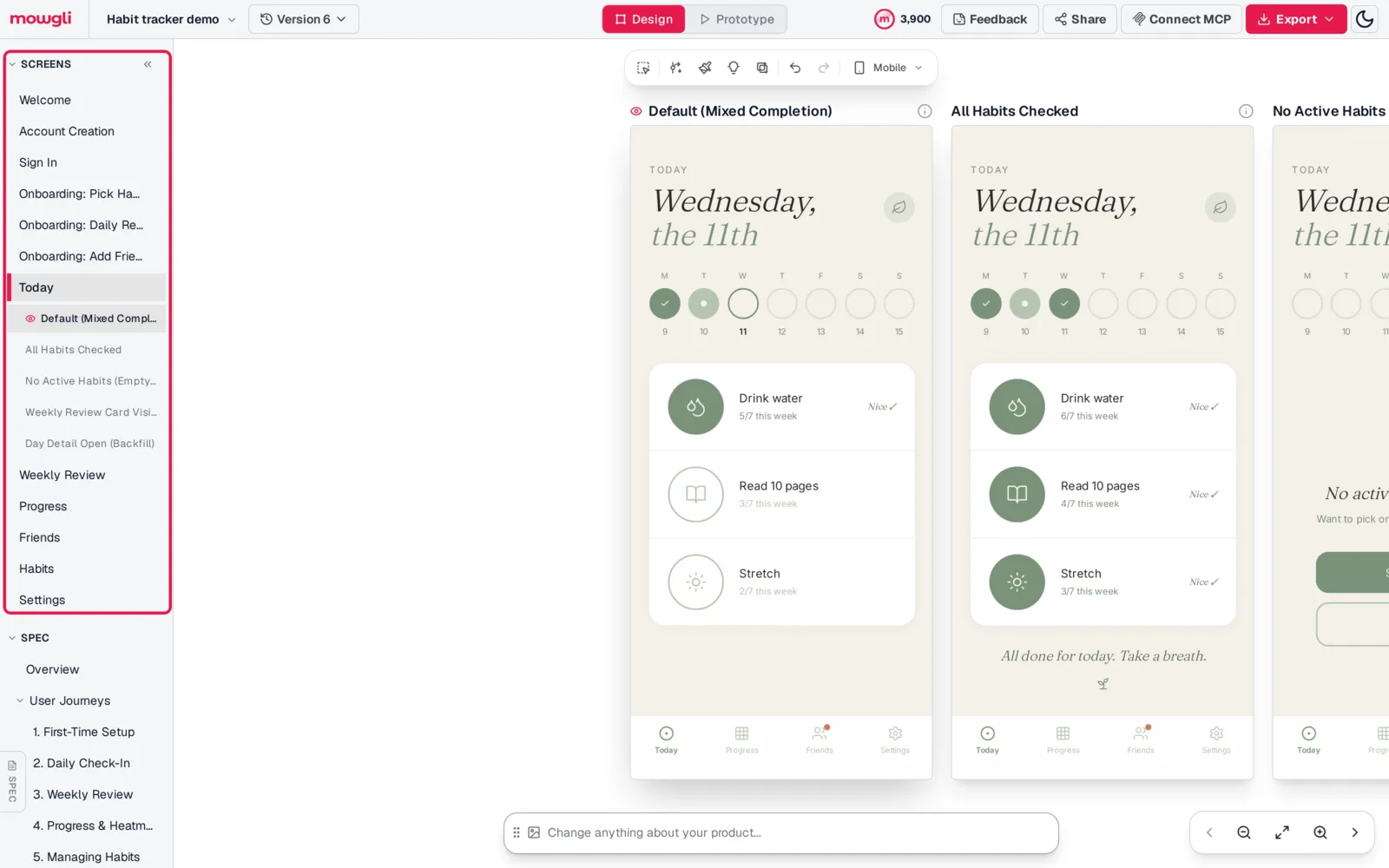
Caption: All 12 screens of the habit tracker demo in the sidebar (boxed); the Today screen alone has five states, including an empty state.
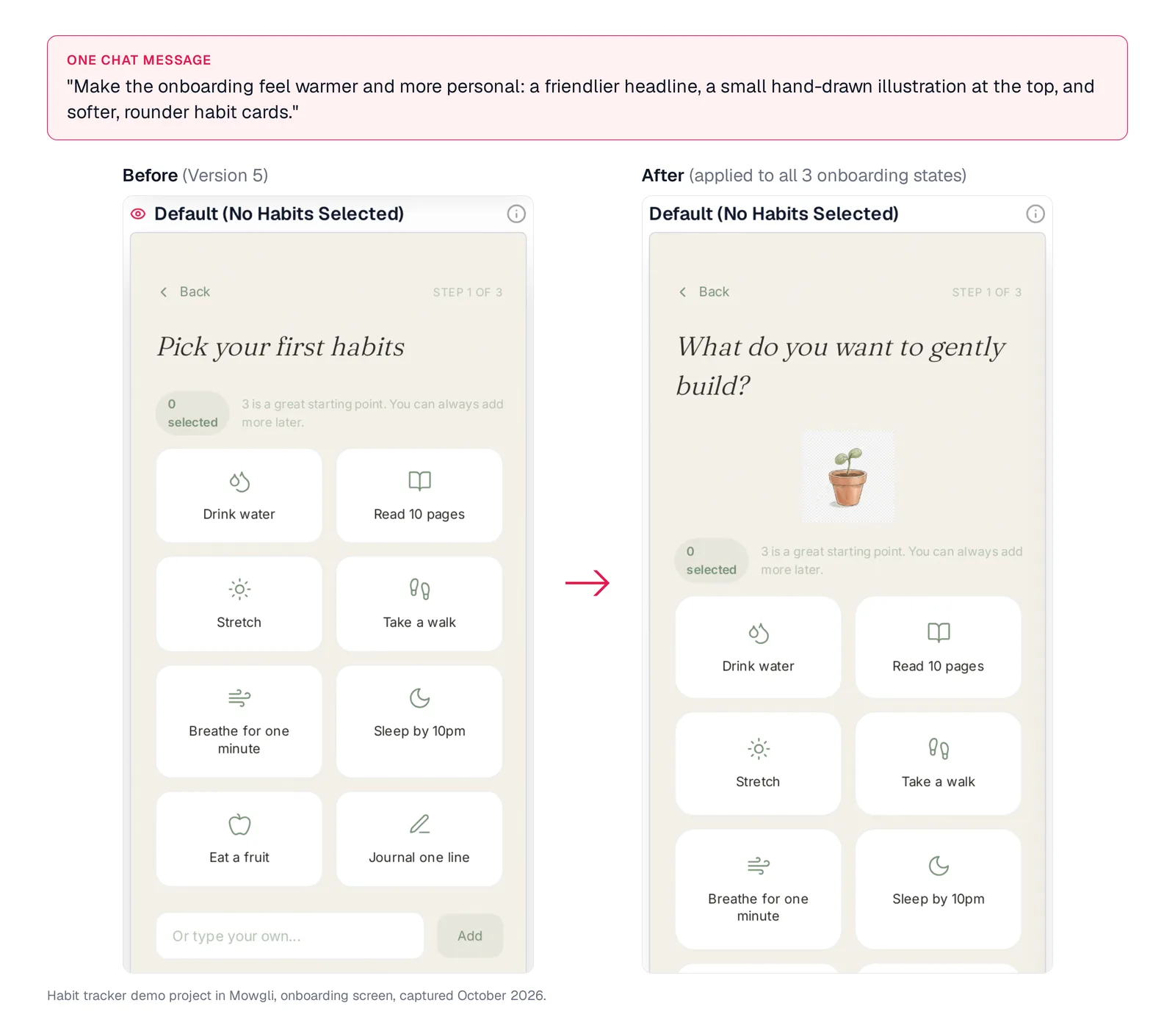
Caption: One chat message reworked the onboarding across all three of its states. Habit tracker demo.
Export natively to Figma or React + Tailwind. The MCP connection gives Claude Code, Codex, Cursor or another coding agent access to the project.
Mowgli designs and prototypes; to host and ship, you hand off to a builder or coding agent (Claude Code, Codex, Cursor, Lovable).
Free to start (300 credits); credit packs from $12; plans from $15/mo. You can begin with app mockups from a description.
Google Stitch - best for free screen-by-screen drafts
Google Stitch is a free Google Labs product for mobile and web screens. Start from a prompt or reference image and review the result on a canvas. Its daily credit limit resets at midnight UTC.
Figma exports use Auto Layout, named layers and editable text. Code exports provide HTML/CSS with Tailwind. Google's workflow guidance is to "focus on one screen/component and make one or two adjustments per prompt," so treat Stitch as a screen-by-screen workflow.
For larger products, read about Google Stitch and multi-screen consistency or see the side-by-side comparison.
Visily - best for AI drafts followed by manual editing
Visily "helps non-designers quickly convey product ideas to clients and executives." Start from a text prompt, screenshot or one of thousands of templates, then edit on a drag-and-drop canvas.
Starter is free and includes 300 AI credits a month, or 600 in the first month, plus two editable boards with up to 2,500 elements each. Exports are 1x and watermarked. Pro adds Figma import and export, code export and an MCP server. Pro costs $14 per editor a month; Business costs $29 per editor a month, billed annually.
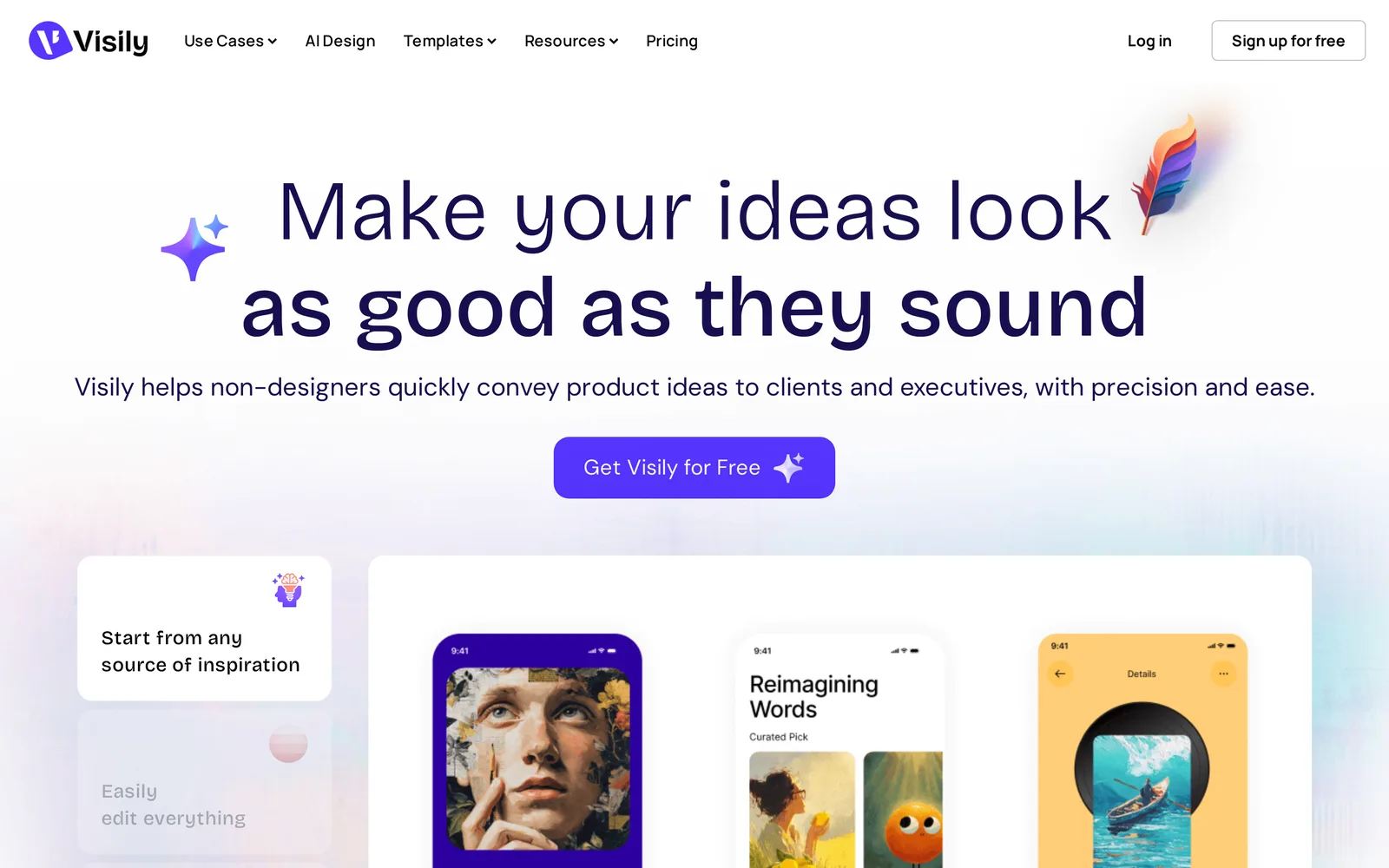
Caption: Visily positions itself for non-designers. Source: Visily website, captured October 2026.
Uizard - best for teams working in Miro
Uizard serves "a design pro or a complete novice" and is now part of Miro. Its homepage directs new users to Miro Prototypes, "powered by Uizard."
Autodesigner creates editable, multi-screen prototypes from one text prompt. Screenshot Scanner turns app screenshots into editable mockups. The free plan includes three AI generations a month, two projects and up to five screens per project.
You can export projects as images or PDF. Paid plans export code one component at a time. Pro costs $12 a month billed annually, and Business costs $39 a month billed annually. Read more about Uizard in 2026.
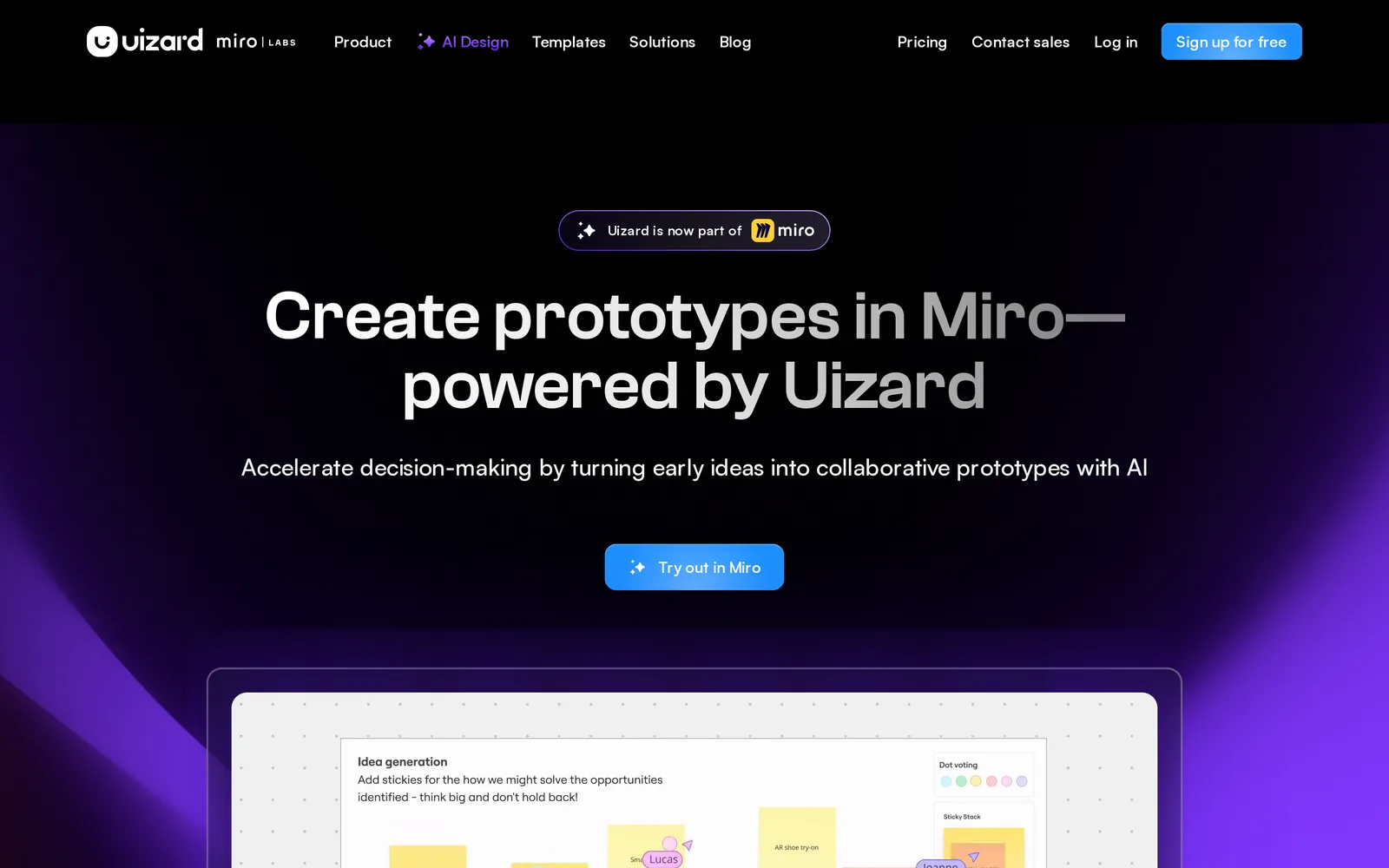
Caption: Uizard's homepage now points to Miro. Source: Uizard website, captured October 2026.
UX Pilot - best for one journey from a PRD
UX Pilot accepts prompts, sketches, PDFs, PRDs, screenshots and files. It creates wireframes or high-fidelity screens. Autoflow can "generate complete multi-screen user journeys from a single prompt."
The free plan provides 80 credits and up to 13 screens a day. Pro adds Figma and code export plus 750 monthly credits. It costs $19 a month billed annually or $29 monthly. Teams costs $31 per user a month billed annually. See the UX Pilot comparison.
Figma Make - best when the team already works in Figma
Figma Make is a prompt-to-app tool that creates an interactive prototype or web app. It can use your team's Figma design context. Make kits synchronize npm packages, library styles and guidelines.
Paid plans can copy a Make preview into Figma Design as layers. Figma estimates about 100+ credits to "generate an app from scratch" and about 30+ credits to "change the font." Starter includes 500 credits a month. A Professional Full seat costs $16 a month and includes 3,000 AI credits. See the Figma Make comparison.
Quick wireframes and user flows
Use low fidelity when you need agreement on structure before discussing colors or polish. Balsamiq, Whimsical and Excalidraw can all generate from a prompt.
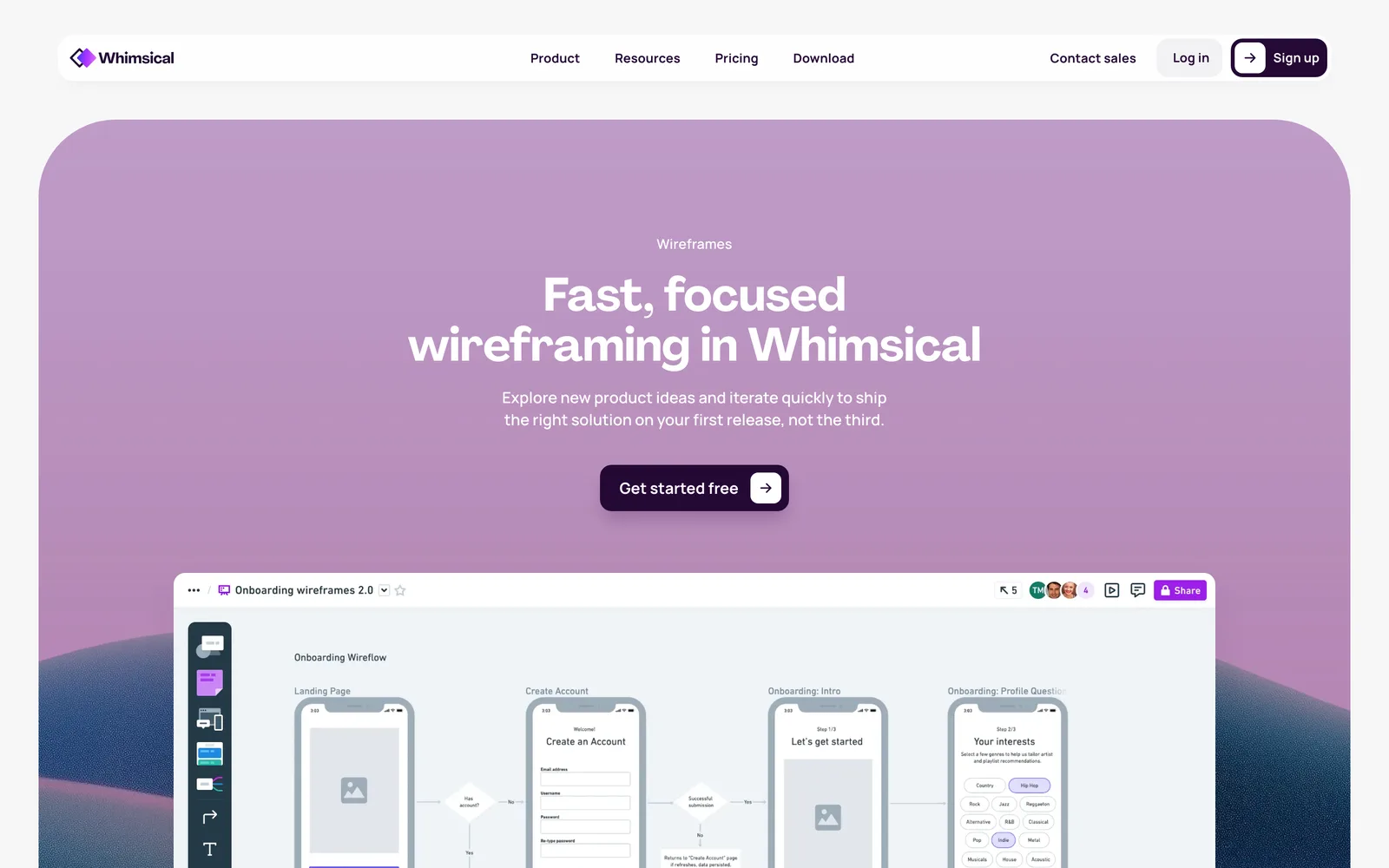
Caption: A low-fidelity onboarding wireflow on Whimsical's wireframes page. Source: Whimsical website, captured October 2026.
Balsamiq - best for deliberately sketch-like wireframes
Balsamiq takes you from a rough wireframe to an interactive prototype without code. Balsamiq AI accepts a rough idea or screenshot. Starter includes 500 AI credits, "enough for around 31 wireframes or 10 prototypes."
The trial lasts 14 days, requires no card and does not become a permanent free plan. Starter costs $16 per editor a month for up to 10 projects. Teams costs $24 and Enterprise costs $35.
Whimsical - best for flows and wireframes on one board
Whimsical combines flowcharts, mind maps and low-fidelity wireframes. AI Wireframes can "turn a text prompt into editable wireframes and wireflows for web and mobile."
Free includes up to 50 board objects a month and 10 AI credits per member; exports carry a watermark. Pro costs $10 per editor a month billed annually, and Business costs $20.
Excalidraw - best for free hand-drawn sketches
Excalidraw is a free whiteboard with a hand-drawn style and unlimited collaborators. It includes AI text-to-diagram and wireframe-to-code, with 10 free AI requests a day.
Use it as a quick-sketch whiteboard, not a UI design tool. Excalidraw+ costs $6 per user a month and includes 100 AI requests a day.
Free, open-source Figma-style editing
Penpot - best for teams that want design files and self-hosting
Penpot is a browser-based, open-source team design platform. Use Penpot Cloud or self-host it. Its free cloud plan supports up to eight team members, unlimited viewers and 10GB.
Penpot supports CSS Grid and Flex layouts, with CSS, HTML and SVG inspection for handoff. It addresses cost and ownership, but you still design from an empty canvas. Unlimited costs $7 per editor a month, capped at $175. Enterprise costs $25 per member a month.
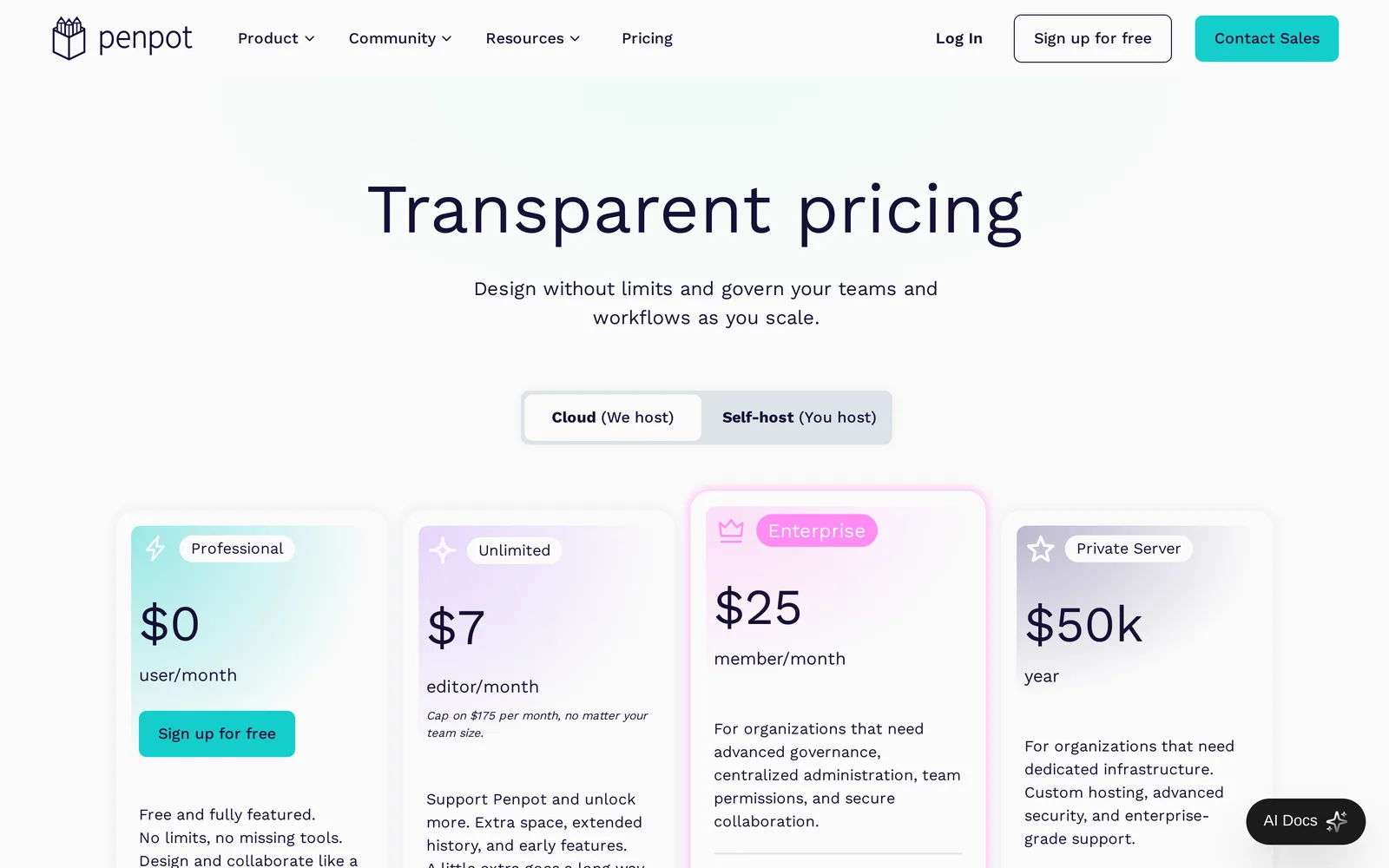
Caption: Penpot's cloud plans. Source: Penpot website, captured October 2026.
If the goal is working software, use an app builder
Choose v0, Lovable or Bolt when you need code and a hosted app rather than a separate design file.
| Builder | Free plan | Paid from |
|---|---|---|
| v0 | $5 one-time credits, 7 messages a day | Plus $30 per user a month |
| Lovable | 5 build credits a day, up to 30 a month | Pro $25 a month (100 credits) |
| Bolt | 1M tokens a month (300K a day) | Pro $25 a month (10M tokens) |
Design changes consume build credits or tokens. Lovable's documentation example says "Make the button gray" costs 0.50 credits.
A two-stage workflow separates design decisions from implementation: review every screen first, then build with Lovable, Bolt, v0, Claude Code, Codex, Cursor or another coding agent. Compare Lovable, Bolt and v0 for app design, then use the coding-agent handoff guide.
Canva is for marketing graphics, not app flows
Canva fits social posts, slides, flyers and ads. Its free plan provides 1,000+ design types, 1.6M+ templates and up to 20 AI uses.
It does not target the product-design requirements covered here: every screen in a flow, screen states and a handoff path into code.
How to brief an AI design tool when you are not a designer
Supply product knowledge instead of design jargon. State the audience, platform, user actions, flows, required states, visual direction and exclusions.
App in one sentence: [what it is and who it's for]
Platform: [iPhone / Android / web / desktop]
The 3-5 things users do: [sign up, create X, find Y, pay, share]
Screens I know I need: [list them, even if incomplete]
States to include: empty (no data yet), loading, error, first-time use
Feel: [3 adjectives] + [one app whose look you like]
Leave out for now: [features you're not building yet]
For a filled example, see every screen a habit tracker app needs.
Before handoff, check that:
- The main flow includes sign-up, onboarding and settings. Use the guide to turn an idea into user flows and a screen list.
- Empty, error and loading states are present. Use the state checklist and prompts.
- Final copy replaces lorem ipsum. Read why real copy matters.
- The first and last screens use consistent fonts, colors and navigation.
- The output can reach implementation through Figma, code export or MCP.
You can also follow specific guides for investor-ready app mockups, product managers, or founders starting from one sentence.
Figma alternatives compared by job, price and export
Prices are from each vendor's pricing page, October 2026.
| Tool | Best for | You start from | Free plan | Paid from | Export highlights |
|---|---|---|---|---|---|
| Mowgli | Whole app from a description | Description plus questionnaire | 300 credits | Packs $12; plans $15/mo | Figma, React + Tailwind, MCP |
| Google Stitch | Free screen drafts | Prompt or image | Free, daily credits | Free | Figma, HTML/CSS |
| Visily | AI drafts, hand edits | Prompt, screenshot or template | 300 AI credits/mo | $14/editor/mo | Figma, code, MCP (Pro) |
| Uizard | Prototypes in Miro | Prompt or screenshot | 3 AI generations/mo | $12/mo yearly | Images, PDF, per-component code |
| UX Pilot | One full journey | Prompt, PRD or sketch | 13 screens/day | $19/mo yearly | Figma, code (Pro) |
| Figma Make | Teams already in Figma | Prompt plus Figma libraries | 500 AI credits/mo | $16/Full seat/mo | Copy to Figma Design (paid) |
| Balsamiq | Sketchy wireframes | Drag-and-drop or prompt | 14-day trial | $16/editor/mo | PNG, PDF, HTML |
| Whimsical | Flows plus wireframes | Drag-and-drop or prompt | 50 board objects/mo | $10/editor/mo yearly | Exports (watermark on Free) |
| Excalidraw | Free sketches | Blank whiteboard | Free forever | $6/user/mo | PNG, SVG |
| Penpot | Free Figma-like editor | Empty canvas | Free, up to 8 members | $7/editor/mo | CSS, HTML, SVG inspect |
| v0, Lovable, Bolt | A working app | Prompt | Daily credits or tokens | $25-30/mo | Running app and code |
| Canva | Graphics and slides | Template | Free | Local pricing | Not for app UI |
See Mowgli pricing and the guide to AI design tool pricing and limits for help interpreting credits.
Verdict - choose by the output you need
For a whole multi-screen app, choose Mowgli: questionnaire -> spec -> every screen and state -> chat revisions -> Figma, React + Tailwind or coding-agent handoff.
Choose Google Stitch for a few free screen drafts. Pick Visily for generated drafts followed by hands-on editing, or Uizard when your work already happens in Miro. Use UX Pilot for one journey from a PRD.
If your team has an established Figma design system, use Figma Make. If you only review and comment, consider the $3 Collab seat.
Use Balsamiq or Whimsical to settle structure before visual design. Choose Excalidraw when sketching must be free, Penpot for free Figma-style editing, v0, Lovable or Bolt for working software, and Canva for marketing graphics.
When you are ready, turn a PRD into a full set of screens.
FAQ
What is the best Figma alternative for non-designers?
Mowgli is the best fit for designing a whole app and its states. Use Google Stitch for free screen drafts, Visily for generated drafts followed by drag-and-drop editing, or Balsamiq and Whimsical for deliberately rough wireframes.
Is there something like Figma where AI does the design?
Yes. Google Stitch, Uizard, Visily, UX Pilot and Figma Make generate editable screens from descriptions. Mowgli covers a whole app from a synchronized spec, UX Pilot focuses on one journey, and Google Stitch suits screen-by-screen work.
What is a free Figma alternative for non-designers?
Google Stitch is free with a daily credit limit. Penpot has a free cloud plan for up to eight team members, and Excalidraw is free forever. Free-to-start AI options include Mowgli with 300 credits, Visily with 300 AI credits a month, and UX Pilot with up to 13 screens a day.
Do I need Figma if I am not a designer?
No, especially if you only need to review and comment on a paid team's files. Creating screens yourself requires learning Figma's editor. An AI design tool can generate the first design and export it to Figma if a designer joins later.
Can I hand an AI-generated app design to a developer?
Yes, if you choose a tool that exports Figma, code or MCP-accessible project data. Google Stitch exports Figma and HTML/CSS. Visily and UX Pilot provide Figma and code export on paid plans. Mowgli exports all three for Claude Code, Codex, Cursor or another coding agent.
Is Canva a Figma alternative for app design?
No. Canva fits social posts, slides, flyers and ads. App-product work needs connected screens, empty, error and loading states, and a path into implementation.
Sources
- Figma
- Figma pricing
- Figma Learn
- Figma Make
- Figma AI credits
- Figma Make kits
- Mowgli pricing
- Mowgli guided design
- Chat with your design
- Mowgli MCP
- Export to code
- App mockups
- PRD to designs
- Google Stitch
- Google Stitch prompting
- Google Stitch announcement
- Visily
- Visily pricing
- Uizard
- Uizard Autodesigner
- Uizard pricing
- Uizard exporting
- UX Pilot
- UX Pilot plans
- Balsamiq
- Balsamiq pricing
- Balsamiq Cloud
- Whimsical Wireframes
- Whimsical pricing
- Excalidraw
- Excalidraw+ pricing
- Penpot
- Penpot pricing
- v0
- v0 pricing
- Lovable
- Lovable plans
- Lovable credits and usage
- Bolt
- Bolt pricing
- Canva
- Canva pricing
- Best AI app design tools
- Best AI mockup generators
- Google Stitch multi-screen consistency
- Google Stitch comparison
- Uizard in 2026
- UX Pilot comparison
- Figma Make comparison
- Lovable vs Bolt vs v0
- Design handoff to coding agents
- Habit tracker app screens
- App idea to user flows and screen list
- Empty, error and loading states
- Real copy instead of lorem ipsum
- App mockups for investor pitches
- Mowgli guide for product managers
- Designing from one sentence
- AI design tool pricing and limits