Best AI Mockup Generators for Mobile Apps in 2026
Mowgli designs every screen and state; Google Stitch is best for free drafts, Figma Make for Figma teams, and Shots.so frames finished screenshots.
Best AI mobile app mockup generators: quick answer
Choose Mowgli when you need a complete mobile product designed across every screen and state. Choose Google Stitch for free first drafts, or Figma Make when your team already works in Figma. If you already have finished screens and only need phone frames, use Shots.so, Rotato or Previewed instead.
The right choice depends on the job:
- Whole app, every screen and state: Mowgli.
- Free first drafts: Google Stitch.
- Existing Figma workflow: Figma Make.
- Templates plus manual editing: Uizard or Visily.
- Multiple visual directions: UX Pilot.
- Designs exposed through MCP: Mowgli, Banani or Flowstep.
- Running app code: v0 or Lovable.
- Finished screenshots in device frames: Shots.so, Rotato or Previewed.
Galileo AI is no longer a separate option: usegalileo.ai redirects to Google Stitch. Google introduced Stitch on May 20, 2025.
We make Mowgli. Competitor details below come from vendor documentation and pricing pages. The hands-on results were produced for this article.
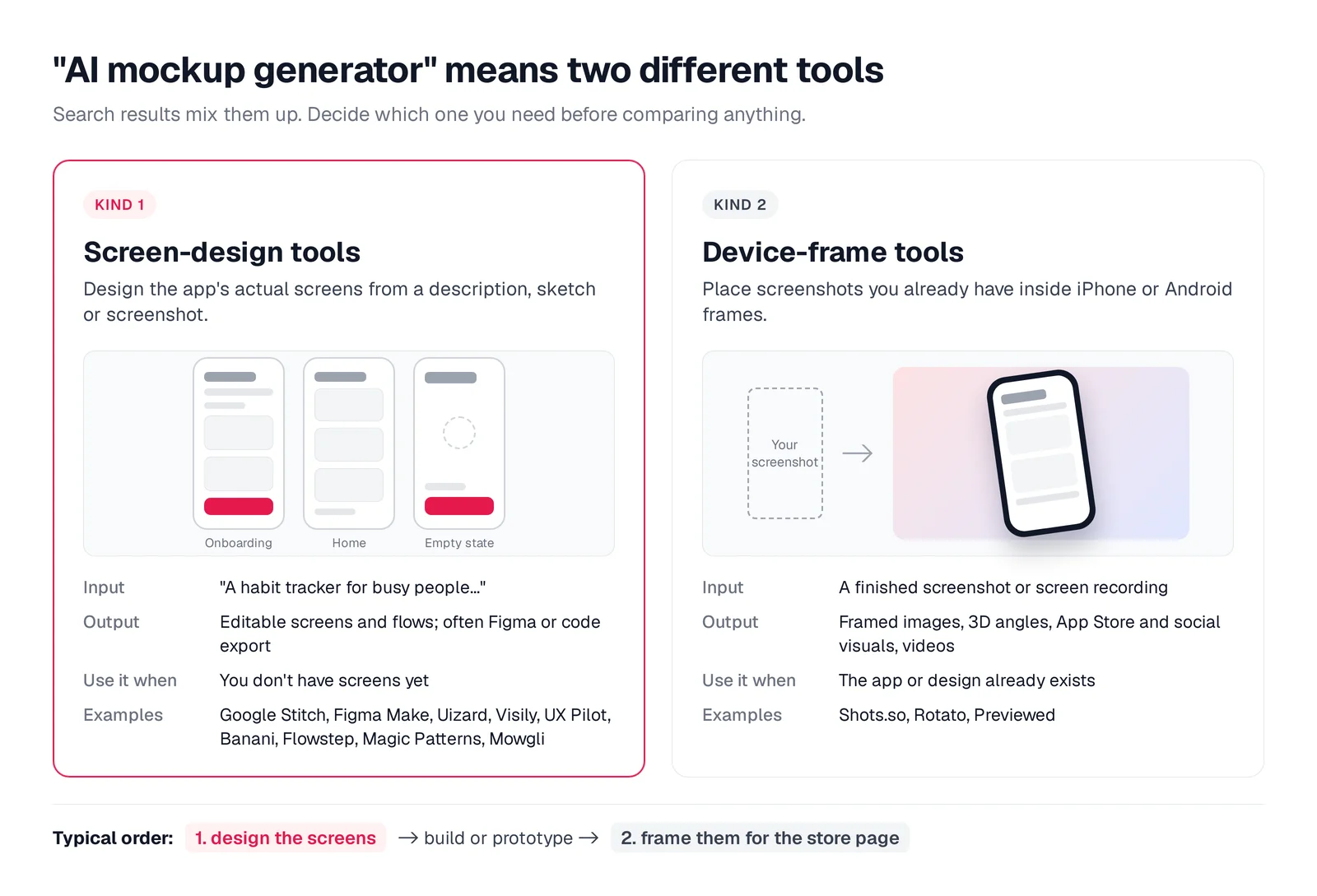
Caption: "AI mockup generator" covers two jobs: designing screens, and framing screenshots you already have.
What an AI mobile app mockup generator should produce
A useful generator can start from a written description, sketch or existing screenshot. It should produce editable, phone-sized screens with safe areas, touch-sized controls and familiar mobile navigation.
Judge the connected journey, not the prettiest isolated screen. Look for first launch, authentication, onboarding, the core task, detail views, history or progress, and settings. Then inspect empty, loading, error and success states, plus any relevant permission prompts. Use this state checklist during review.
Controls should meet platform conventions. Apple specifies tap targets of at least 44x44 pt, while Android specifies 48x48 dp. Bottom navigation should contain three to five top-level sections. Content must stay clear of the notch and home indicator.
The interface also needs real copy instead of placeholder text. Real labels and messages reveal hierarchy and spacing problems that lorem ipsum hides. See why real copy matters.
Across the full flow, check for shared components, a consistent type scale and stable visual rules. This becomes harder as screen count grows, as explained in the guide to Google Stitch for multi-screen apps.
Finally, require a practical exit path: a clickable prototype, Figma file, code export or coding-agent handoff. Device-frame generators are a separate category. They decorate screenshots that already exist; they do not design screens or product flows.
Mowgli - best for designing the whole mobile app
Mowgli fits product ideas that need every screen and state designed coherently before implementation. It is built for founders, PMs and developers defining a whole product rather than requesting one attractive mockup.
You begin with a short questionnaire. Mowgli turns your answers into a PRD covering journeys, constraints and the data model. It then generates 16+ moodboard styles, lets you steer the direction and applies the selected theme across every screen and state.
The infinite canvas can hold 30+ screens and states. You can revise the work through chat, restore earlier versions, connect screens in an interactive click-through prototype, and export to Figma or React + Tailwind.
Its MCP server, CLI and agent skill let Claude Code, Cursor and Codex read the product spec, screens and states. Code changes can also be pushed back into the design. See how the Mowgli MCP workflow works.
For the habit-tracker example, the brief was "build small daily habits without the guilt." The feature set included check-offs, streaks, a calendar heatmap, gentle reminders, a weekly review and a small friends circle.
Twelve product questions clarified the behavior. One important decision replaced a punishing streak chain with "X out of 7 this week." Mowgli generated 16 moodboard styles and previewed four of them on the real Today screen. The selected theme was Soft Linen Sage.
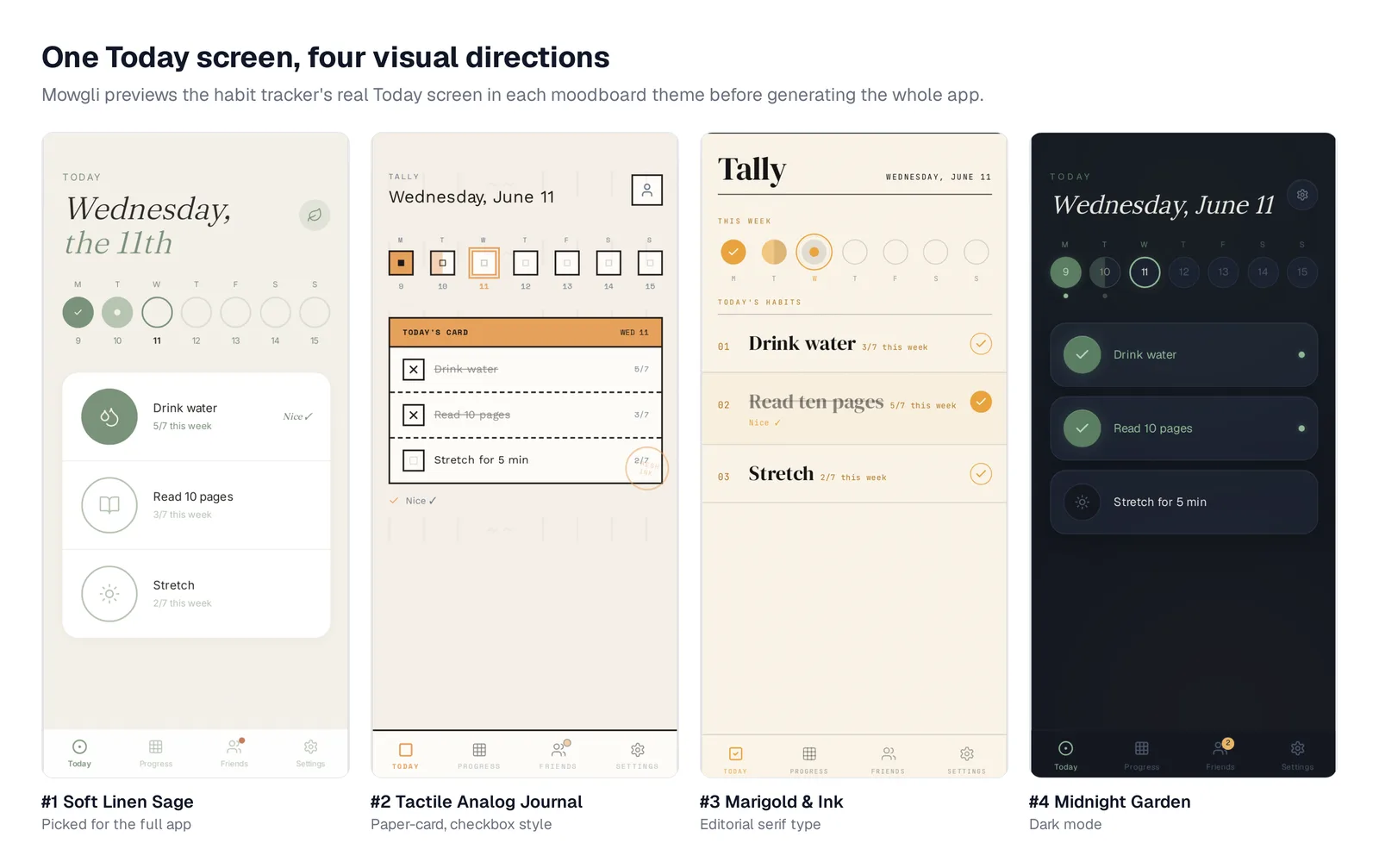
Caption: The Today screen in four of the 16 generated directions. Habit tracker demo, October 2026.
The result contained 12 screens and 46 states: Welcome, Account Creation, Sign In, three onboarding steps, Today, Weekly Review, Progress, Friends, Habits and Settings. Today alone had five states, including no active habits and backfilling a past day.
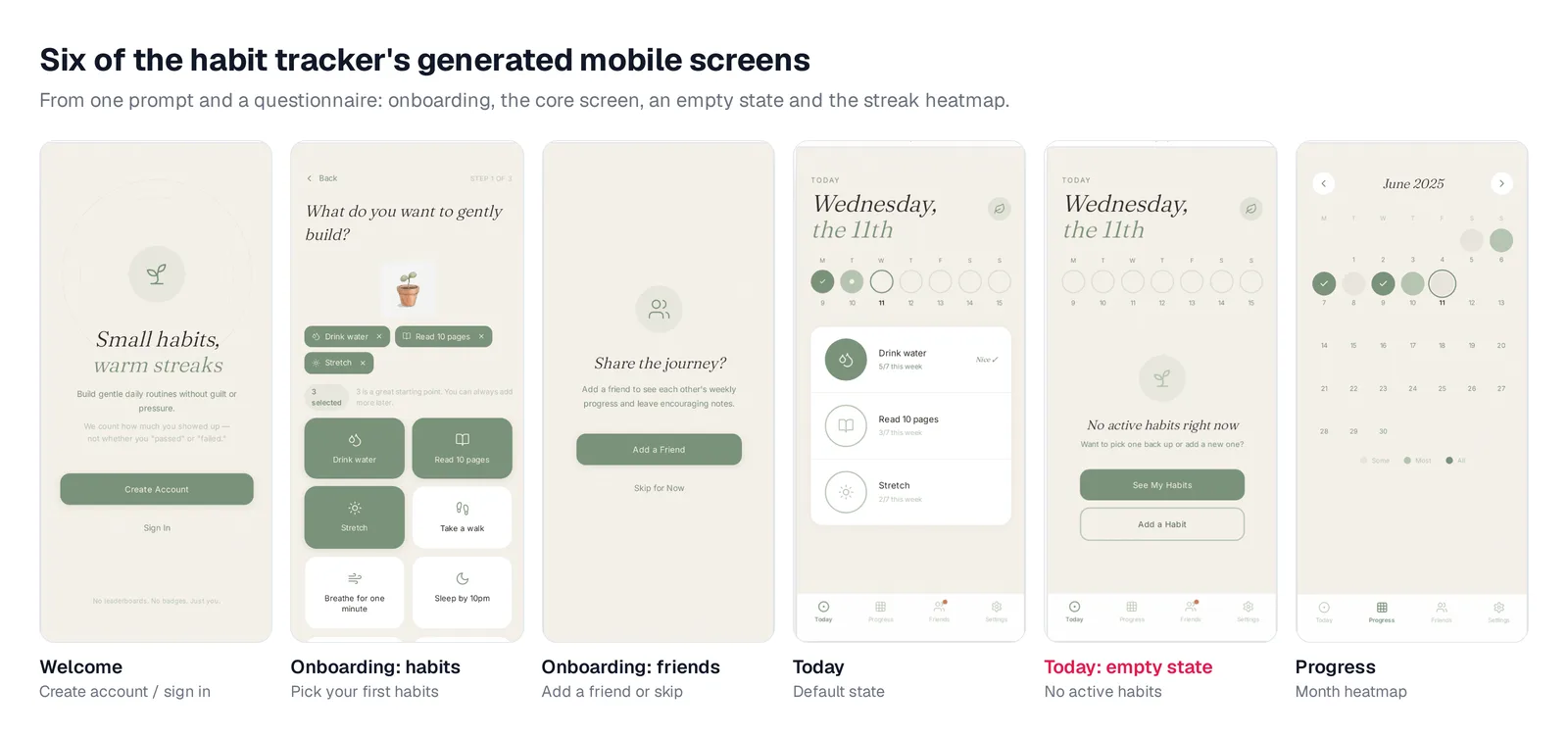
Caption: Six of the generated screens, including the empty state. Habit tracker demo, October 2026.
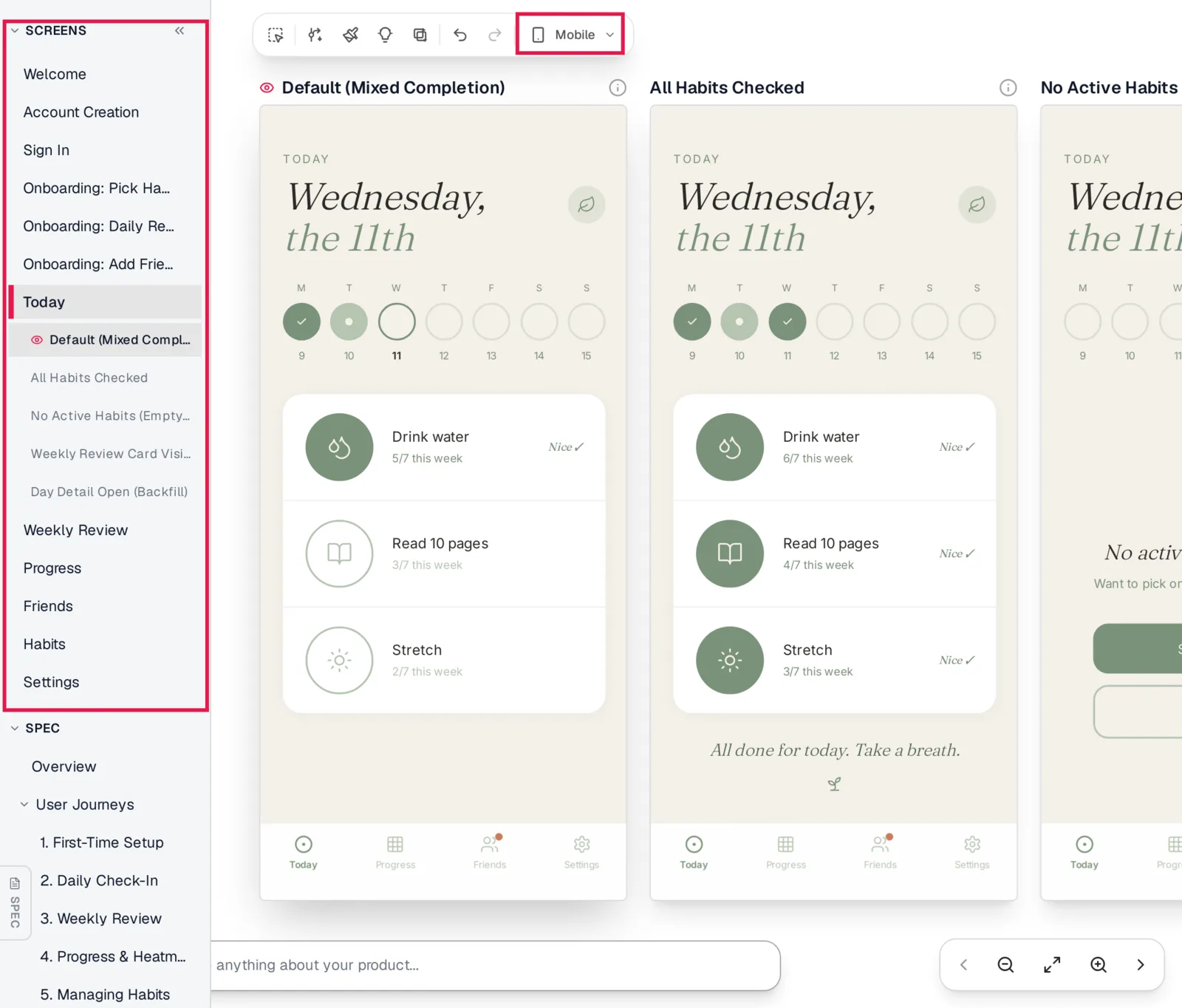
Caption: The screen list shows every screen and state; the canvas is set to Mobile. Habit tracker demo, October 2026.
Mowgli designs and prototypes; to host and ship, you hand off to a builder or coding agent (Claude Code, Codex, Cursor, Lovable).
Free to start (300 credits); credit packs from $12; plans from $15/mo. You can try it on your own app idea.
Google Stitch - best for free first drafts
Google Stitch is a Google Labs AI design canvas launched on May 20, 2025. It accepts prompts, sketches and screenshots, then produces editable UI and front-end code.
Its App mode favors vertical scrolling, bottom navigation and stacked content. You can export to Figma with Auto Layout or export HTML/CSS, including Tailwind. Related screens can be joined with prototype hotspots. Stitch also provides MCP access for coding agents.
The device-types documentation warns that adding a new screen "can be tricky in the way Stitch currently works." That makes Stitch most useful for quick exploration and focused drafts. It is free with daily credits that reset at midnight UTC. See the full Mowgli and Google Stitch comparison.
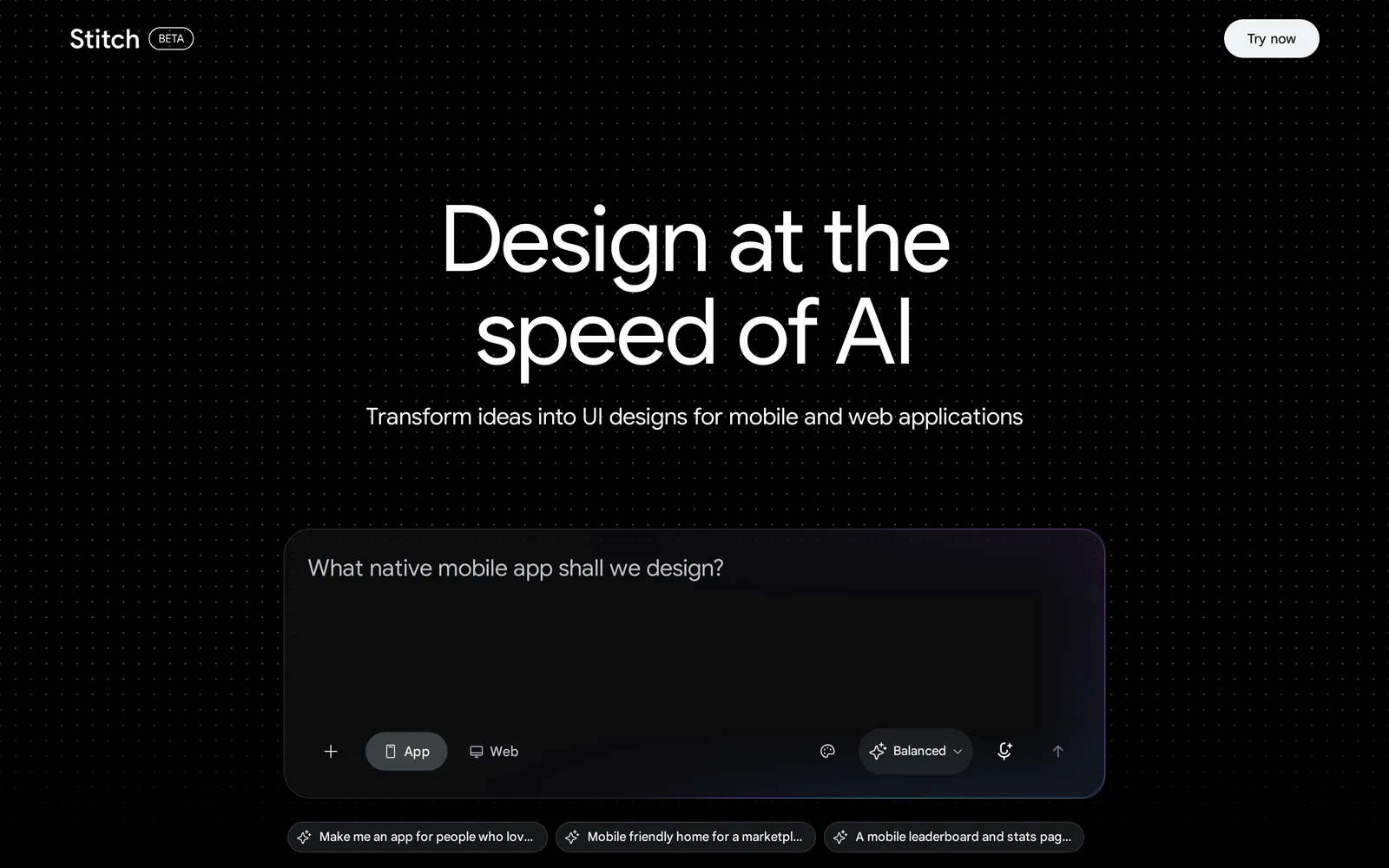
Caption: Stitch asks you to choose App or Web before you prompt. Source: Google Stitch website, captured October 2026.
Figma Make - best for teams already working in Figma
Figma Make suits teams with existing Figma libraries, design systems and handoff practices. It creates prompt-driven working prototypes and can use attached design context. Make kits synchronize npm packages and library styles, and results can be copied back to the Figma canvas.
Plan mode creates an editable plan before generation. First Draft produces editable website and mobile-app wireframes and designs. The Figma agent became its entry point on May 20, 2026. First Draft cannot use a team's own design system, so it is best suited to common website and mobile-app patterns.
AI usage is controlled through per-seat credits. Starter is free with 150 AI credits a day and up to 500 a month. Professional costs $16 per month per Full seat and includes 3,000 AI credits a month. Read the Figma Make comparison.
Best editable mockup tools for non-designers
Uizard
Uizard combines drag-and-drop editing with Autodesigner 2.0. It can scan screenshots and hand-drawn wireframes, and it includes mobile, tablet and web-app templates. Prompts can generate projects, screens and themes.
Pro adds developer handoff through CSS and React components. The free plan uses the older Autodesigner 1.5 engine and includes three AI generations per month across two projects.
Pricing is $0 for Free, $12 per month billed annually for Pro with 500 monthly AI generations, and $39 per month billed annually for Business with 5,000. Uizard now carries Miro Labs branding context. See the Uizard pricing guide or Uizard comparison.
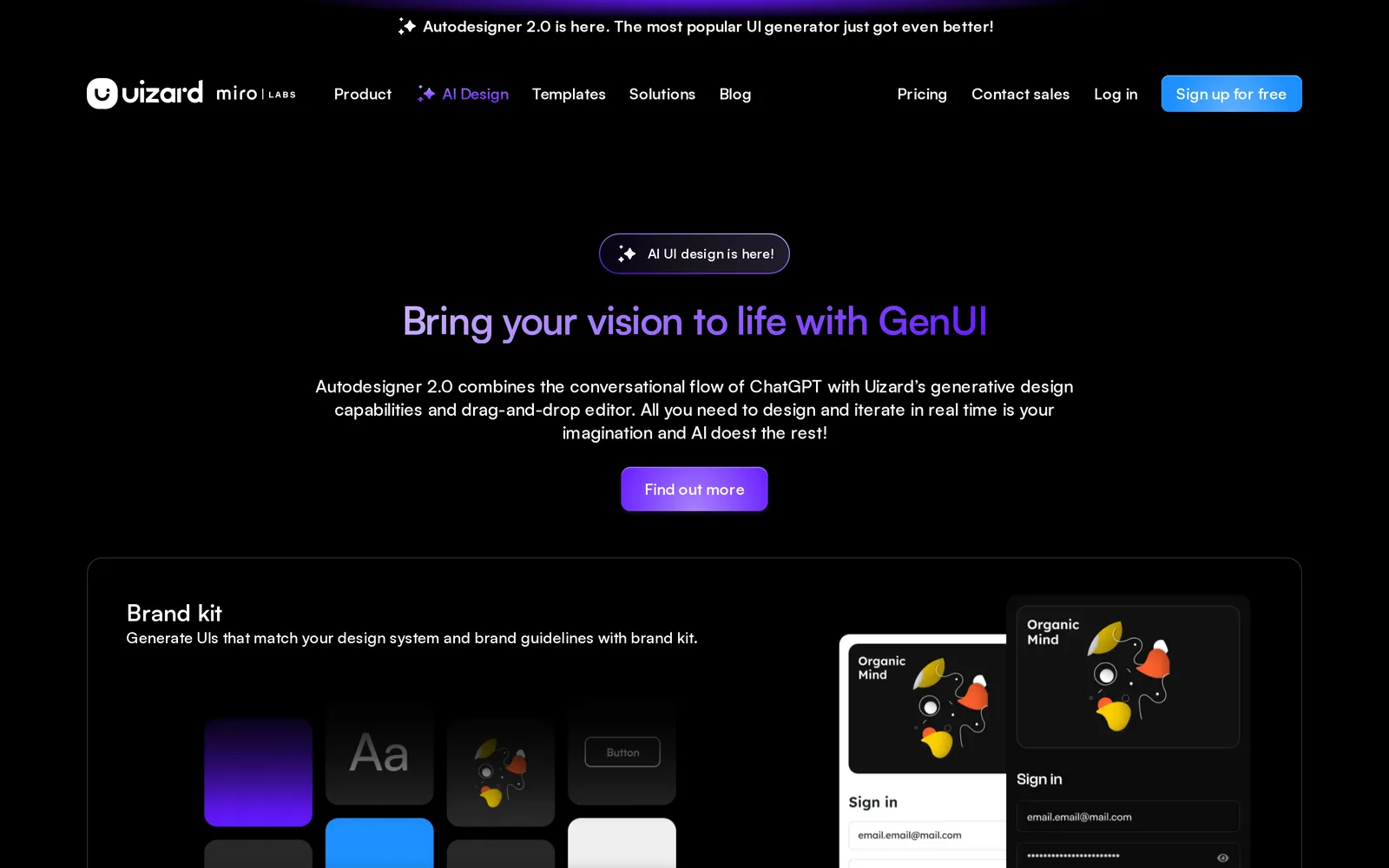
Caption: Uizard's Autodesigner 2.0 page. Source: Uizard website, captured October 2026.
Visily
Visily is designed for people without design training. Start from a prompt, screenshot, diagram or template, then edit the result on its canvas. You can switch between hi-fi and lo-fi views of the same design.
Pro adds Figma import and export, code export and an MCP server. Starter is free with 300 AI credits a month, two editable boards per workspace and 2,500 elements per board. Pro costs $14 per editor per month with 3,000 credits. Business costs $29 per editor per month billed annually.
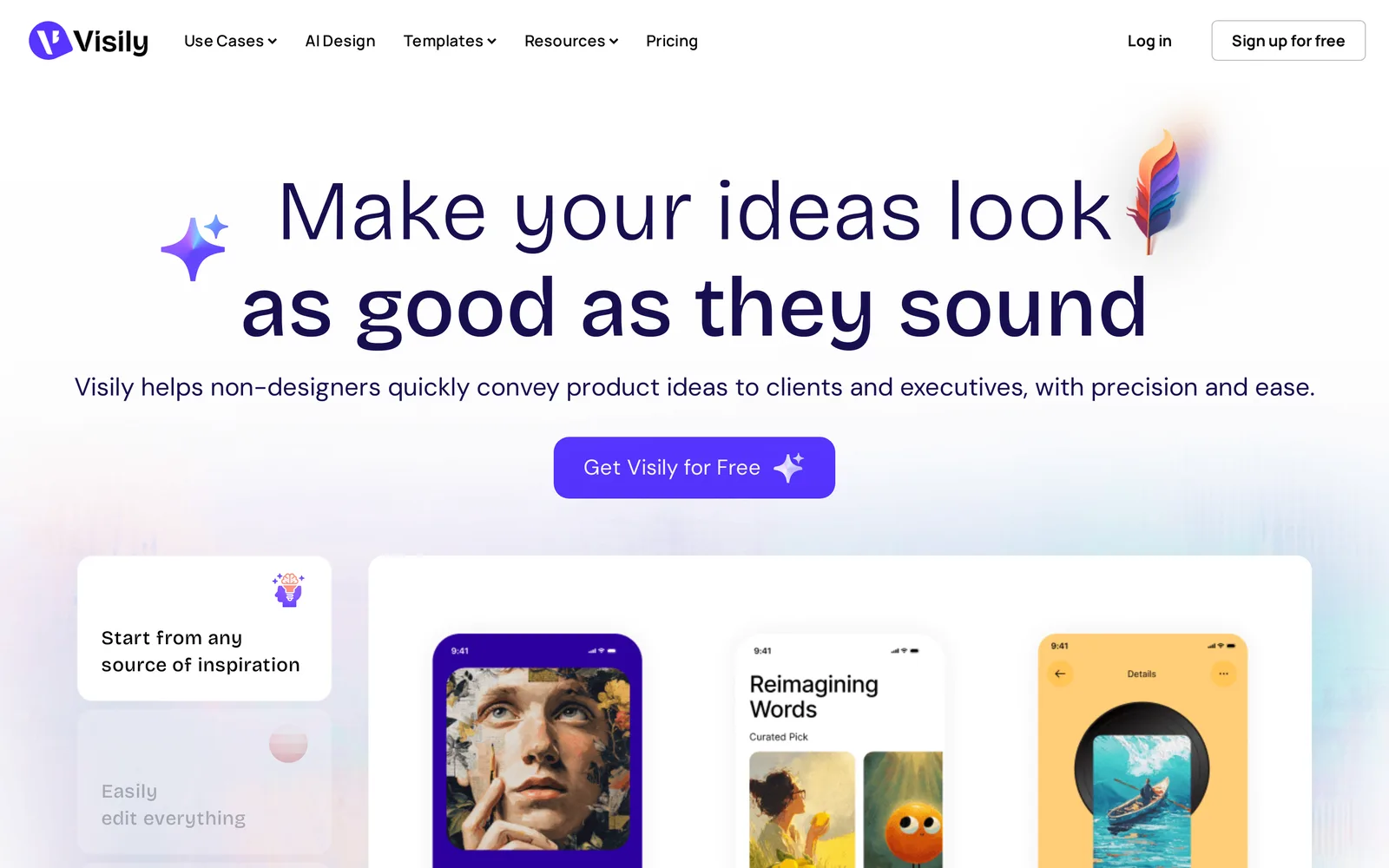
Caption: Visily positions itself for non-designers. Source: Visily website, captured October 2026.
Best tools for flows, variations and coding-agent handoff
UX Pilot
UX Pilot is useful when you want to compare visual directions before committing. It accepts prompts, sketches, PDFs, screenshots and PRDs, includes a mobile-app template library, and can produce four distinct looks from one generation. Autoflow maps end-to-end journeys.
The free allowance is up to 13 screens and 80 credits a day. Figma and code export begin on Pro, which costs $19 per month billed annually or $29 monthly and includes up to 125 screens and 750 credits. Teams costs $31 per user per month billed annually. See the UX Pilot comparison.
Banani
Banani creates multi-screen interactive web and mobile prototypes. Agent mode maintains shared components across screens. Through MCP, Claude Code, Cursor or Codex can access selected screens. Its FAQ says MCP is available on all plans.
Paid plans add editable Figma layers with Auto Layout and HTML/CSS export. The free allowance is 12 monthly credits plus three daily credits, and one generation usually uses more than one credit. Plus costs $12 per month yearly or $20 monthly. Pro costs $30 per month yearly or $50 monthly. See the Banani comparison.
Flowstep
Flowstep calls itself "the design canvas for agents." It accepts a prompt, PRD, image or URL, and supports chat editing plus manual canvas controls.
Its MCP clients include Cursor, Claude Code, Windsurf and Codex. Documentation advises naming mobile, desktop or tablet in the prompt. You can export React + Tailwind for one screen or a whole file, copy frames to Figma, and import Figma frames as editable screens. Design guidelines maintain colors, typography and spacing.
Free-plan messages, multi-screen generations and projects are listed as "Limited." Starter costs $15 per month for 80 messages.
When to use a code-first mobile app builder instead
Use a code-first builder after the flow and design questions are settled. That lets implementation credits go toward wiring the product instead of discovering its layout.
v0 is a prompt-to-code AI agent for full-stack apps. It supports visual refinement through Design Mode, GitHub sync and Vercel deployment. New free users receive $5 in one-time credits with a seven-message-per-day limit. Plus costs $30 per user per month.
Lovable builds full apps through chat. Lovable Cloud provides backend and hosting. The free plan includes five build credits a day, capped at 30 a month. Pro starts at 100 monthly credits. See the Lovable comparison.
Rork is the native-code option in this group. Its documentation specifies Swift for native iPhone apps, Kotlin for native Android apps and React for web apps.
Device-frame tools for App Store and pitch visuals
Use device-frame tools only after your screens exist. They are suited to App Store screenshots, landing-page hero images and pitch slides.
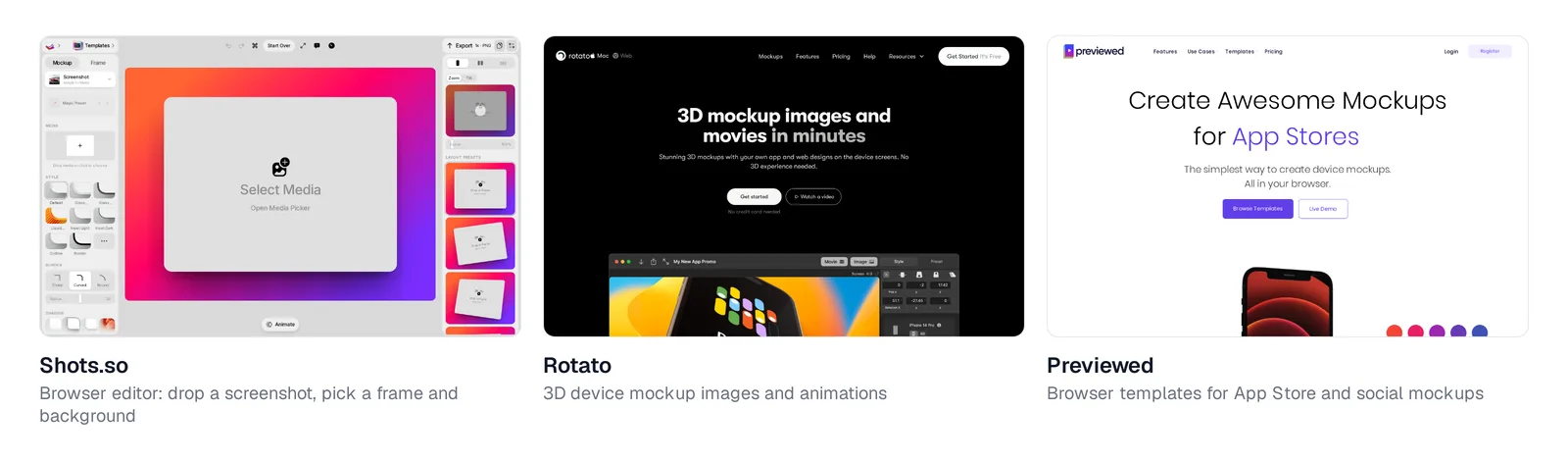
Caption: Shots.so, Rotato and Previewed. Source: vendor websites, captured October 2026.
Shots.so is a browser editor for uploading a screenshot, choosing a device, and setting the frame and background. It includes iPhone 17 and exports still images or animated video. The site advertises free mockups and lists no paid tiers.
Rotato produces 3D mockup images and movies. Its Mac app is a one-time purchase from $79. Rotato Web is free during public beta.
Previewed creates browser-based 2D images, 3D snapshots and animations, including App Store screenshots. Lite is free with attributed 720p exports. Plus costs a $9.99 one-time fee, while Pro costs $19 per month billed annually.
AI mobile app mockup generator comparison
| Tool | Best job | Mobile-screen support | Figma workflow | Code or agent handoff | Free allowance | Starting paid price |
|---|---|---|---|---|---|---|
| Mowgli | Every screen and state | Mobile canvas | Figma import/export | React + Tailwind and MCP | 300 credits | From $15/mo |
| Google Stitch | Free first drafts | App mode | Figma | HTML/CSS and Tailwind | Daily credits | Free |
| Figma Make | Existing Figma teams | Mobile layouts | Native Figma workflow | Code-backed prototypes | 150 AI credits/day; 500/mo | $16/mo per Full seat |
| Uizard | Templates and manual editing | Mobile templates | Not listed | CSS and React on Pro | 3 AI generations/mo | $12/mo billed annually |
| Visily | Non-designer mockups | Mobile support | Import/export on Pro | Code export on Pro | 300 AI credits/mo | $14/editor/mo |
| UX Pilot | Visual variations and flows | Mobile templates | Figma and code export on Pro | Code export on Pro | Up to 13 screens/day | $19/mo billed annually |
| Banani | Multi-screen flows | Mobile support | Paid Figma export | Paid HTML/CSS plus MCP | 12 credits/mo plus 3/day | $12/mo yearly |
| Flowstep | IDE-connected design | Platform named in prompt | Copy to and from Figma | React + Tailwind | "Limited" | $15/mo |
| v0 | Working full-stack apps | Prompted mobile layouts | Figma import | Full application | $5 one-time credits | $30/user/mo |
| Lovable | Working apps with backend | Prompted mobile layouts | Plugin import | Full application | 5 build credits/day | See pricing |
Prices are from each vendor's pricing page, October 2026.
Prompt for generating a complete mobile app mockup
Name the journey, screens and states explicitly. Include the audience, daily job, platform and visual constraints. Ask for realistic copy.
Design a mobile app (iOS first, should also work on Android) called [name].
Who it's for: [one sentence about the user and their situation].
Core job: [what they do in the app every day, in one sentence].

Screens:
1. Welcome and sign up / sign in
2. Onboarding: [2-3 steps, e.g. pick goals, set a reminder, invite a friend]
3. [Core screen, e.g. Today]: [what's on it]
4. [Detail screen]: [what's on it]
5. [History or progress screen]
6. Settings and account

For every screen, also design the empty state (first use), the loading
state, and an error state (offline or failed save). Use a bottom tab bar
with [3-5] tabs. Use realistic copy, no lorem ipsum.

Style: [3-4 adjectives, e.g. calm, warm, not gamified]; [light or dark];
avoid [things you don't want, e.g. purple gradients, emoji icons].
If a tool generates only one screen at a time, approve the first screen and attach it as the reference for every later prompt. For a concrete screen list, see every screen a habit tracker app needs.
Verdict
Choose Mowgli for a whole product with every screen and state plus a build-ready spec. Its spec-first workflow gives Claude Code, Codex, Cursor or another coding agent the screens, states and product context needed for implementation. You can generate your own app mockup.
Choose Google Stitch for fast free exploration, Figma Make for an established Figma organization, and Uizard or Visily when a non-designer wants direct manual editing. Choose v0 or Lovable for a running product, Rork for native code, and Shots.so, Rotato or Previewed when existing screenshots need store or pitch presentation.
FAQ
What is the best AI mockup generator for mobile apps?
Mowgli is the best fit when you need every screen and state from one product description. Google Stitch suits free drafts, while Figma Make fits established Figma workflows. Use Shots.so or Rotato when your input is an existing screenshot. For more options, read the broader AI app design tools guide.
Is there a free AI mobile app mockup generator?
Yes. Google Stitch is free with daily credits, and Mowgli is free to start with 300 credits. Other screen-design tools listed here provide daily or monthly free allowances. For device frames, Previewed offers Lite, while Rotato Web is free during public beta.
What happened to Galileo AI?
Galileo AI now redirects to Google Stitch. Google Stitch launched from Google Labs in May 2025. Read the related Galileo AI update.
Can AI generate iPhone app screens from a description?
Yes. Every screen-design tool listed here accepts text prompts. Results depend on naming the full flow and its states, so use the prompt template above instead of requesting only "an app."
Can I export AI mobile mockups to Figma or code?
Yes, although Figma export often requires a paid plan for Banani, UX Pilot and Visily. Stitch exports HTML/CSS with Tailwind support. Mowgli and Flowstep export React + Tailwind. Uizard Pro provides CSS and React-component handoff.
Do AI mockup generators create native iOS or Android code?
Most screen-design tools here export HTML/CSS or React rather than SwiftUI, Kotlin, Flutter or React Native. A developer or coding agent rebuilds the design in the chosen native stack. Rork documentation specifies Swift for iPhone and Kotlin for Android.
Sources
- Mowgli
- Mowgli pricing
- Mowgli MCP
- Export to code
- App mockups
- App screens
- Google Stitch
- Google Stitch device types
- Google Developers Blog: Introducing Stitch
- Figma Make
- Figma pricing
- Figma AI credits documentation
- Uizard
- Uizard pricing
- Visily
- Visily pricing
- UX Pilot
- UX Pilot plans
- Banani
- Banani pricing
- Flowstep
- Flowstep pricing
- Flowstep documentation
- v0
- v0 documentation
- v0 pricing
- Lovable
- Lovable pricing
- Lovable subscription plans
- Rork
- Rork platform documentation
- Shots.so
- Rotato
- Rotato pricing
- Previewed
- Apple accessibility guidance
- Android accessibility guidance