MCP for Visual Design (2026): Canvases Claude Code Can Edit
Figma, Paper and pen.dev let Claude Code, Codex or Cursor draw on a canvas; Mowgli, Stitch and Claude Design design first, then sync to code.
MCP for visual design: the short answer
If Claude Code, Codex or Cursor should draw on a real canvas, use Figma MCP use_figma, Paper or pen.dev. If a design engine should create the design first, use Mowgli for a whole product, Google Stitch for individual screens and variants, or Claude Design if you work in Claude. For flowcharts and sketches, use tldraw or Excalidraw.
Mowgli is our product.
This guide covers canvases agents can write to. See the read, make and verify MCP roundup for servers that inspect Figma, supply components or verify a build. See the design handoff guide for screenshots, DESIGN.md and export bundles.
| If you want... | Pick | Who draws |
|---|---|---|
| A whole app designed, every screen and state, synced with code | Mowgli | Mowgli's design agent |
| Screens built from your Figma library | Figma MCP use_figma | Claude Code, Codex or Cursor |
| An HTML/CSS canvas shared with an agent | Paper | Claude Code, Codex or Cursor |
| Design files committed beside code | pen.dev | The coding agent or pen.dev's agents |
| Free individual screens and variants | Google Stitch MCP | Gemini |
| Artboards inside Claude Code | Claude Code /design and Claude Design | Claude |
| Flows, diagrams and sketches | tldraw or Excalidraw | The coding agent |
Agent-drawn vs design-first canvases
On an agent-drawn canvas, Claude Code, Codex or Cursor creates and edits layers through MCP calls. The canvas supplies the surface and any existing design system.
Figma describes the benefit directly: "Rather than drawing static shapes that only look right in a screenshot, it can build with the same buttons, variables, and layout rules your team already relies on." Paper similarly says, "AI agents can read and write your Paper files through MCP."
On a design-first canvas, a dedicated design engine produces the screens. The coding agent gives instructions, reads the result and implements it. Stitch runs generation through Gemini models. Mowgli's edit tool applies a natural-language instruction through its design agent and returns a new version. Claude Design "pairs a conversation with a canvas."
Ask three questions before choosing:
- Who draws: the coding agent or a design model behind the tool?
- Where does the design live: a cloud file, a repository file or a project of code files?
- What comes back: screenshots, generated HTML or the same code that renders the canvas?
Agent-drawn tools fit an established system. Figma specifically recommends naming the libraries, components, variables and modes to use. Design-first canvases fit projects that do not have a design yet.
Agent-drawn canvases: Figma, Paper and pen.dev
Figma MCP server: use_figma writes native Figma layers
The remote Figma MCP server lets an agent execute JavaScript through the Plugin API. Its use_figma tool creates native frames, components, variables and auto layout in Figma Design, FigJam or Figma Slides.
Other write tools include generate_figma_design, which captures a running web UI as editable layers; create_new_file; upload_assets for PNG, JPG, GIF and WebP files up to 10MB each; and generate_diagram for FigJam diagrams. The agent can inspect the result with get_screenshot, get_design_context and get_metadata.
Write access requires a Full seat and edit permission. Dev seats are read-only. Current limits include a 20kb response per call and no custom fonts. Figma says write-to-canvas is free during beta and will eventually become usage-based.
Read calls remain rate-limited. Starter and View or Collab seats receive up to 20 calls per month. Dev and Full seats receive 200 per day on Professional and Organization, or 600 per day on Enterprise. Inspection and screenshot calls around a write count against those limits.
# Claude Code (preferred: plugin with MCP settings + skills)
claude plugin install figma@claude-plugins-official
# Claude Code (manual)
claude mcp add --transport http figma https://mcp.figma.com/mcp
# Codex CLI (manual; the Codex app installs it from Plugins)
codex mcp add figma --url https://mcp.figma.com/mcp
# Cursor: type in agent chat
/add-plugin figma
Give the agent a file or selection URL:
Using this Figma file: <Figma file URL>, create a new page and build a settings screen with auto layout using our existing components.
Using this Figma file: <Figma file URL>, add a new empty state that matches the existing design system.
Figma advises: "Large changes work best incrementally." This option fits teams whose system already lives in Figma. For the reverse direction, see how to get designs into Cursor.
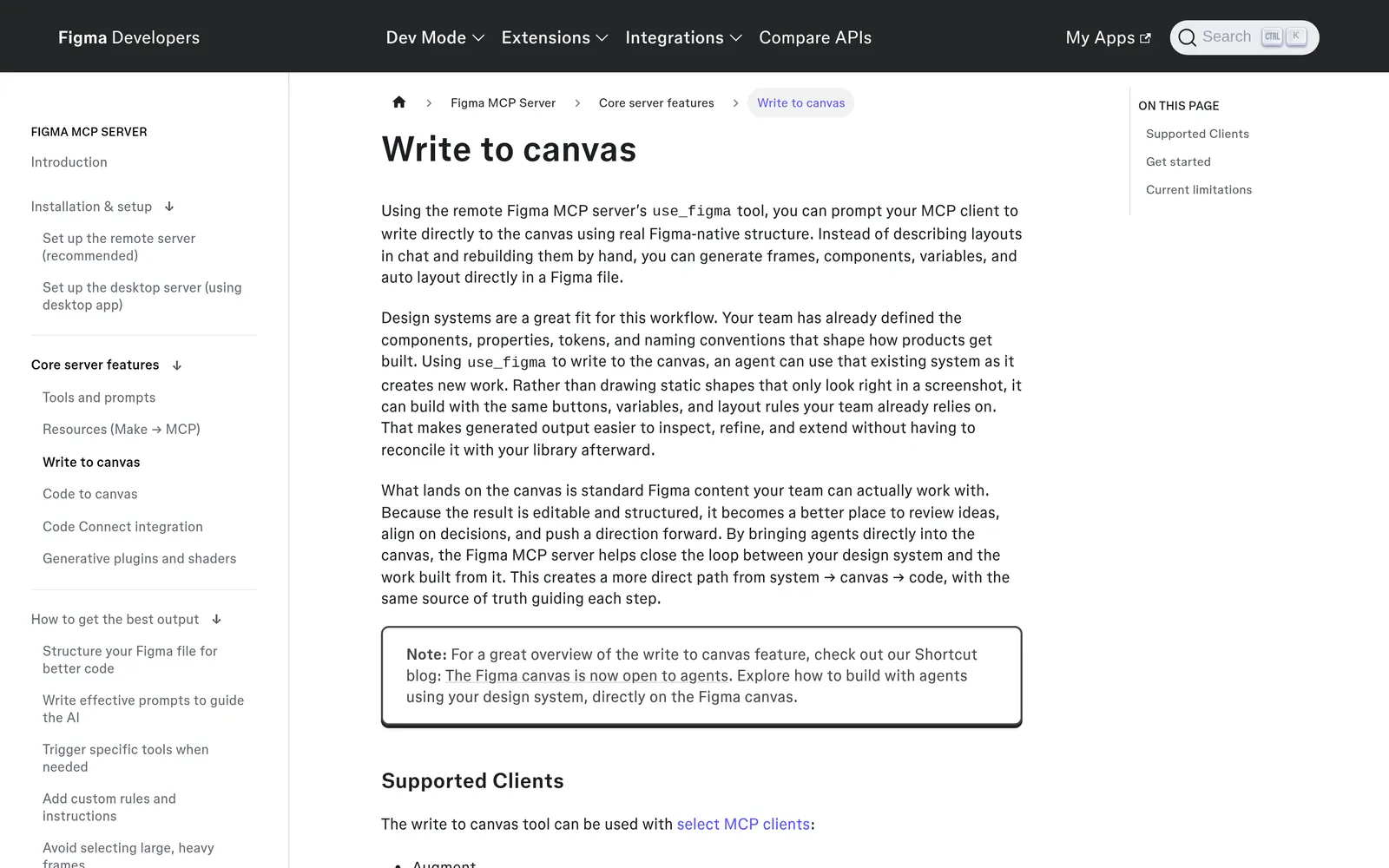
Caption: Figma's write-to-canvas docs: the connected coding agent writes native Figma layers through use_figma. Captured October 2026. Source: developers.figma.com, captured October 2026.
Paper: an HTML/CSS canvas the agent reads and writes
Paper is an HTML and CSS design canvas with React export. Its MCP integration lets agents inspect artboards, screenshots, computed styles, JSX and text. They can create artboards, add or replace HTML nodes, update styles, set text and duplicate elements.
Install Paper Desktop and open the file you want to edit. The app starts the MCP server and installs the Paper CLI. Reads and writes target the currently open file.
# Claude Code
claude plugin marketplace add paper-design/agent-plugins && claude plugin install paper-desktop@paper
# Codex CLI (copy the Paper CLI path from Paper Desktop's MCP panel)
codex mcp add paper -- /path/to/paper mcp
# Cursor: run in the agent panel
/add-plugin paper-desktop
Useful prompts include "Use the CSS styles from my repo and design a settings page in Paper" and "Implement my design from Paper in my codebase, using my code conventions".
Paper Free includes 100 MCP calls per week. Pro costs $20 per editor per month, or $16 with yearly billing. Choose it when a designer and design engineer need the same web-native canvas.
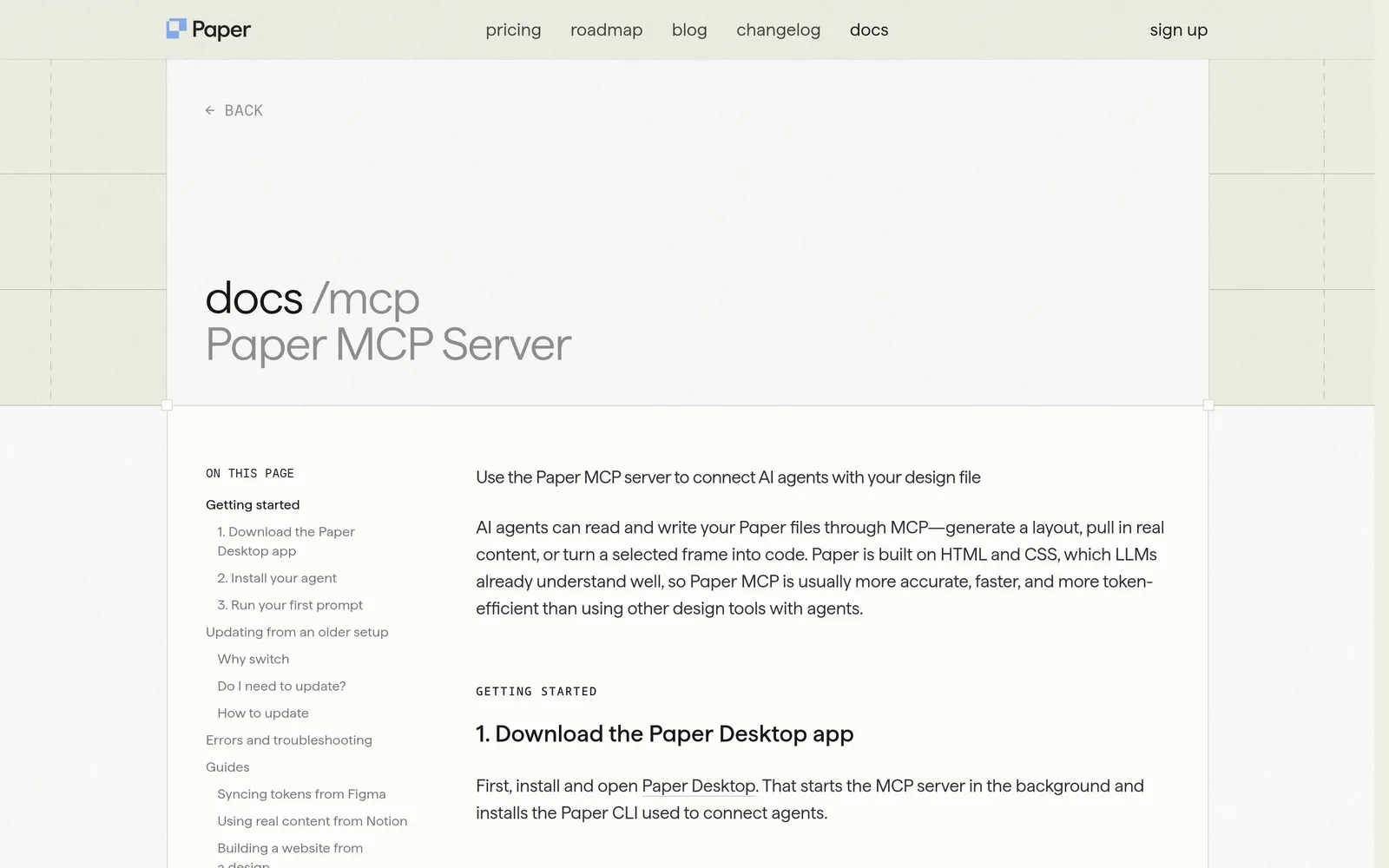
Caption: Paper's MCP setup: Paper Desktop runs the server and installs the CLI agents connect through. Captured October 2026. Source: paper.design, captured October 2026.
pen.dev: a design file inside your repository
pen.dev, formerly Pencil.dev, stores designs in .pen files. Keep them beside src/ so the agent can inspect design and code while version control tracks both.
It runs as a desktop app, VS Code or Cursor extension, or CLI. MCP connects an external client to the document open in the app or extension. Enable Claude Code CLI or Codex CLI under Settings, MCP, restart the client and confirm the pencil server is connected.
Its tools include get_style, read_skill, get_app_state and execute. Desktop sessions can also expose browser; spawn_agents requires the corresponding startup option. The connection uses stdio plus a local Unix socket or Windows named pipe.
Example requests include "Recreate the Button component from src/components/Button.tsx" and "Create pen.dev variables from my globals.css". pen.dev stays free until plans launch. Announced plans are Free, Pro at $16 per user per month and Ultra at $48 per user per month, with MCP on every plan.
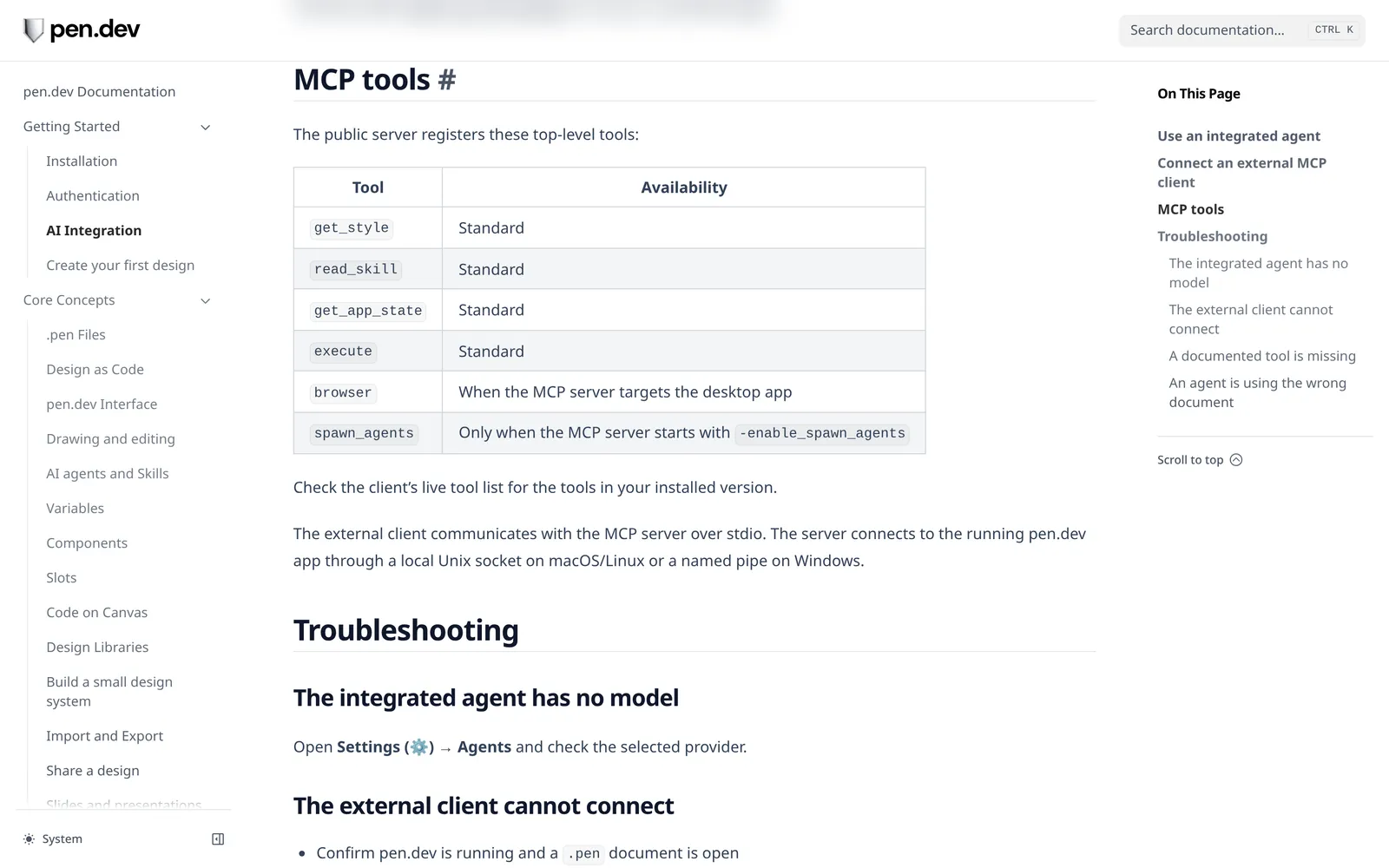
Caption: pen.dev's MCP tools for Claude Code, Codex and other external clients. Captured October 2026. Source: docs.pen.dev, captured October 2026.
Penpot is the open-source alternative. Its MCP server can modify components, styles, tokens, pages and layers on the focused page.
npx -y add-mcp -g -n penpot "https://design.penpot.app/mcp/stream?userToken=YOUR_MCP_KEY"
Design-first canvases: Mowgli, Google Stitch and Claude Design
Mowgli: every screen and state as code, synced both ways
Mowgli turns a product idea into a full multi-screen app design: it writes the spec first, then designs every screen. It is built for designing a whole product and keeping it synchronized with the codebase used by Claude Code, Codex or Cursor.
A project contains SPEC.md, frontend.xml and one .tsx file per screen. Each screen uses React, Tailwind, lucide-react icons and a single state prop. The canvas renders those files, so the coding agent reads the same source that produces the visual design.
You can push an existing app into the canvas, pull designs into code and sync later changes. Every change is versioned. The workflow can cover 30+ screens and states, starting from a questionnaire and PRD, then moving through 16+ moodboard styles, a prototype and export to Figma or React and Tailwind.
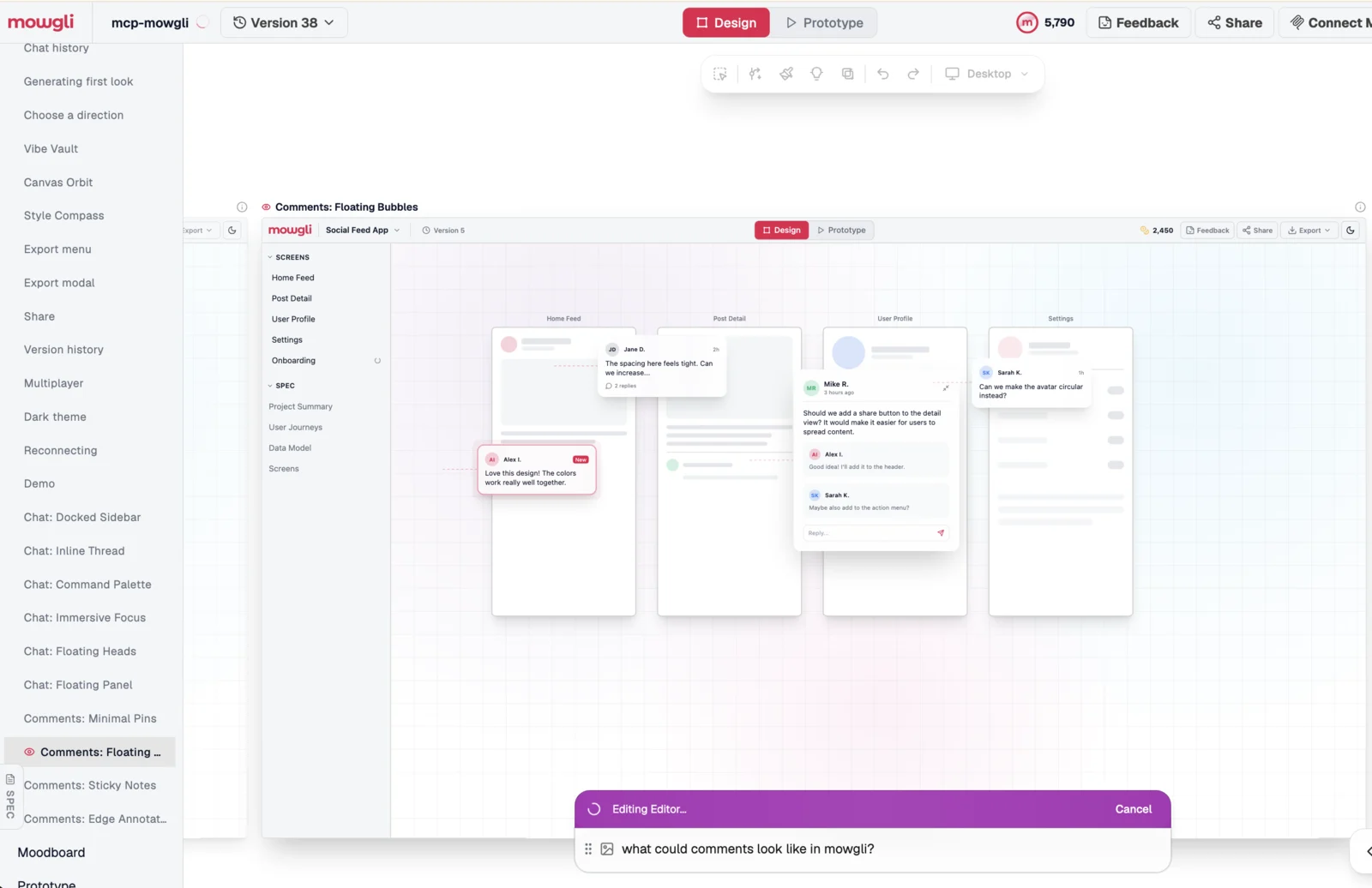
Caption: Design variants explored as screens on the Mowgli canvas; each one is a React + Tailwind file a coding agent can read.
The skill is the preferred connection. MCP is the fallback for clients that cannot install skills or run terminal commands.
# Any skills-aware agent (Claude Code, Codex, Cursor)
npx skills add mowgli-ai/skills
# Claude Code, MCP
claude mcp add --transport http mowgli https://app.mowgli.ai/mcp
# Codex, MCP (starts OAuth; re-auth later with: codex mcp login mowgli)
codex mcp add mowgli --url https://app.mowgli.ai/mcp
// Cursor: .cursor/mcp.json
{ "mcpServers": { "mowgli": { "url": "https://app.mowgli.ai/mcp" } } }
The Connect dialog provides this prompt:
I'd like to sync with a Mowgli project! Help me by either:
1. Installing the Mowgli skill with `npx skills add mowgli-ai/skills`.
2. Running `npx mowgli-cli --help` to learn how to use the Mowgli CLI.
3. Connecting the Mowgli MCP server at https://app.mowgli.ai/mcp.

Using the skill is most preferable, but if you don't have the capability, use the CLI directly. Using MCP is more token-inefficient, so use it as a fallback if options 1 and 2 don't work.
Ask to "push your app into Mowgli", "pull a redesign back into code" or "sync the latest changes". See the Mowgli MCP workflow, agent skill, coding agent integration, Claude integration and Codex integration.
Mowgli designs and prototypes; to host and ship, you hand off to a builder or coding agent (Claude Code, Codex, Cursor, Lovable).
Free to start (300 credits); credit packs from $12; plans from $15/mo. Connecting a coding agent through MCP is included on Free.
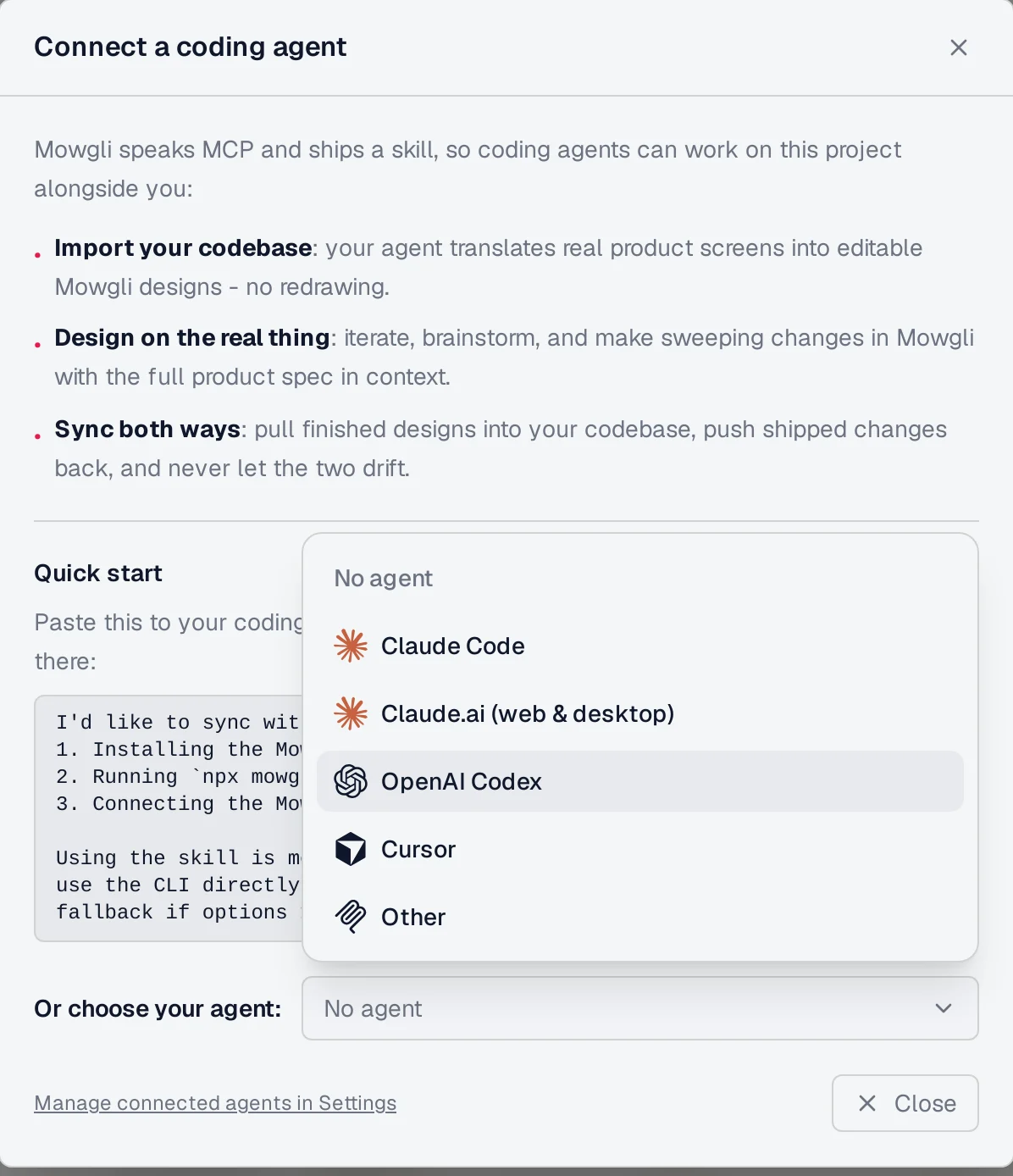
Caption: Connecting Claude Code, Codex or Cursor to a Mowgli project.
Google Stitch MCP: free screens and variants from Gemini
Stitch exposes a remote MCP server with project, screen, generation and design-system tools. generate_screen_from_text uses GEMINI_3_FLASH or GEMINI_3_1_PRO. You can also call edit_screens and generate_variants.
Each screen returns an image and a complete html document with its Tailwind configuration. Stitch's roundtrip skills extract a design system and static HTML from React, upload the result, edit it and convert it back to components.
# Claude Code
claude mcp add stitch --transport http https://stitch.googleapis.com/mcp --header "X-Goog-Api-Key: api-key" -s user
// Cursor: .cursor/mcp.json
{
  "mcpServers": {
    "stitch": {
      "url": "https://stitch.googleapis.com/mcp",
      "headers": {
        "X-Goog-Api-Key": "YOUR-API-KEY"
      }
    }
  }
}
# ~/.codex/config.toml
[mcp_servers.stitch]
url = "https://stitch.googleapis.com/mcp"
env_http_headers = { "X-Goog-Api-Key" = "STITCH_API_KEY" }
Never commit the API key. Stitch is free with a daily credit limit that resets at midnight UTC. It fits individual screens and variants. For larger sets, read the Stitch multi-screen consistency guide or compare Mowgli and Google Stitch.
Claude Design and Claude Code /design
Claude Design creates designs, prototypes and visual documents through chat. It works in regular Claude chats, Claude Code and the Artifacts tab, with canvas editing and design-system context.
In Claude Code v2.1.265 or later, /design publishes editable artboards. /design-sync pulls in a design system. You can import the selected design into a codebase or export code as a live prototype.
/design redesign the composer based on what people actually use it for
Export options include Handoff to Claude Code, Send to local coding agent, Send to Claude Code Web, ZIP, PDF, PPTX, Google Slides and standalone HTML.
Claude Design is free with limited usage; paid Claude plans raise the limits. Usage counts toward the plan's shared limits, with no separate allowance. It has no version history yet, and multi-person editing is still basic and may not work reliably. It fits teams already using Claude for one screen, feature or prototype. See the Claude Code UI design workflow, Claude Design comparison and Claude Design alternatives.
Whiteboard canvases for flows and sketches
tldraw and Excalidraw are MCP Apps. Their servers return interactive canvases that compatible hosts can render. If the host cannot display the app UI, the tool still works through normal MCP responses.
tldraw lets an agent create, edit and delete shapes on a live canvas. Its remote server is https://tldraw-mcp-app.tldraw.workers.dev/mcp. Excalidraw streams hand-drawn diagrams through https://mcp.excalidraw.com.
Use them to agree on navigation, states and architecture before designing screens. They do not produce UI code. Figma's generate_diagram offers a similar path for FigJam diagrams. To turn a flow into concrete screens, follow the app idea to user flows and screen list guide.
The skills that make canvas MCP servers work
MCP gives Claude Code, Codex or Cursor a set of tools. A skill supplies the operating sequence. Figma explains that skills do not replace MCP connections or add capabilities; they reduce setup and guesswork.
| Canvas | Skill | Install |
|---|---|---|
| Figma | figma-use, figma-generate-design, figma-generate-library | claude plugin install figma@claude-plugins-official or /add-plugin figma |
| Google Stitch | 13 skills across stitch-design, stitch-build, stitch-utilities | npx plugins add google-labs-code/stitch-skills --scope project --target claude-code |
| pen.dev | Instructions served by read_skill | Ask the connected agent to call read_skill() |
| Paper | paper-desktop plugin | claude plugin install paper-desktop@paper after adding the marketplace |
| Claude Design | /design and /design-sync | Built into Claude Code v2.1.265+ |
| Mowgli | mowgli skill using mowgli-cli | npx skills add mowgli-ai/skills |
Figma marks figma-use as mandatory before every use_figma call. Stitch recommends the full plugin because workflows such as code-to-design depend on several supporting skills.
Read agent skills versus MCP servers for the architectural difference, or compare the best agent skills for UI design.
Which canvas should you use?
- No design yet and you need a whole app with many screens and states: Mowgli.
- Existing app to redesign and sync back: push it into Mowgli, use Stitch's roundtrip skills, or capture it with Figma
generate_figma_design. See visual experimentation with an existing app and redesigning a vibe-coded app. - Existing Figma system and a Full seat: Figma
use_figma. - Shared, web-native canvas: Paper.
- Design files versioned in git: pen.dev.
- Free individual screens and variants: Google Stitch.
- Claude-native feature design:
/design. - Flows before screens: tldraw, Excalidraw or Figma
generate_diagram.
| Canvas | Who draws | Where it lives | What comes back | Documented agents | Cost |
|---|---|---|---|---|---|
| Mowgli | Mowgli's design agent | Versioned spec, XML and .tsx files | React and Tailwind files, diffs, versions | Claude Code, Codex, Cursor, Claude.ai, MCP clients | See linked pricing above |
Figma use_figma | Coding agent | Figma Design, FigJam or Slides | React and Tailwind context, screenshots, variables | Claude Code, Codex, Cursor and eight more | Free during beta; Full seat required |
| Paper | Coding agent | Paper file | Structure, screenshots, styles, JSX | Claude Code, Codex, Cursor and others | Free: 100 calls/week; Pro: $20/editor/mo |
| pen.dev | Coding agent or built-in agents | Local .pen file | Document state and styles | Claude Code, Codex, Gemini CLI, Cursor and others | Free until plans launch |
| Google Stitch | Gemini | Stitch project | HTML with Tailwind and screen image | Claude Code, Cursor, Gemini CLI and others | Free, daily credit limit |
| Claude Design | Claude | Claude artifact | Claude Code handoff | Claude Code and local coding agents | Included in Claude plans |
| tldraw / Excalidraw | Coding agent | MCP App whiteboard | Shapes | Cursor, Claude, ChatGPT, VS Code | No MCP pricing published |
Prices are from each vendor's pricing page, October 2026.
Use this implementation loop:
- Design one screen or the whole product on the canvas.
- Ask Claude Code, Codex or Cursor to implement one screen and all its states.
- Verify the running UI with screenshots. Add Playwright MCP with
claude mcp add playwright npx @playwright/mcp@latest; the MCP design roundup covers verification. - Push shipped changes back through Mowgli sync, Figma capture, Paper or pen.dev code-to-design, or Stitch roundtrip.
Common mistakes
Do not expect a Figma Dev seat to write. Agent writes require a Full seat.
Name the exact target. Figma needs a file or selection link. With pen.dev, include the full path and ask the agent to check get_app_state(). Paper and pen.dev operate on the file open in the desktop app.
Split large requests. Figma says large changes work best incrementally. Stitch says one change at a time produces the best results.
Keep Stitch API keys out of public repositories. Use environment-backed headers where the client supports them.
Finally, specify empty, loading and error states instead of designing only the happy path. Use the empty, error and loading state guide as a checklist.
Verdict
Choose Mowgli for a whole product with every screen and state plus two-way synchronization with Claude Code, Codex or Cursor. Choose Figma use_figma when the design system already lives in Figma, Paper for a shared HTML/CSS canvas, and pen.dev for git-versioned design files.
Choose Google Stitch for free individual screens and variants, or Claude Design for a Claude-native feature workflow.
FAQ
Can Claude Code design visually on a canvas?
Yes. Figma use_figma, Paper and pen.dev let Claude Code draw through MCP, while Mowgli and Google Stitch generate screens it can read and implement. Claude Code's /design command also publishes editable artboards in supported plans on v2.1.265 or later.
Which MCP servers can write to a design canvas?
Figma, Paper, pen.dev, Penpot, tldraw and Excalidraw support agent-driven writes. Google Stitch provides generation and editing tools, while Mowgli's edit tool runs its design agent and versions the result.
Is Figma's write to canvas free?
Yes, during the beta. Figma says it will eventually become a usage-based paid feature. Writing requires a Full seat, while read tools remain subject to plan and seat limits.
What is the difference between an agent-drawn and a design-first canvas?
An agent-drawn canvas lets Claude Code, Codex or Cursor create the layers itself. A design-first canvas uses a dedicated design model, then returns code or design files for the coding agent to implement.
Do these canvases work with Codex and Cursor?
Yes. Figma, Paper and Mowgli document Codex connections; pen.dev exposes a Codex CLI integration. Cursor supports Figma and Paper plugins, the pen.dev extension, remote Stitch and Mowgli configuration, and tldraw through its marketplace.
Should I install a skill or an MCP server for visual design?
Usually both. MCP provides the tools, while the skill defines the workflow and call order. Figma bundles skills with its plugin, Stitch publishes 16 skills, and Mowgli's skill uses its CLI with MCP as a fallback. See agent skills versus MCP servers.
Sources
- Figma: Write to canvas
- Figma MCP tools and prompts
- Figma MCP rate limits
- Figma remote server installation
- Figma MCP help
- Figma canvas announcement
- Figma MCP server guide
- Paper MCP documentation
- Paper pricing
- Paper downloads
- Paper product documentation
- Paper agent plugins
- pen.dev
- pen.dev pricing
- pen.dev documentation
- pen.dev installation
- pen.dev AI integration
- pen.dev design-to-code workflow
- pen.dev agents
- Penpot MCP
- Mowgli skills
- Mowgli MCP
- Mowgli skill
- Mowgli for coding agents
- Official MCP Registry
- Google Stitch MCP setup
- Google Stitch MCP guide
- Google Stitch MCP reference
- Google Stitch skills
- Google Stitch roundtrip
- Google Stitch
- Claude Design help
- Claude Code design announcement
- Claude Code MCP documentation
- Codex MCP documentation
- Cursor MCP documentation
- tldraw MCP App announcement
- tldraw MCP App repository
- Excalidraw MCP repository
- Excalidraw Plus MCP
- Playwright MCP