Best Claude Skills for Product Managers, Plus Codex and Cursor
Start with Anthropic's Product Management plugin, add a PM framework pack, and use the Mowgli skill to turn a spec or codebase into every screen and state.
Start with Anthropic's official Product Management plugin. Add either Pawel Huryn's or Dean Peters' framework library, then install job-specific skills for data, research and release notes. When you need to review an entire product visually, use the Mowgli skill to turn an idea or existing codebase into a spec plus every screen and state, synced with Claude Code, Codex or Cursor.
Quick answer: the best agent skills for product managers
- Install Anthropic's Product Management plugin first. It covers specs, roadmaps, stakeholder updates, research synthesis, competitive briefs, metrics reviews, sprint planning and brainstorming.
- Add one deeper framework library: Pawel Huryn's
pm-skills, with 69 skills, 42 workflows and 9 plugins, or Dean Peters' Product-Manager-Skills, with 77 skills and ready-made ZIPs. - For data, use Anthropic's Data plugin in Claude or OpenAI's Data Analytics plugin in Codex and ChatGPT.
- For screens, use the Mowgli skill to design an idea or existing codebase as a spec plus every screen and state.
Mowgli is our product.
| PM job | Best pick | Runs in | How to get it |
|---|---|---|---|
| All-round PM kit | Anthropic Product Management plugin | claude.ai, Claude Desktop, Claude Code | Customize > Plugins > Discover > Add; or claude plugin install product-management@knowledge-work-plugins |
| PM frameworks (discovery, strategy, execution) | phuryn/pm-skills or deanpeters/Product-Manager-Skills | Claude, Claude Code, Codex; skills also in Cursor | Plugin marketplace or ZIP upload |
| PRDs and specs | write-spec (Anthropic), doc-coauthoring (Anthropic) | All Claude surfaces | Included in the PM plugin / example skills |
| Research synthesis | synthesize-research (Anthropic), summarize-interview (phuryn) | Claude, Claude Code, Codex | Plugin or npx skills add |
| Data analysis | Anthropic Data plugin; OpenAI Data Analytics plugin | Claude / Claude Code; Codex and ChatGPT | Plugin directory |
| Roadmaps, updates, release notes | roadmap-update, stakeholder-update, internal-comms (Anthropic); release-notes (phuryn) | Claude, Claude Code, Codex | Plugin or npx skills add |
| Every screen and state, spec synced with code | Mowgli skill (Mowgli connector in claude.ai) | Claude Code, Codex, Cursor; claude.ai via connector | npx skills add mowgli-ai/skills |
Prices are from each vendor's pricing page, October 2026.
Skill files are free to download, although licenses differ. Claude Skills work on Free, Pro, Max, Team and Enterprise. Plugins require a paid plan. Claude Pro costs $20/mo monthly or $17/mo with annual billing, and Claude Code is not on Free. Codex is included in ChatGPT Free at $0, Go at $8/mo, Plus at $20/mo, Pro from $100/mo and Business at $20/user/mo billed annually. Cursor Hobby is free; Pro is $20/mo and lists MCPs, skills and hooks; Teams is $40/user/mo. Mowgli pricing is free to start with 300 credits; credit packs start at $12 and plans at $15/mo.
Skills, plugins and connectors: what a PM actually installs
A skill is a folder containing SKILL.md. Its YAML frontmatter names and describes the skill; the rest contains instructions. Scripts, references and assets are optional. Agents first read the name and description, then load the full instructions when the task matches.
Agent Skills is an open standard. The same format works across Claude, Codex and Cursor. Cursor can also load skills from .claude/skills/, .codex/skills/, ~/.claude/skills/ and ~/.codex/skills/.
A plugin bundles skills with connectors, commands and sometimes sub-agents. A connector is an MCP server that gives those skills access to tools such as Linear, Notion, Slack or Amplitude. See the PM guide to MCP servers and the skills versus MCP explanation.
The Vercel Labs skills CLI supports Claude Code, Codex, Cursor, OpenCode and 75 more agents. Skills enabled on claude.ai also load in Claude Code v2.1.273 or later when both use the same account.
Cowork and chat merged into one Claude on September 16, 2026, with Pro and Max first. Skills and connectors carried over, so "Cowork" in an older guide now means the Claude app.
Start here: Anthropic's Product Management plugin
Anthropic's official Product Management plugin is marked "Anthropic verified." Version 1.2.0 includes:
write-specfor goals, non-goals, metrics, acceptance criteria and phased PRDs.synthesize-researchfor ranking themes from interviews, surveys and support tickets by frequency and impact.roadmap-updatefor reprioritization, timeline changes and Now/Next/Later views.stakeholder-updatefor status reports, launches and risk escalation.metrics-review,competitive-brief,sprint-planningandproduct-brainstorming.
It can use Slack, Linear, Asana, monday.com, ClickUp, Atlassian, Notion, Figma, Amplitude, Pendo, Intercom and Fireflies. It still works if you paste the context instead.
In claude.ai or Claude Desktop, go to Customize > Plugins > Discover, select the plugin and click "Add." In Claude Code:
claude plugin marketplace add anthropics/knowledge-work-plugins
claude plugin install product-management@knowledge-work-plugins
Run a skill with a command such as /product-management:write-spec.
Add the data companion plugin for queries, exploration, visualization, dashboards and validation. Add design for research plans, interview guides, usability tests and synthesis.
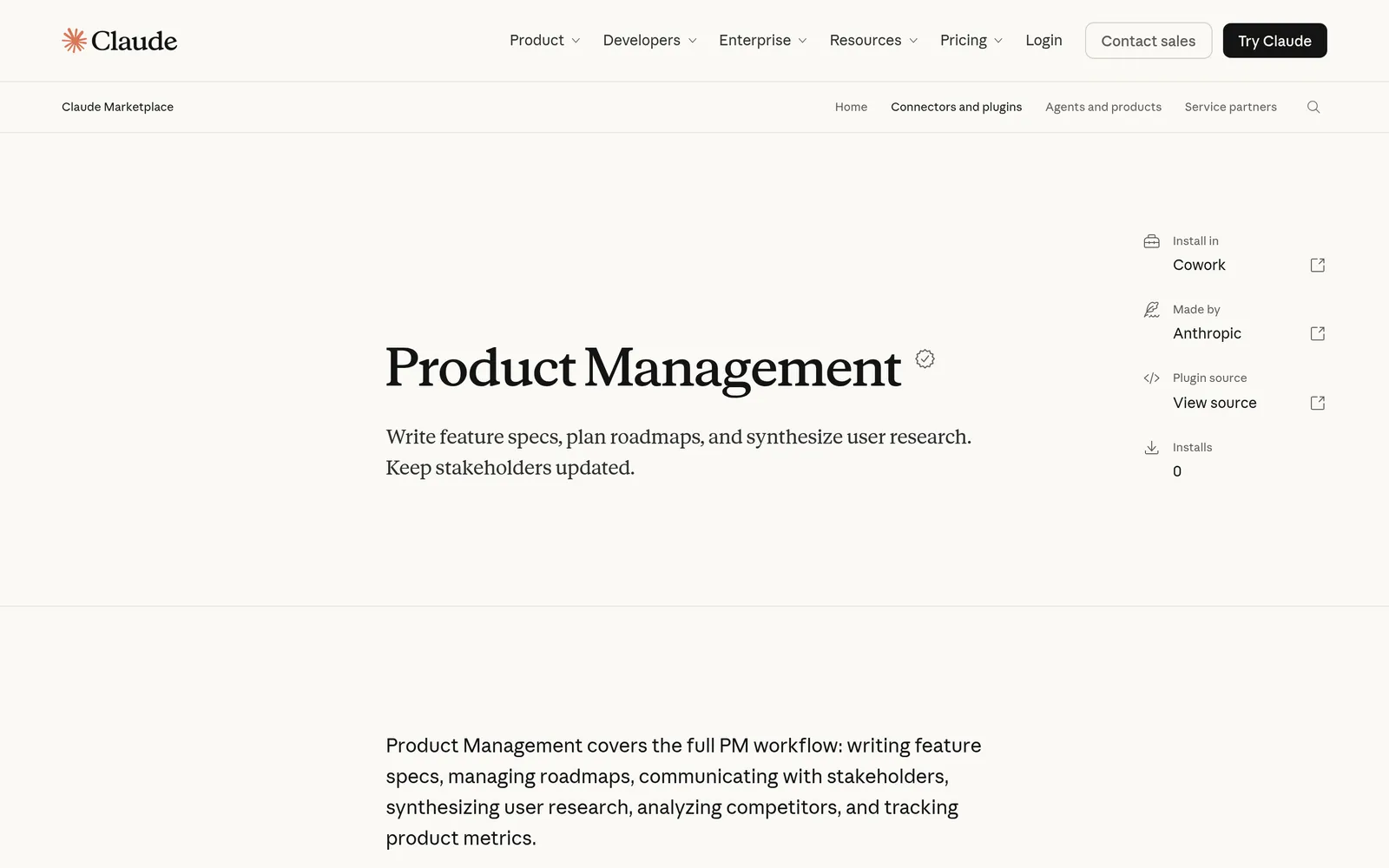
Caption: Anthropic's Product Management plugin is the official starting kit for PM skills in Claude. Source: claude.com, captured October 2026.
PM framework libraries: Huryn, Peters and Lenny
Pawel Huryn's pm-skills provides 69 skills and 42 chained workflows across 9 plugins. They cover discovery, strategy, execution, market research, analytics, go-to-market, growth, general PM work and AI shipping. The repository uses the MIT license.
Useful commands include /discover, /strategy, /write-prd, /plan-launch and /north-star. Add its GitHub marketplace in the Claude app with phuryn/pm-skills, or install selected plugins:
claude plugin marketplace add phuryn/pm-skills
claude plugin install pm-execution@pm-skills
claude plugin install pm-product-discovery@pm-skills
Codex supports the same marketplace:
codex plugin marketplace add phuryn/pm-skills
codex plugin add pm-execution@pm-skills
In Codex, installed slash commands do not run as slash commands. Describe the workflow in plain language. For Cursor, copy the skill folders into .cursor/skills/.
Dean Peters' Product-Manager-Skills contains 77 skills and 6 command workflows. Version 0.84 was released August 10, 2026. Its CC BY-NC-SA 4.0 license is non-commercial and share-alike, so check with your company before workplace use.
Its release assets include starter, Discovery, Strategy, Delivery, AI PM, Market Intel, Lifecycle and EOL, All Skills and Codex packs. Unzip the outer pack, then upload its individual skill ZIPs. Notable options include prd-development, discovery-interview-prep, roadmap-planning, prioritization-advisor, epic-breakdown-advisor and press-release.
Both repositories name their Claude Code marketplace pm-skills, so pick one library to start.
Lenny's Product Skills contains 76 product management and engineering skills distilled from Lenny's Podcast and Newsletter. It uses the MIT license.
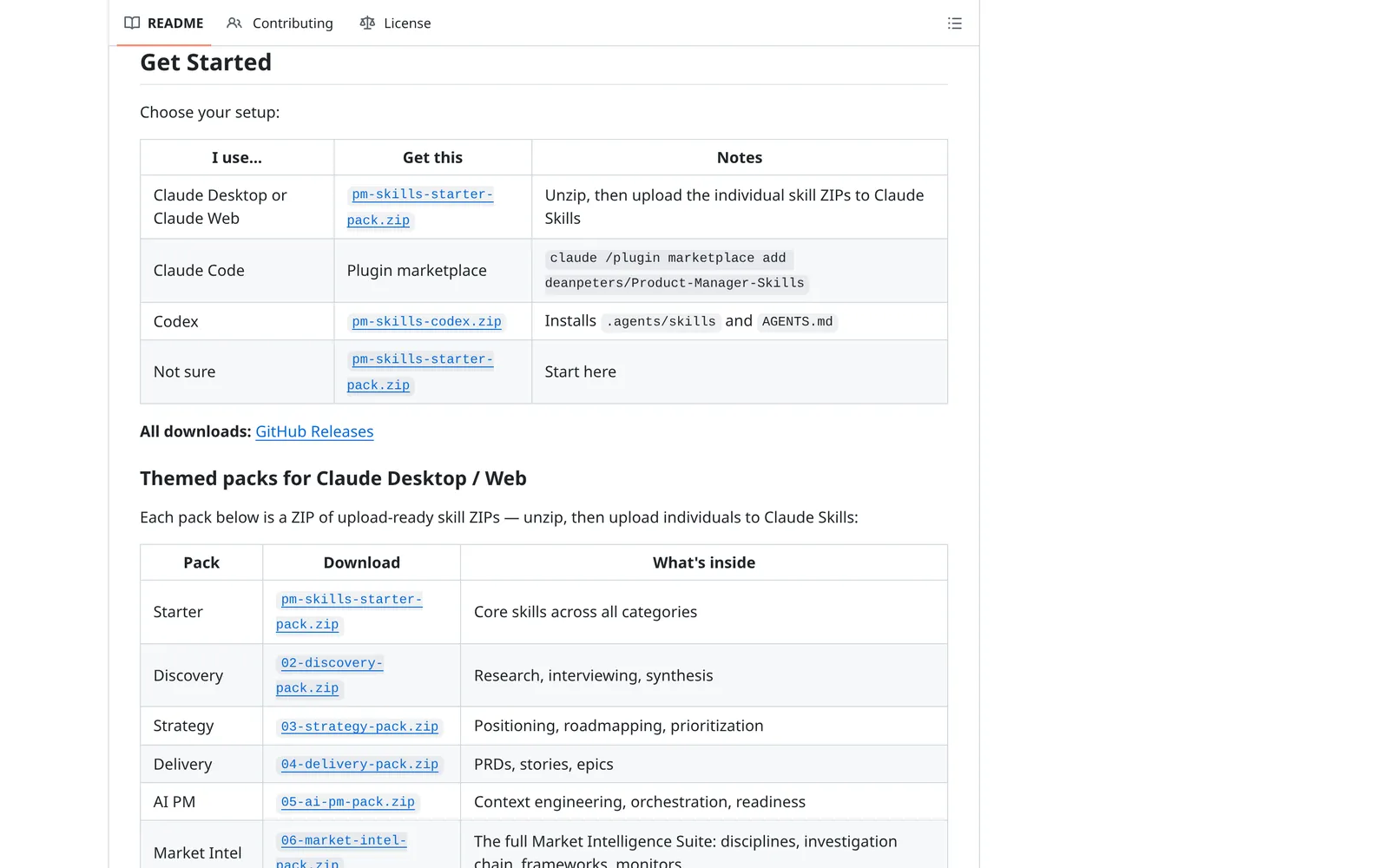
Caption: Dean Peters ships ready-made skill ZIPs for claude.ai and Claude Desktop, so no terminal is needed. Source: github.com, captured October 2026.
Best skills by PM job
Writing PRDs and specs
Start with Anthropic's write-spec. Use doc-coauthoring when you want a structured three-stage process: Context Gathering, Refinement and Structure, then Reader Testing.
Huryn's create-prd uses an eight-section template. Peters' prd-development moves from problem and personas through solution, metrics and stories.
npx skills add https://github.com/anthropics/knowledge-work-plugins --skill write-spec
npx skills add https://github.com/anthropics/skills --skill doc-coauthoring
See agent skills for PRDs and specs for complete spec workflows.
Synthesizing user research and interviews
Anthropic's synthesize-research ranks themes by frequency and impact. Its Design plugin adds research-synthesis and user-research for plans and interview guides.
Huryn's discovery plugin includes interview-script for JTBD questions and summarize-interview for extracting jobs, satisfaction signals and actions. Peters offers discovery-interview-prep for Mom Test-style plans. OpenAI's Product Design plugin includes a research skill for source-grounded UX research on a named product.
npx skills add https://github.com/phuryn/pm-skills --skill summarize-interview
Analyzing product data
Claude's built-in xlsx skill opens, cleans and charts .xlsx, .csv and .tsv files when code execution is enabled. Anthropic's Data plugin adds /analyze, /explore-data, /write-query, /create-viz, /build-dashboard and /validate.
Huryn's analytics plugin adds SQL, cohort analysis and A/B test analysis. OpenAI's Data Analytics plugin includes product and business analysis, metric diagnostics, KPI design, reporting, dashboards and validation. Its listed integrations include Amplitude, Mixpanel, PostHog, Statsig, BigQuery, Snowflake, Databricks and Hex.
Roadmaps, stakeholder updates and release notes
For roadmaps, choose Anthropic's roadmap-update, Huryn's outcome-roadmap or Peters' roadmap-planning. For updates, Anthropic's stakeholder-update handles product reporting, while internal-comms supports 3P updates, newsletters, FAQs, project reports and incident reports.
Huryn's release-notes turns tickets, PRDs or changelogs into user-facing notes. Composio's changelog-generator reads git commits, groups changes and rewrites them in customer language, so run it where the repository is available.
npx skills add https://github.com/phuryn/pm-skills --skill release-notes
npx skills add https://github.com/composiohq/awesome-claude-skills --skill changelog-generator
Notion's plugin bundles knowledge capture, meeting intelligence, research documentation and spec-to-implementation skills with its hosted MCP server. notion-spec-to-implementation creates tasks with acceptance criteria and progress tracking. The same four skills ship in OpenAI's Notion plugin for Codex.
Prototype every screen and keep the spec in sync with code: the Mowgli skill
The Mowgli skill lets Claude Code, Codex or Cursor push an existing codebase into Mowgli and pull approved designs back. It keeps the screens and specification in sync.
A PM can review SPEC.md, including the elevator pitch, user journeys and data model; frontend.xml, including every screen, summary and named state; and one React + Tailwind component per screen. Each component uses lucide-react icons and a single state prop. Every edit creates a version, and the coding agent records the synced commit.
From an idea, Mowgli uses a guided questionnaire to scope the product, writes the spec, proposes visual themes and designs 30+ screens and states on an infinite canvas. You can edit through chat, click through a prototype and export to Figma or React + Tailwind. See the Mowgli PM guide, PRD-to-wireframe workflow and screen inventory guide.
From a codebase, ask Claude Code, Codex, Cursor or another coding agent to push the app into Mowgli. Review and change the imported screens visually, then have the coding agent pull the approved work into code and push shipped changes back.
npx skills add mowgli-ai/skills
For claude.ai or Claude Desktop, add a custom connector at Customize > Connectors > "+ Add" > "Add custom connector." Name it Mowgli and use:
https://app.mowgli.ai/mcp
Then connect your Mowgli account and try: "List my Mowgli projects and show me the spec of the latest one."
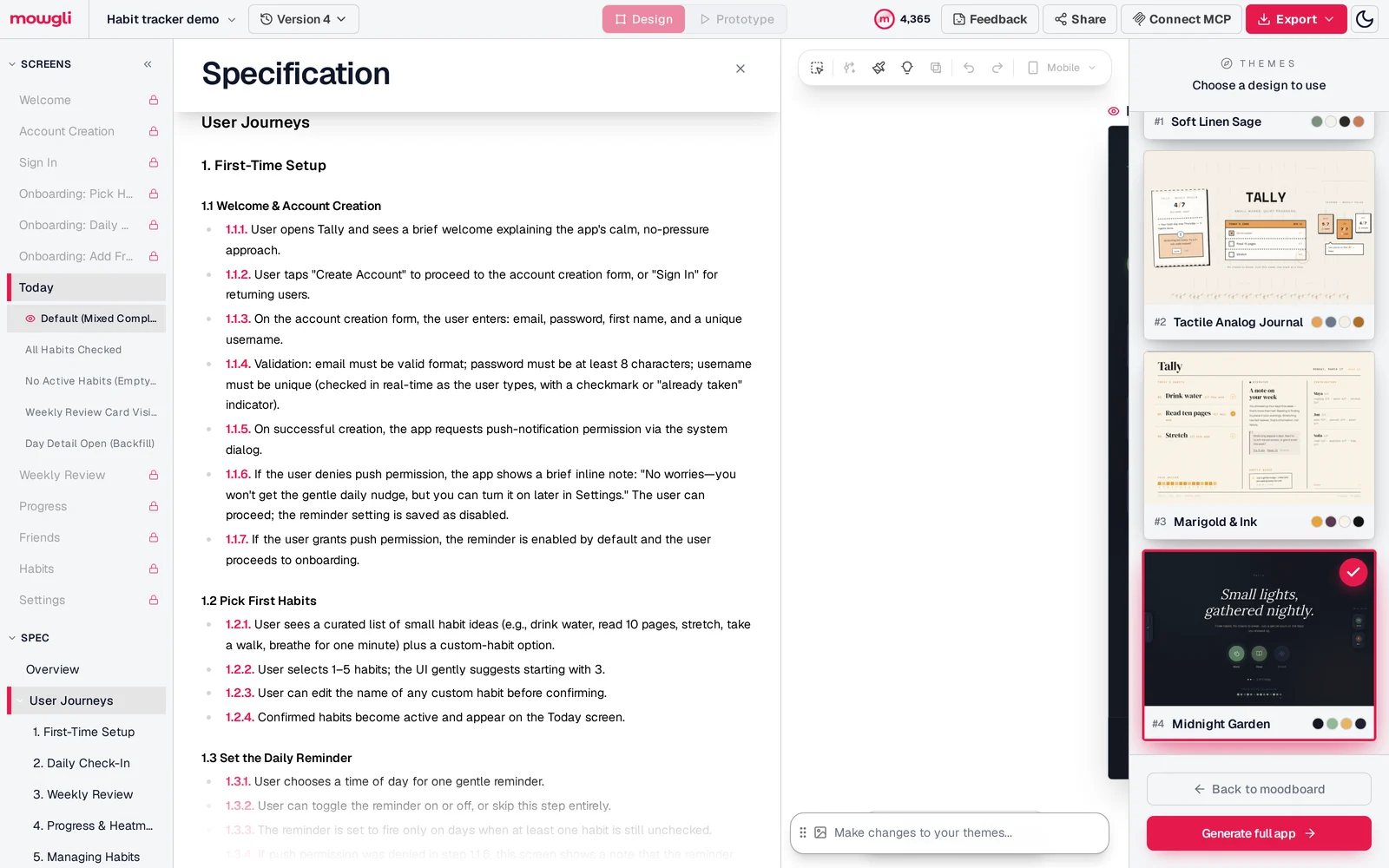
Caption: In Mowgli the spec's user journeys sit next to every screen and its states, so a PM reviews both in one place.
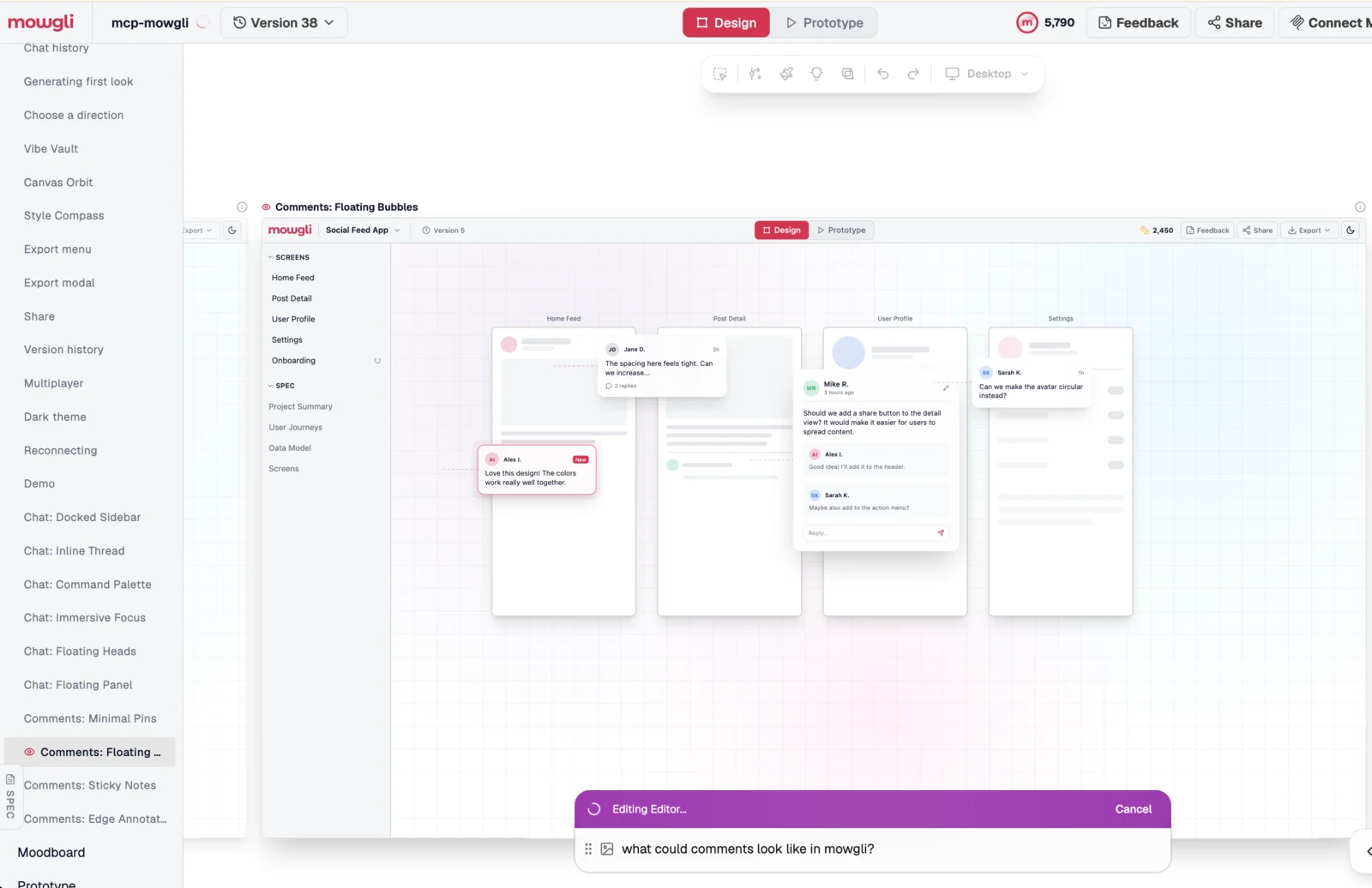
Caption: Mowgli's own editor, pushed into Mowgli by a coding agent, with comment-design variations explored from chat before any code changes.
For one prototype, Anthropic's frontend-design guides new UI work, OpenAI's Product Design plugin can move from three directions to runnable code, and Cursor's /canvas creates interactive React artifacts beside the conversation. See more agent skills for UI design.
How to install skills if you are not an engineer
claude.ai and Claude Desktop
Turn on Settings > Capabilities > "Code execution and file creation." Then open Customize > Skills > "+" > "Browse skills" > "Add."
To upload a ZIP, choose Customize > Skills > "+" > "+ Create skill" > "Upload a skill." The ZIP must contain the skill folder at its root, the folder name must match the skill name, and skill.md must be present. Names can be up to 64 characters and descriptions up to 200.
For plugins, use Customize > Plugins > Discover > "Add." To add a GitHub marketplace, choose Customize > Plugins > "Add" > "Add marketplace" > "Add from a repository."
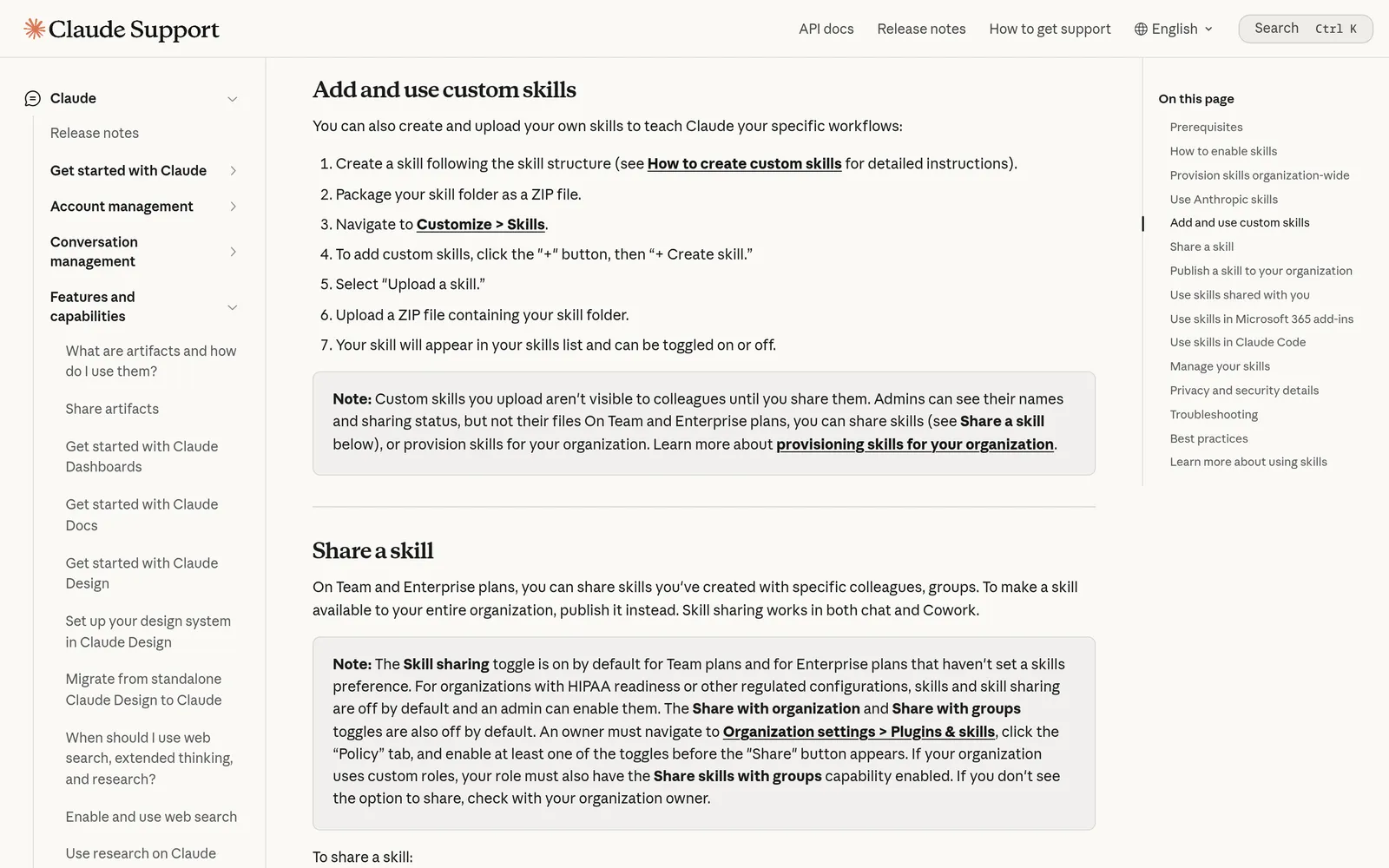
Caption: Uploading a skill ZIP in claude.ai or Claude Desktop takes a few clicks in Customize. Source: support.claude.com, captured October 2026.
Claude Code
In Claude Desktop's Code tab, click "+" beside the prompt, then Plugins > "Add plugin." Project skills live at .claude/skills/<skill-name>/SKILL.md; personal skills live at ~/.claude/skills/<skill-name>/SKILL.md. Run /skills to inspect loaded and synced skills.
Codex
Install plugins from the Plugins tab in ChatGPT or the ChatGPT desktop app. In Codex CLI, enter /plugins. Standalone repository skills live in .agents/skills; user skills live in $HOME/.agents/skills. Invoke them with $ or /skills in CLI and IDE, or @ in ChatGPT.
Cursor
Cursor reads project skills from .agents/skills/ or .cursor/skills/, and user skills from ~/.agents/skills/ or ~/.cursor/skills/. Type / in Agent chat or inspect Customize > Skills. Install plugins from Customize, then choose project or user scope.
One command for Claude Code, Codex and Cursor
npx skills add mowgli-ai/skills -a claude-code -a codex -a cursor
Without -a, the CLI detects installed coding agents or asks you to choose. Project installation is the default, so the team can commit and share the skill. Use -g for a global installation. If you do not use a terminal, ask an engineer once or use Claude Desktop's Code tab.
Turn your team's templates into a skill and vet what you install
Create one focused skill for a repeated format such as your PRD template, stakeholder update or research-synthesis rubric. Claude provides skill-creator; Codex uses $skill-creator; Cursor has /create-skill. On Mac, eligible Claude plans can record a skill from up to about 10 minutes of work in Cowork.
Use one purpose, a specific description and a few realistic test prompts:
---
name: my-skill-name
description: A clear description of what this skill does and when to use it
---

# My Skill Name

[Add your instructions here that Claude will follow when this skill is active]
Only install third-party skills from sources you trust. Read their instructions, scripts and network calls first. Anthropic identifies prompt injection and data exfiltration as the main risks. Enterprise plans can scan third-party skills, and Cursor manually reviews Marketplace plugins.
Check licenses too: Huryn and Lenny use MIT, Peters uses CC BY-NC-SA 4.0, and Anthropic's example skills are mostly Apache 2.0. Its document skills for DOCX, PDF, PPTX and XLSX are source-available, not open source.
Verdict: what to install first
If you work in claude.ai or Claude Desktop without a terminal, install Anthropic's Product Management plugin, Dean Peters' starter ZIPs and the Mowgli connector.
For Claude Code, add the PM and Data plugins, then Huryn's framework library. For Codex, use Huryn's plugin plus OpenAI's Data Analytics and Product Design plugins. In Cursor, commit shared PM skills to the repository.
When the job is "show me every screen and state of this idea or this codebase and let me change it," use the Mowgli skill. When the job is a document, use the PM plugin.
FAQ
What are the best Claude skills for product managers?
Anthropic's Product Management plugin is the best starting kit. Add the Data plugin and either Huryn's or Peters' framework library. Use the Mowgli skill for screens and states from a spec or codebase.
Can I use agent skills without coding or a terminal?
Yes. In claude.ai or Claude Desktop, browse or upload skills under Customize > Skills and install plugins under Customize > Plugins. Claude Desktop's Code tab also has a visual plugin browser.
Do Claude skills work in Codex and Cursor?
Yes. SKILL.md is an open format, Codex reads .agents/skills, and Cursor reads Claude and Codex skill directories. Claude-specific plugin commands may need to be requested in plain language elsewhere.
Are agent skills for PMs free?
The files are free to download, but licenses and host costs vary. Claude Free supports skills, while plugins need a paid plan. Codex is included in ChatGPT Free, Go and Plus. Cursor lists skills under its $20/mo Pro plan.
Are third-party skills safe to install?
Install only from trusted sources and inspect the files first. Pay particular attention to scripts and instructions that contact external servers.
Which skill turns a PRD into app screens?
The Mowgli skill turns a spec or existing codebase into every screen and state while keeping the spec in sync with code. For a manual workflow, use the PRD-to-wireframes guide.
Sources
- Anthropic Knowledge Work Plugins
- Anthropic Product Management plugin
- Anthropic Data plugin
- Anthropic Design plugin
- Product Management plugin directory page
- Anthropic Skills repository
- Using skills in Claude
- Using plugins in Claude
- Claude skills, connectors and plugins directory
- Creating custom Claude skills
- Claude custom connectors
- Claude Code skills
- Building skills for Codex
- OpenAI plugins documentation
- OpenAI Data Analytics plugin
- OpenAI Product Design plugin
- Cursor skills documentation
- Vercel Labs skills CLI
- Agent Skills specification
- Pawel Huryn PM skills
- Dean Peters Product Manager Skills
- Lenny's Product Skills
- Mowgli skill repository
- Mowgli skill listing
- Mowgli skill
- Mowgli agent