Banani Alternatives (2026): 11 AI UI Design Tools Compared
The best Banani alternatives: Mowgli for designing every screen of an app from a spec, Google Stitch for free concepts, and Figma Make for Figma teams.
Banani alternatives at a glance
There is no universal best Banani alternative. Choose by the output you need: Mowgli for a whole multi-screen app from a spec, Google Stitch for free concepts, Figma Make or UX Pilot for Figma workflows, Visily or Uizard for accessible mockups, Flowstep or MagicPath for agent-controlled canvases, and Magic Patterns or v0 for runnable code. Claude Design fits teams already paying for Claude. If you need high-volume UI variations, Banani Pro may still be the right choice.
We make Mowgli.
This comparison uses product, documentation and pricing details from vendor pages. Prices are from each vendor's pricing page, October 2026. A "-" means the vendor pages do not list that feature or price. See the broader AI design tool pricing and limits comparison for more plan details.
| Job | First pick | Runner-up | Why |
|---|---|---|---|
| Every screen of an app from a spec | Mowgli | UX Pilot | PRD plus complete flows and states |
| Free, fast concepts | Google Stitch | Visily | Free with a daily credit limit |
| Stay inside Figma | Figma Make | UX Pilot | Generation informed by components |
| Simple mockups for non-designers | Visily | Uizard | Templates, drag-and-drop and 300 free AI credits |
| Agent-driven canvas | Flowstep | MagicPath | MCP connections for Claude Code, Cursor and Codex |
| Real-code prototype | Magic Patterns | v0 | GitHub sync, code download and hosting |
| Use an existing Claude subscription | Claude Design | - | Included in paid Claude plans |
Here are the core plan and handoff differences:
| Tool | Free access | Entry paid plan | Figma and code |
|---|---|---|---|
| Banani | 12 credits/month plus 3/day | $12/month yearly, $20 monthly | Paid Figma export, HTML/CSS and MCP |
| Mowgli | 300 credits | Credit packs from $12; plans from $15/month | Figma import and export, React + Tailwind and MCP |
| Google Stitch | Daily credits | - | Figma export and static HTML/CSS |
| Figma Make | 150 AI credits/day, up to 500/month | $16/month yearly, $20 monthly | Native Figma workflow and code inside Make |
| UX Pilot | 80 credits/day, 1 project | $19/month yearly, $29 monthly | Figma plugin; no exports on Free |
| Visily | 300 AI credits/month, 2 editable boards | $14/editor/month | Paid Figma import/export and code export |
| Uizard | 3 AI generations/month | $12/month yearly | React/CSS on Pro |
| Flowstep | Limited messages | $15/month, 80 messages | Figma copy and paid code export |
| MagicPath | 20 credits/day | $7/month yearly | 3 Figma exports/month on Free and code download |
| Magic Patterns | Monthly free credits | $17/seat/month yearly | Figma, zip, GitHub and MCP handoff |
| v0 | 7 messages/day | $30/user/month | Full app generation and deployment |
| Claude Design | No free plan | Claude Pro at $17/month yearly | HTML, PDF and PPTX |
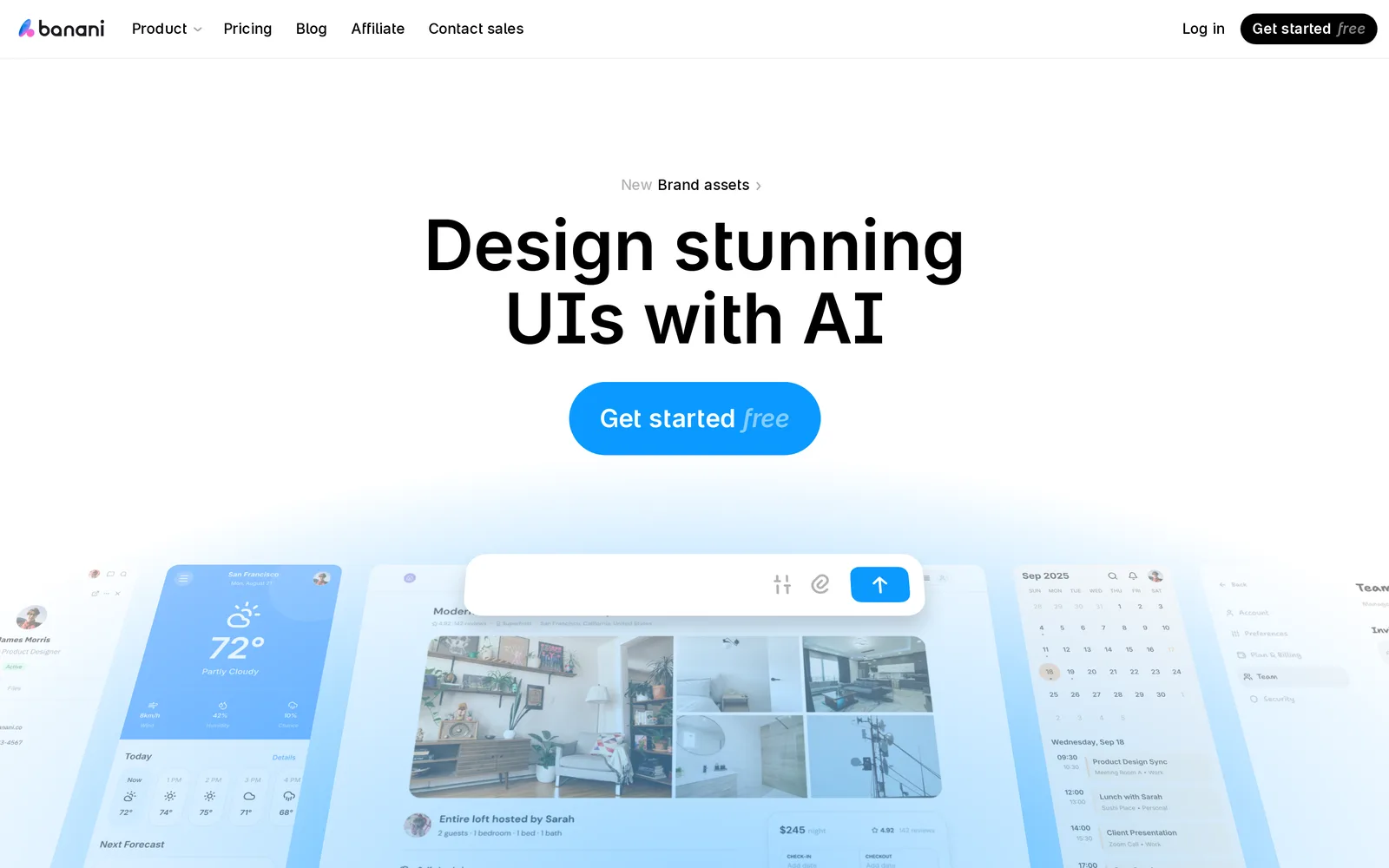
Caption: Banani's homepage. Source: Banani website, captured October 2026.
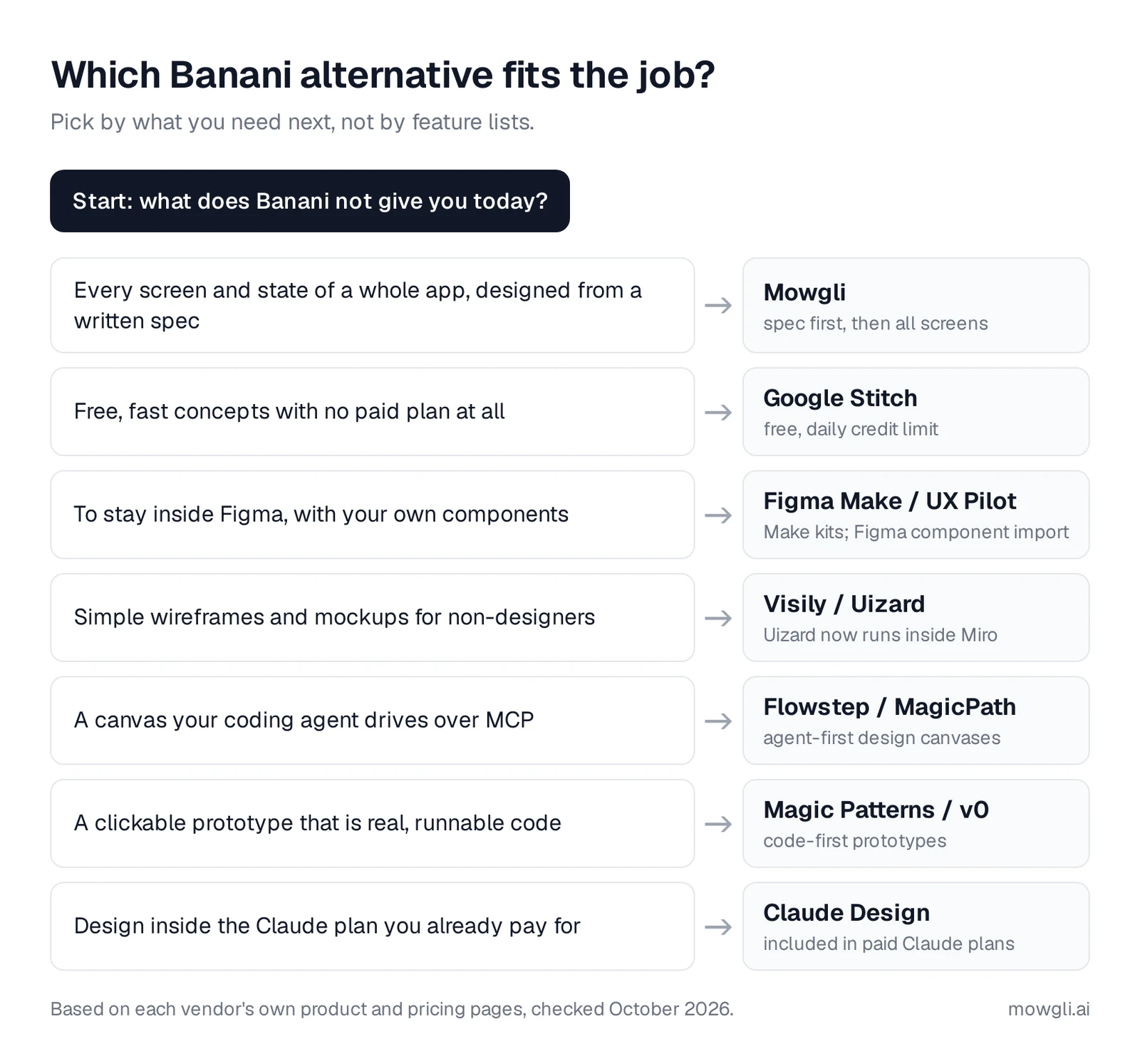
Caption: Pick a Banani alternative by the job you need done. Original graphic based on vendor pages.
What Banani does well - and why people switch
Banani is an AI UI design tool, not an app builder or basic wireframing tool. It turns prompts, PRDs, screenshots, Figma links and brand assets into editable screens. An app builder such as v0 or Lovable produces a running application and hosting, while a wireframing tool focuses on low-fidelity structure.
Banani can produce up to five screen variations per prompt. You can refine them through chat or edit the canvas manually. It also supports mobile-to-desktop conversion, Figma copy-paste with auto layout, HTML/CSS and image exports. Its MCP connection works with Claude Code, Cursor and Codex on every plan. Agent mode on Plus and Pro can plan screens from a PRD.
The main reason to switch is workflow fit. Banani's free plan provides 12 monthly credits plus three daily top-ups, and a generation typically costs more than one credit. Figma and HTML/CSS exports require Plus or Pro. The code export is HTML/CSS rather than component code, although Claude Code, Cursor or Codex can provide a React path through MCP.
Self-serve design-system import is another dividing line. Banani reserves "Import your design system" for Enterprise. Banani accepts a prompt or PRD, but it does not build the product specification with you.
Plus costs $12/month with yearly billing or $20 monthly and includes 100 monthly credits. Pro costs $30/month yearly or $50 monthly and provides unlimited credits. That makes Pro useful when you want many visual variations.
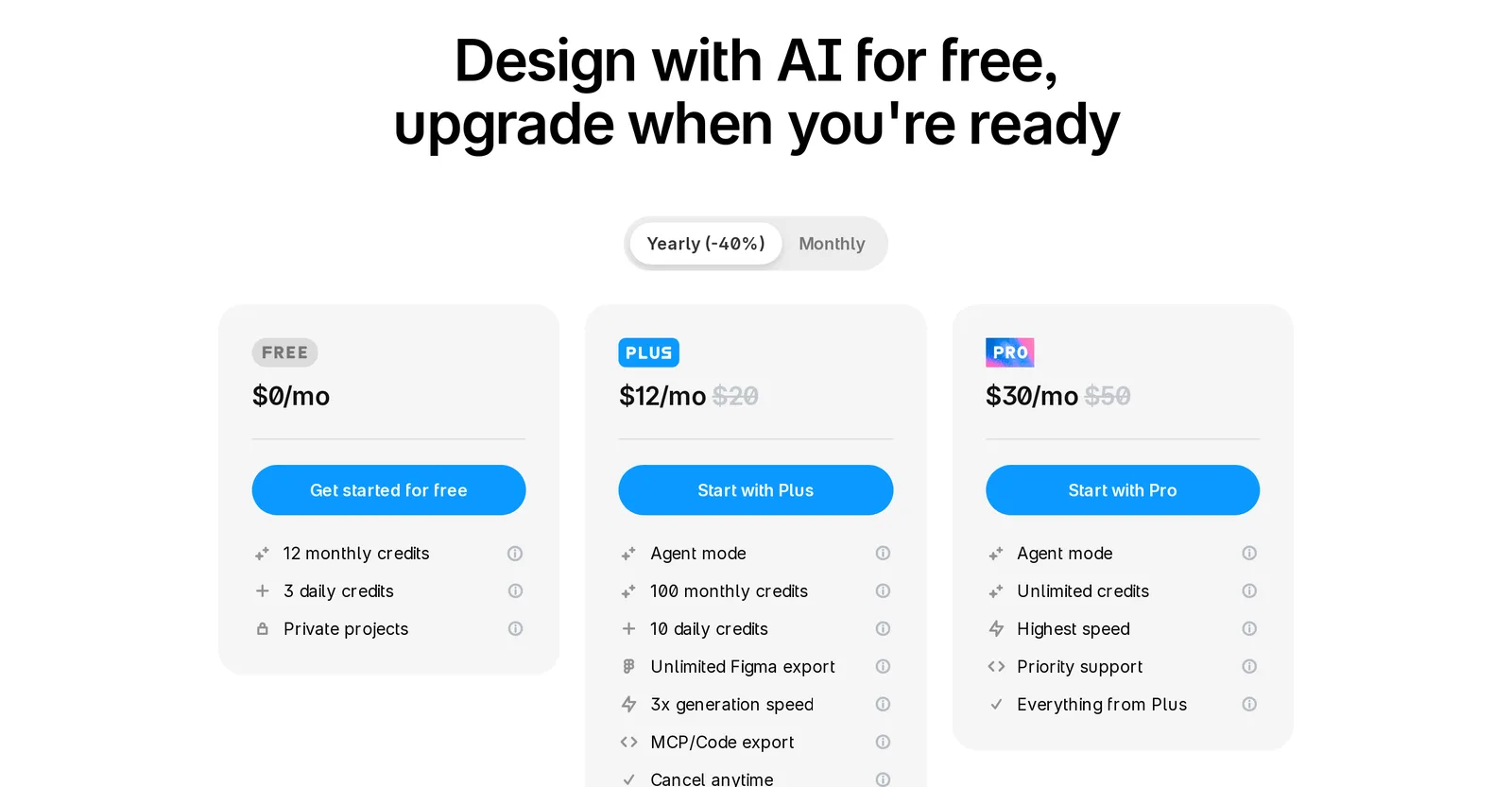
Caption: Banani's plans with yearly billing selected. Source: Banani website, captured October 2026.
Best for designing a whole app from a spec: Mowgli
Use Mowgli for app screens when you need a complete product design rather than a collection of individual concepts. It helps create the product spec, then treats the entire app as the design unit.
You can start with a product description, existing Figma file or codebase. A guided questionnaire covers the audience, flows and edge cases. The resulting PRD records user journeys, product constraints and the data model, and stays synchronized with the design.
Mowgli then generates every screen and state in those flows: 30+ screens and states, including empty, error and loading states. You can choose from 16+ visual styles, steer the style, compare themes and inspect the product on an infinite canvas. Chat edits, reference images and version history support iteration. The finished design becomes an interactive click-through prototype.
Each screen exports as a React + Tailwind component using lucide-react icons and a single state prop for screen states. Native Figma export and an AI-ready package are also available. Through the MCP server, CLI and agent skill, Claude Code, Cursor and Codex can read the spec, screens and states. The workflow also runs in both directions: bring an existing codebase into the design process, then send revised designs back into code.
Mowgli designs and prototypes; to host and ship, you hand off to a builder or coding agent (Claude Code, Codex, Cursor, Lovable).
Free to start with 300 credits; credit packs from $12; plans from $15/mo. You can also turn a PRD into a full set of screens, read about spec-driven design, or compare Mowgli vs Banani.
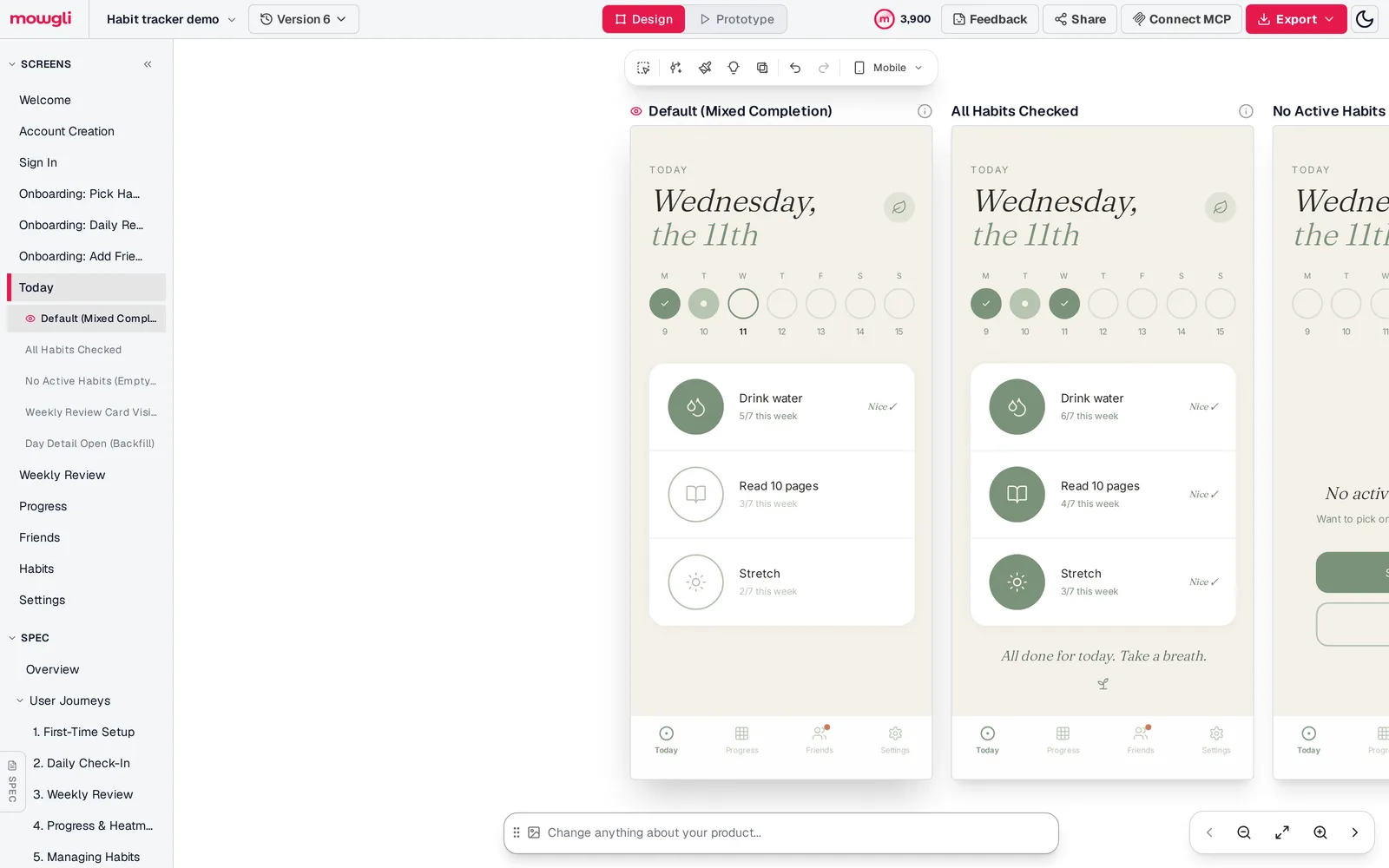
Caption: A habit tracker generated from one prompt and a 12-question questionnaire. The left rail lists every screen and the Today screen's states, including the empty state. Captured October 2026.
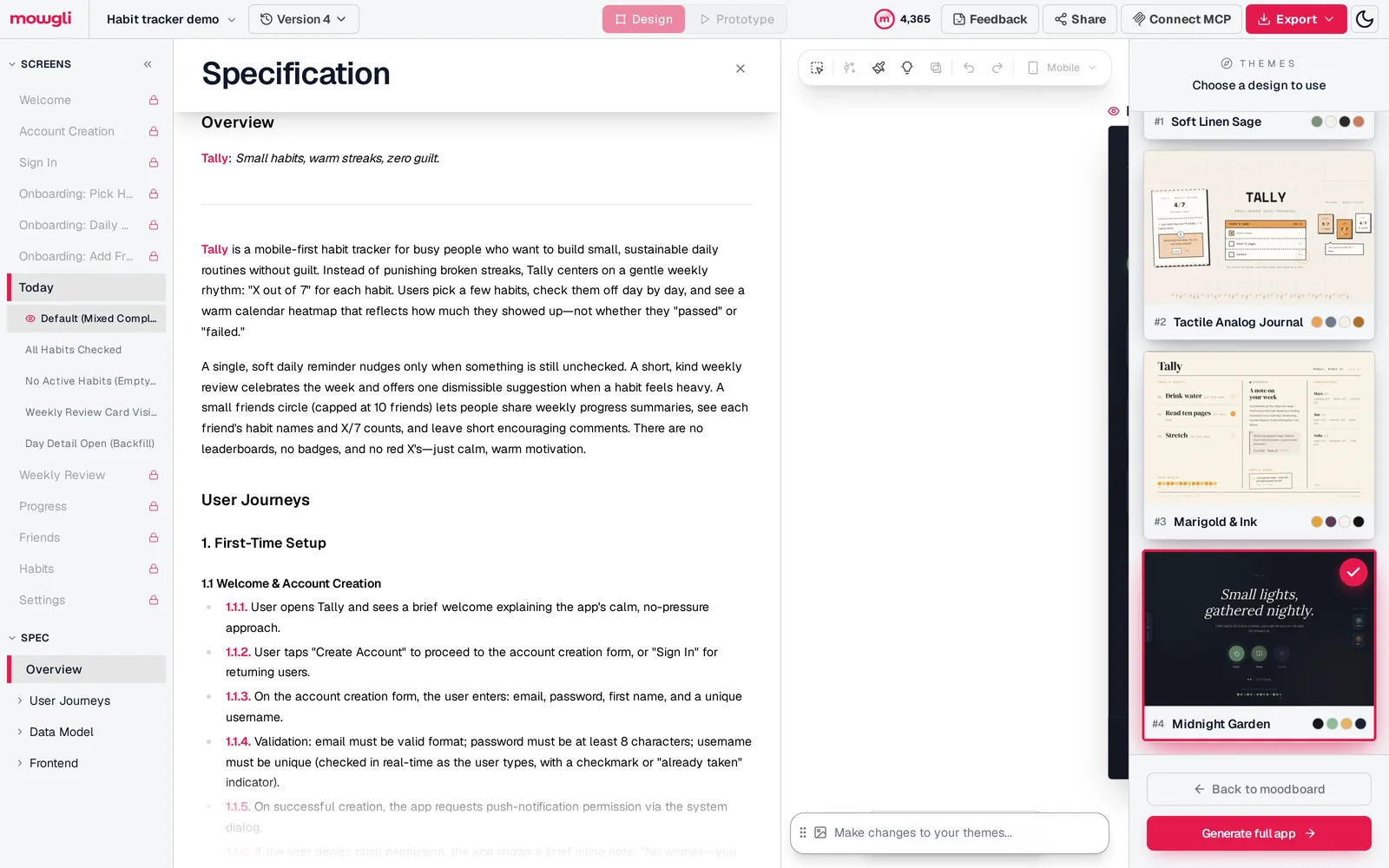
Caption: The generated spec for the same project, with the four chosen themes on the right. Captured October 2026.
Best free and Figma-based alternatives
Google Stitch
Google Stitch is the clearest free choice for exploring a few mobile or web screens. The Google Labs beta accepts prompts, sketches and screenshots, then exports free to Figma with auto layout, named layers and editable text. It also provides static HTML/CSS and MCP access for coding agents.
Credits reset daily at midnight UTC. Stitch is English-only and available to users aged 18 or older in regions where Gemini is available. Read more about Google Stitch for multi-screen apps or the direct Google Stitch comparison.
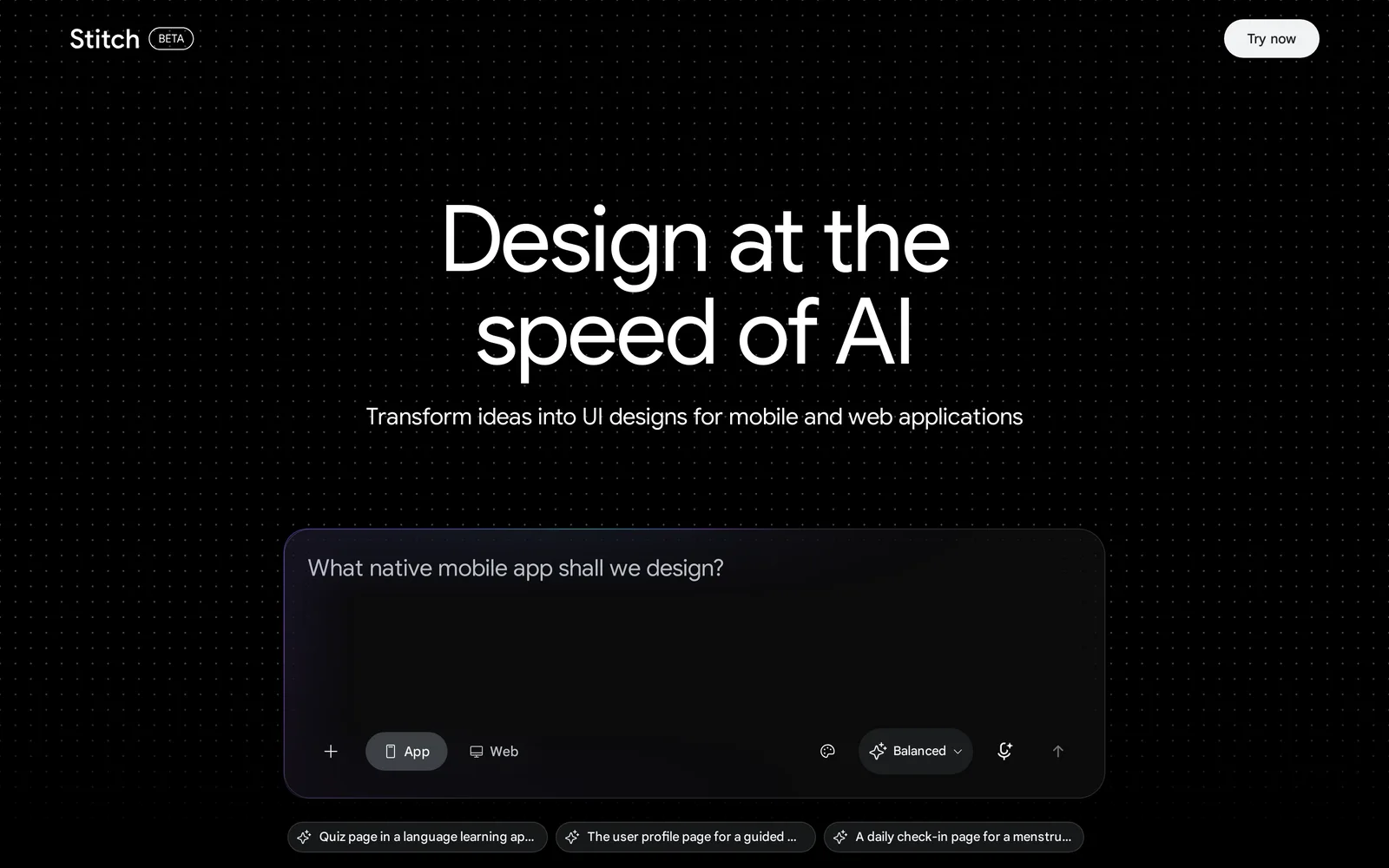
Caption: Google Stitch's homepage. Source: Google Stitch website, captured October 2026.
Figma Make
Choose Figma Make when your files, component libraries and review process already live in Figma. It creates interactive prototypes and web apps from prompts plus Figma frames, PDFs and images. You can copy results to the Figma canvas for refinement.
Make kits combine npm packages, library styles and generation guidelines. Plan mode gives you an editable plan, and the self-serve design-system workflow is available without Banani's Enterprise requirement. Starter includes 150 AI credits per day, capped at 500 per month. A Professional Full seat provides 3,000 monthly AI credits for $16/month yearly or $20 monthly. See the Figma Make comparison.
UX Pilot
UX Pilot suits designers who want wireframes, high-fidelity screens and Figma generation in one workflow. It can present four visual directions at once. Autoflow produces every screen in a UX journey, while flowcharts and predictive heatmaps support UX review.
Figma component import works on every plan. Free includes 80 credits per day and one project, but no Figma or code export. Pro costs $19/month yearly or $29 monthly. See the UX Pilot comparison.
Best for non-designers and agent-driven canvases
Visily and Uizard
Visily is built for non-designers creating stakeholder, client or executive mockups. It combines templates and drag-and-drop components with prompt, screenshot and diagram inputs. Free provides 300 AI credits per month and two editable boards. Pro costs $14/editor/month and adds Figma import/export, code export and an MCP server. Business costs $29/editor/month yearly.
Uizard remains useful for beginner-oriented wireframing and current Uizard projects. It scans screenshots and hand-drawn wireframes into editable mockups. Uizard is now part of Miro, where the newer workflow appears as Miro Prototypes "powered by Uizard." Miro inputs include sticky notes, PRDs and screenshots, with MCP handoff.
Uizard Free includes three AI generations per month. Pro costs $12/month yearly and Business costs $39/month yearly. Existing projects remain accessible. Read Uizard in 2026 or the Uizard comparison.
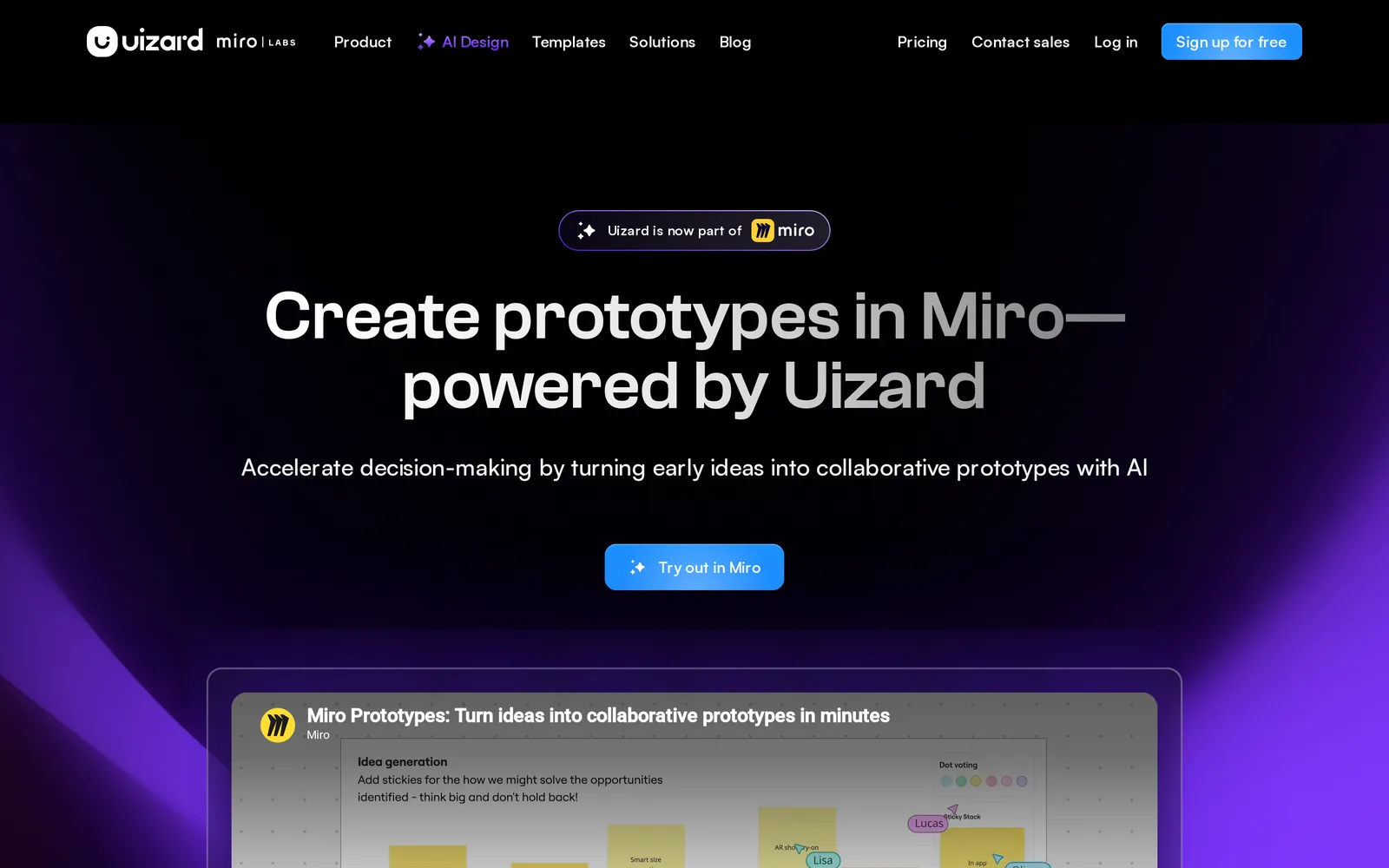
Caption: Uizard's homepage now points to Miro. Source: Uizard website, captured October 2026.
Flowstep and MagicPath
Flowstep is best for developers controlling a design canvas from an IDE. It generates up to six screens per prompt and supports chat plus manual editing. Its MCP server exposes 21 tools to Cursor, Claude Code, Windsurf and Codex.
You can render codebase components, generate variations, apply DESIGN.md guidelines and connect screens into a clickable prototype. Frames copy to and from Figma. Free access has limited messages, and a three-day trial enables exports. Starter costs $15/month for 80 messages, with annual savings up to 20 percent. Exports require a paid plan or trial.
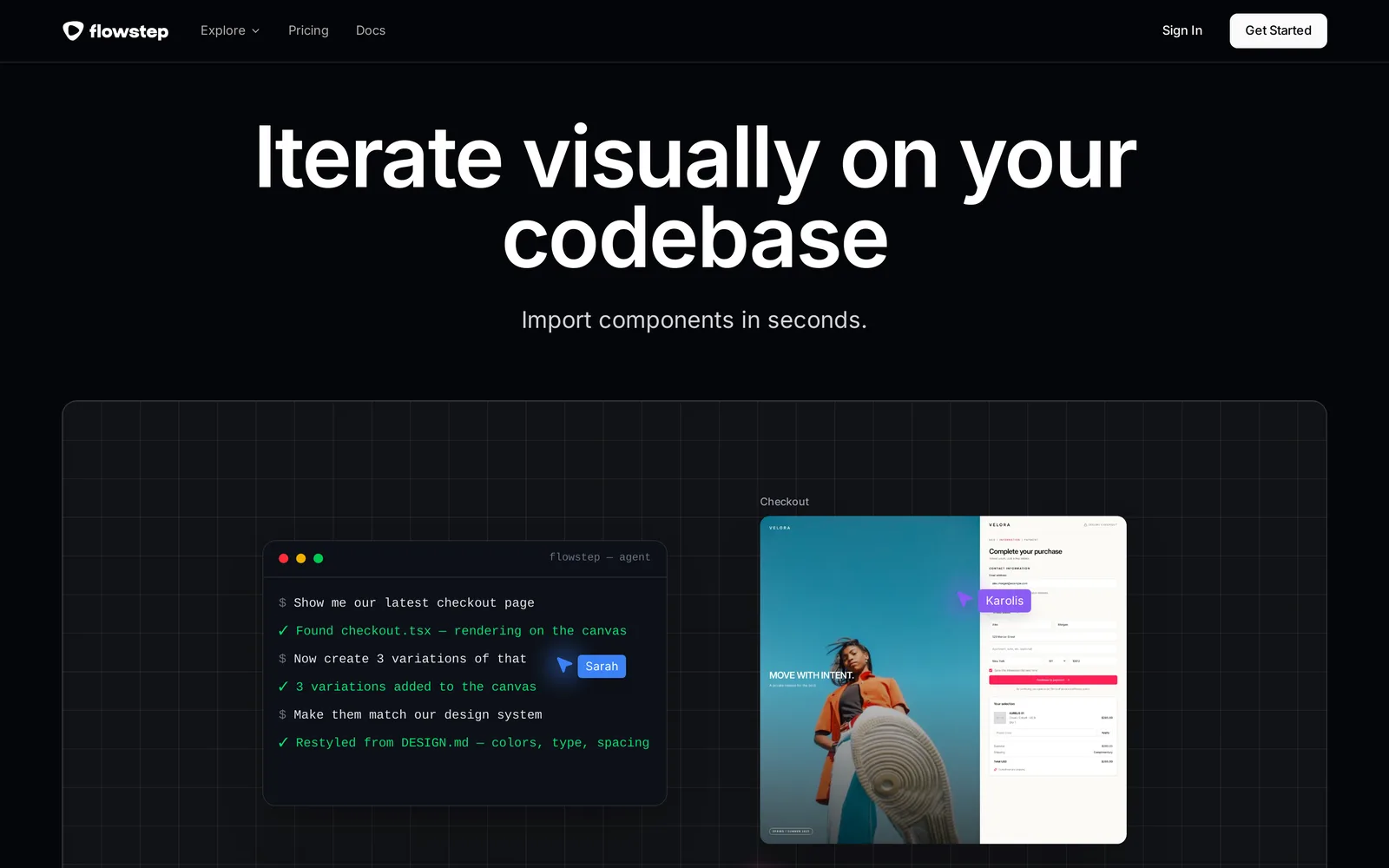
Caption: Flowstep's agent workflow, as shown on its homepage. Source: Flowstep website, captured October 2026.
MagicPath provides a shared visual workspace for MagicPath agents, Codex, Claude Code and Cursor. Teams can create several screens or variants in parallel. Calls from external agents do not consume MagicPath credits, and design-system support is available on every plan.
Free access includes 50 credits per week, with 20 free credits per day up to 120 per month and no rollover. It also includes three Figma exports per month. Code can be downloaded to any IDE. Builder costs $7/month yearly; Pro costs $21/month yearly for 600 credits. Both tools also appear in the guide to emerging AI design tools.
Best for runnable prototypes and Claude subscribers
Magic Patterns and v0
Magic Patterns turns prompts or product requirements into high-fidelity interactive prototypes for customer testing. It can use the team's actual design system, create multiple pages with real routes, and publish to a URL or custom domain. Handoff options include GitHub sync, code download and MCP.
The free plan includes monthly credits. Starter costs $17/seat/month yearly or $20 monthly. Business costs $85/seat/month yearly, and extra credits cost $0.02 each on demand.
v0 is an app builder for developers who intend the prototype to become the product. It creates working web applications, syncs with GitHub and supports one-click deployment. Design Mode lets you select live-preview elements and change typography, color, spacing or borders without another prompt.
v0 produces a running app rather than a design file and is not a multi-screen design canvas. Free includes seven messages per day, and new users receive $5 in one-time credits. Plus costs $30/user/month and includes $30 in monthly credits. Lovable and Bolt serve related jobs; compare them in Lovable vs Bolt vs v0.
Claude Design
Claude Design fits teams already paying for Claude. It creates on-brand mockups, prototypes and visuals from descriptions, using a GitHub repository, design files or a local codebase as design-system input.
You can comment, edit text, drag and resize elements. Claude Code supports /design, admins can lock work to one design system, and the handoff returns to Claude Code. Outputs include HTML, PDF and PPTX.
There is no free plan. Design work counts against Claude usage limits, and a full design uses more usage than a typical message. Claude Pro costs $17/month yearly or $20 monthly. See Claude Design alternatives and the Claude Design comparison.
Banani vs Flowstep, decision guide and verdict
Banani and Flowstep overlap, but their center of gravity differs.
| Decision | Banani | Flowstep |
|---|---|---|
| Positioning | "Design stunning UIs with AI" | "The design canvas for agents" |
| Free access | 12 credits/month plus 3/day | 3-day trial, then limited messages |
| Entry plan | Plus at $12/month yearly | Starter at $15/month for 80 messages |
| Heavy use | Pro unlimited credits at $30/month yearly | Higher message tiers |
| Per prompt | Up to 5 screen variations | Up to 6 screens |
| Figma | Paid copy-paste export | Copy to and from Figma |
| Code | Paid HTML/CSS | Paid code export |
| Agents | MCP on every plan | MCP server with 21 tools |
| Brand rules | Assets and tokens; design-system import on Enterprise | DESIGN.md guidelines |
Choose Flowstep when Claude Code, Cursor, Codex or another coding agent should direct the canvas and apply DESIGN.md rules. Choose Banani when you want many visual variants and unlimited generation through Pro.
For a final decision, match the tool to the deliverable:
- Complete app with states from an idea or PRD: Mowgli.
- Free concepts: Google Stitch.
- Figma-centered team: Figma Make, or UX Pilot when free component import matters.
- Stakeholder mockups for non-designers: Visily.
- Agent-controlled design: Flowstep or MagicPath.
- Runnable-code prototype: Magic Patterns, or v0 when the prototype should become the shipped product.
- Existing paid Claude plan: Claude Design.
- Heavy generation with output you already like: Banani Pro.
The verdict is straightforward. Use Mowgli for the whole-product job: spec, journeys, every screen and state, plus a readable handoff for Claude Code, Codex or Cursor. Banani remains suitable for rapid UI exploration and high-volume variations. Google Stitch wins on price, Figma Make or UX Pilot fit Figma-centered work, Flowstep or MagicPath fit agent-driven canvases, and Magic Patterns or v0 fit running code.
You can start from your own PRD or compare more AI app design tools.
FAQ
What is the best Banani alternative?
Mowgli is the best Banani alternative for designing a whole app from a spec. Choose Google Stitch for free concepts, Figma Make for a Figma-centered team, or Flowstep for agent-driven design. Banani remains relevant for fast single-screen variations.
Is there a free Banani alternative?
Yes. Google Stitch is free with a daily credit limit. Mowgli is free to start with 300 credits, Visily provides 300 AI credits per month, UX Pilot provides 80 credits per day, and MagicPath provides 20 credits per day.
Is Banani free?
Yes. Banani includes 12 monthly credits plus three daily top-ups. A generation usually costs more than one credit. Figma and HTML/CSS exports require Plus at $12/month yearly or Pro at $30/month yearly.
Is Flowstep better than Banani?
Flowstep is better for a canvas controlled by Claude Code, Cursor, Codex or another coding agent, with MCP and DESIGN.md support. Banani is better for producing numerous visual variations and using unlimited generation on Pro.
Does Banani export to Figma or code?
Yes, on paid Plus and Pro plans. Banani exports editable Figma layers with auto layout and HTML/CSS. Every plan can connect to Claude Code, Cursor and Codex through MCP.
Which Banani alternative designs every screen of an app?
Mowgli designs every screen and state of an app from a spec. Its workflow moves from a questionnaire to a PRD and then to 30+ screens and states, including empty and error states, on one canvas. UX Pilot Autoflow can generate every screen within a UX journey.
Sources
- Banani homepage
- Banani pricing
- Banani text-to-UI generator
- Banani AI UI generator
- Banani AI UI agent
- Google Stitch
- Figma Make
- Figma pricing
- UX Pilot
- UX Pilot plans
- Visily
- Visily pricing
- Uizard
- Uizard pricing
- Miro Prototypes
- Flowstep
- Flowstep pricing
- Flowstep design generation documentation
- Flowstep pricing documentation
- MagicPath
- MagicPath pricing
- Magic Patterns
- Magic Patterns pricing
- Magic Patterns documentation
- v0
- v0 pricing
- Lovable
- Bolt
- Claude Design
- Claude pricing
- Mowgli
- Mowgli pricing
- Spec-driven design
- Mowgli MCP
- PRD to designs
- App screens