May 7, 2026
Introducing the Moodboard
Meet your moodboard — a more immersive way to explore design themes before you build.
Many of you appreciate the theme exploration in Mowgli, as it allows you to experiment with colors and layouts before committing to a full design. We wanted to take this a step further, and have rebuilt our design pipeline from the ground up — making it one of the most capable design engines available on the market.
Today, we introduce the moodboard.
The moodboard sits just after the questionnaire, stacked with 16+ gorgeous, tailored designs for your app. Remix, mix and match, and upload your own references to build custom themes. Ideate and refine, and then pick your favourites to preview on the canvas before the full design build.
To celebrate this release, all users have been topped up for a free try 🎉
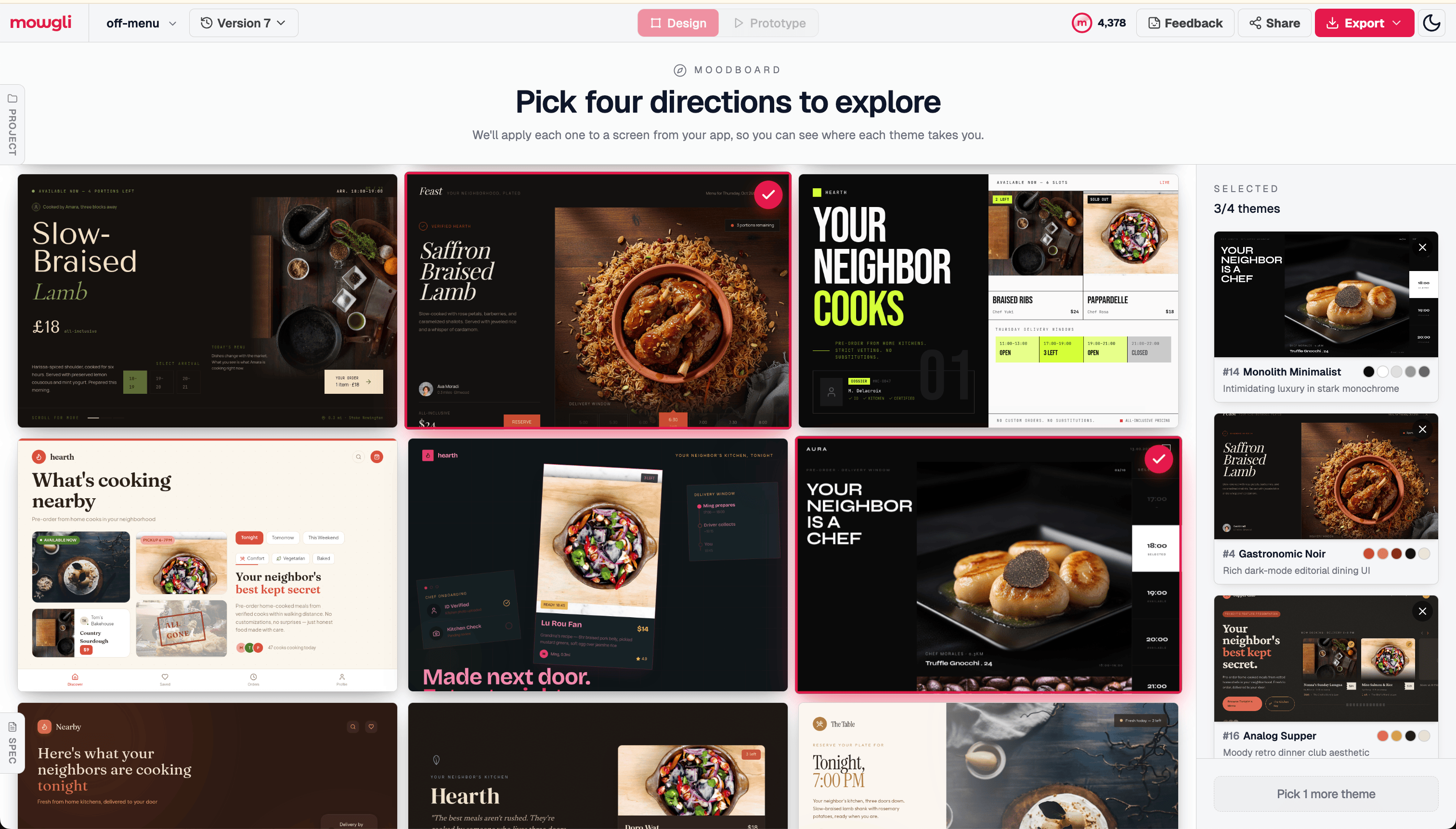
Moodboard steered with the direction of "sultry dark mode."
Steer your moodboard
If you want to steer the moodboard generation with custom preferences, you can do this at the initial prompt stage. You can add free text, colors and attach images for style inspiration. Go wild!
Try it on an existing project
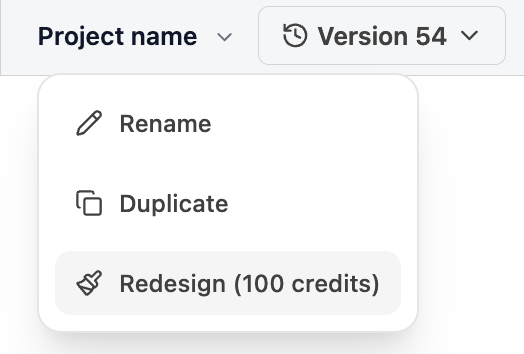
Open any existing project, click the project name in the top bar, and hit Redesign from the dropdown. This will take you through the moodboard flow and apply your chosen theme to the project. And yes, this works for Figma imported files too 😏